# Proxio Documentation: Full Text
> Proxio is a proxy network for web scraping, SEO tracking, and large-scale data collection: pay-per-GB rotating residential proxies plus flat-rate, unlimited-bandwidth ISP and datacenter IPs. This file concatenates the full text of every documentation page, including the complete REST API reference, for AI ingestion in a single fetch.
Link-only index: https://docs.proxio.net/llms.txt
OpenAPI 3.1 spec: https://dashboard.proxio.net/api/v1/openapi.json
---
# Proxio Documentation
Source: https://docs.proxio.net/docs
> Proxio is a proxy network for web scraping, SEO tracking, and large-scale data collection, offering pay-per-GB rotating residential proxies plus flat-rate, unlimited-bandwidth ISP and datacenter IPs. Start here.
Proxio is a proxy network for web scraping, SEO rank tracking, and large-scale
data collection. Its flagship is pay-per-GB rotating **residential** proxies,
backed by flat-rate, **unlimited-bandwidth** ISP and datacenter IPs.
These docs take you from your first authenticated request to production-grade
rotation, geo-targeting, and dashboard workflows. New here? The
[Quickstart](/docs/getting-started/quickstart) gets a working proxy request
running in under two minutes.
## Browse the docs
}
title="Getting Started"
href="/docs/getting-started"
description="Create an account, buy a package, and send your first authenticated request."
/>
}
title="API Reference"
href="/docs/api"
description="Authenticate with an API key, then manage services, credentials, usage, orders, and webhooks over REST."
/>
}
title="Proxies: Targeting & Sessions"
href="/docs/proxies"
description="Username targeting syntax, country/state/city geo-targeting, rotation, and sessions."
/>
}
title="Troubleshooting & FAQ"
href="/docs/troubleshooting"
description="Fix connection, authentication, and geo problems, plus a full error-code reference."
/>
}
title="Dashboard & Account"
href="/docs/dashboard"
description="Wallet top-ups, orders and renewals, usage stats, credentials, and the Telegram bot."
/>
}
title="Integrations"
href="/docs/integrations"
description="Copy-paste guides for Python, Node.js, PHP, browsers, antidetect tools, and scrapers."
/>
}
title="Policies & Support"
href="/docs/resources"
description="Acceptable use, the affiliate program, and contacting support."
/>
## Popular pages
}
title="Quickstart"
href="/docs/getting-started/quickstart"
description="Your first proxy request in under two minutes."
/>
}
title="Targeting syntax"
href="/docs/proxies"
description="Chain country, state, city, and session parameters into your username."
/>
}
title="Error codes"
href="/docs/troubleshooting/error-codes"
description="What 407, 402, and 502 mean, and how to fix each one."
/>
}
title="Wallet"
href="/docs/dashboard/wallet"
description="Top up with card or crypto, unlock deposit bonuses, and pay for orders."
/>
}
title="Your first API call"
href="/docs/api/getting-started"
description="Create a key, verify it, and generate a proxy list, in cURL, Python, and Node.js."
/>
Every page here is searchable. Hit the search box in the top bar. For account
help, open a ticket from the [dashboard](https://dashboard.proxio.net) or see
[Contact Support](/docs/resources/support).
---
# Introduction
Source: https://docs.proxio.net/docs/getting-started
> What Proxio is, how a proxy works, who these docs are for, and the three things you need before your first request.
Proxio is a proxy network for web scraping, SEO rank tracking, and large-scale
data collection. Its flagship product is pay-per-GB rotating **residential**
proxies: a pool of real residential IPs you reach through a single gateway,
paying only for the traffic you use. Flat-rate, **unlimited-bandwidth** ISP and
datacenter proxies round out the lineup for teams that would rather not meter
data at all.
## The products
- **Residential, pay per GB (flagship).** Rotating residential IPs served
through one gateway, `geo.proxio.cc:16666`. You target a country, state, or
city and choose how IPs rotate, all from your proxy username. Most of these
docs cover this product.
- **ISP & Datacenter: flat-rate, unlimited bandwidth.** Delivered as
**dedicated IPs** per order. Each proxy is its own host, port, username, and
password, with no shared gateway and no username targeting. See
[ISP & Datacenter proxies](/docs/proxies/isp-datacenter) for how they're set up.
Flat-rate, unlimited-bandwidth ISP and datacenter proxies are Proxio's
differentiator: run them at full tilt without watching a per-GB meter. When you
need real residential IPs and precise geo-targeting, reach for the pay-per-GB
residential pool instead.
## How a proxy works
A proxy sits between your client and the site you're requesting, forwarding your
traffic so the destination sees the proxy's IP instead of your own. With
Proxio's residential proxies, that exit IP belongs to a real device in the
location you target, so your requests look like ordinary user traffic. You send
requests exactly as you always would, just pointing your HTTP client at
Proxio's gateway with your username and password.
## Who this is for
These docs are written for the people who run proxies in production:
- Data and scraping engineers collecting web data at scale.
- SEO and SERP teams tracking rankings from specific locations.
- E-commerce and price-monitoring teams checking listings across markets.
- Social media and account-management teams that need stable, geo-consistent sessions.
- Anyone verifying ads, prices, or content as they appear in another country.
## What you need
Three things get you from zero to your first request:
1. **A Proxio account.** Register at
[dashboard.proxio.net/register](https://dashboard.proxio.net/register).
2. **A funded wallet.** Top up your balance, then pay for packages from it. See
[Wallet & Top-Up](/docs/dashboard/wallet).
3. **An active service.** For this guide, that's a **Residential** package. Once
it's active, its username, password, and gateway live on the service's
**Setup** tab.
## Where next
---
# Quickstart: Your First Request
Source: https://docs.proxio.net/docs/getting-started/quickstart
> Sign up, buy a residential package, grab your credentials, and send a verified proxy request in cURL, Python, Node.js, or PHP, all in under two minutes.
This page gets a working residential proxy request running in under two minutes.
You'll create an account, buy a package, copy your credentials, and route a
request through Proxio's gateway to confirm your traffic exits from a different
IP.
Everything below uses the residential gateway `geo.proxio.cc:16666`. Replace
`USERNAME` and `PASSWORD` with the credentials from your dashboard.
### Create your account
Register at
[dashboard.proxio.net/register](https://dashboard.proxio.net/register). You can
sign up with email and password, an email magic link, or a Google, GitHub, or
Discord account.
### Top up and buy a residential package
Open your **Wallet**, add funds, then buy a **Residential** package from your
balance. Package prices are listed at
[proxio.net/pricing](https://proxio.net/pricing); the step-by-step top-up flow
(card, crypto, and deposit bonuses) is in
[Wallet & Top-Up](/docs/dashboard/wallet).
### Copy your credentials
Open your new service and go to its **Setup** tab. There you'll find your proxy
**username**, **password**, and the gateway host and port
(`geo.proxio.cc:16666`), plus ready-to-copy code examples.

### Send your first request
Route a request to `https://ipinfo.io` through the gateway. Pick your language, cURL first:
```bash
curl -x http://USERNAME:PASSWORD@geo.proxio.cc:16666 https://ipinfo.io
```
```python
# pip install requests
import requests
proxy = "http://USERNAME:PASSWORD@geo.proxio.cc:16666"
resp = requests.get(
"https://ipinfo.io",
proxies={"http": proxy, "https": proxy},
)
print(resp.json())
```
```js
// npm install axios https-proxy-agent
import axios from "axios"
import { HttpsProxyAgent } from "https-proxy-agent"
const agent = new HttpsProxyAgent(
"http://USERNAME:PASSWORD@geo.proxio.cc:16666"
)
const { data } = await axios.get("https://ipinfo.io", {
httpAgent: agent,
httpsAgent: agent,
proxy: false, // required: axios's own proxy handling silently bypasses the agent above
})
console.log(data)
```
```php
### Verify and add a country
The response from `ipinfo.io` shows the exit IP and its location. If it's a
different IP from your own, your traffic is now flowing through Proxio.
To pin the exit to a specific country, append `-region-` and a country code to
your username. For a US exit, your base username `USERNAME` becomes
`USERNAME-region-us`:
```bash
curl -x "http://USERNAME-region-us:PASSWORD@geo.proxio.cc:16666" https://ipinfo.io
```
Run it again and the reported country should now be the United States.
Country, state, and city targeting and rotation are features of the residential
gateway. ISP and datacenter proxies are dedicated IPs with fixed connection
details. See [ISP & Datacenter proxies](/docs/proxies/isp-datacenter).
## Where next
---
# Dashboard Tour
Source: https://docs.proxio.net/docs/getting-started/dashboard-tour
> A guided walkthrough of dashboard.proxio.net, covering Home, Services, Orders, Wallet, Support tickets, and Settings.
Everything you buy and manage lives at
[dashboard.proxio.net](https://dashboard.proxio.net): your services and their
credentials, your wallet and orders, usage statistics, and support. This tour
walks through each area so you know where to click.
### Home
When you sign in, the **Home** page opens with three status cards: **Bandwidth
Usage**, **Wallet Balance**, and **Recent Activity**.
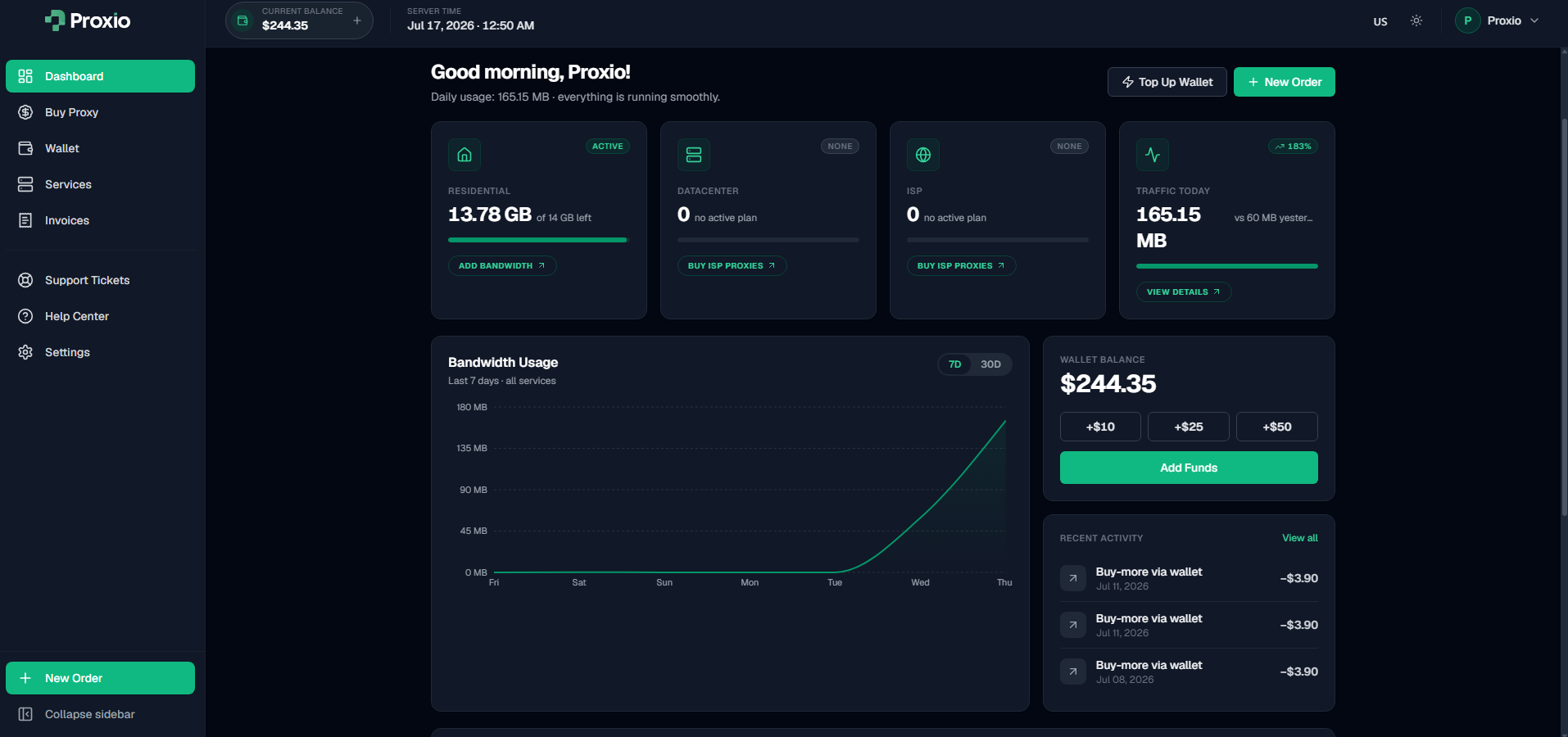
On your first visit, a three-step purchase wizard walks you through your first
order. It includes a **Proxy Advisor** questionnaire that recommends a setup
based on your use case.
### Services
**Services** lists everything you own. Click a service to open its detail view,
where the tabs depend on the product:
- **Residential** services have **Setup** (connection details, gateway, and
code examples), **Statistics** (usage over time), **Sub-users** (credentials,
quota caps, and access controls), and **Orders** (this service's purchases).
- **ISP and Datacenter** services show their **connection details** and code
examples instead, with each proxy's own host, port, username, and password.
### Orders
**Orders** is your purchase history. Filter by status or category to find a
specific order, and re-pay any order still marked pending.
### Wallet
**Wallet** shows your current balance, a top-up panel with quick amounts and a
custom field, and your full transaction history. Full details, including payment methods
and deposit bonuses, are in [Wallet & Top-Up](/docs/dashboard/wallet).
### Support tickets
Open a **Support** ticket for help. Choose a category (General, Billing,
Technical, Proxy Issue, Account, or Other) and a priority (Low, Normal, High, or
Urgent). Tickets move from Open through Awaiting Staff or Awaiting User, then to
Resolved or Closed.
### Settings
**Settings** is where you manage your profile and password, interface language
(English, Russian, German, and Simplified Chinese), and appearance (light or
dark). You can also connect Google, GitHub, and Discord accounts, and link your
Telegram account. A Developer card links to **API keys** and **Webhooks**,
for managing access to the [REST API](/docs/api).
## Where next
---
# Choosing Your Setup
Source: https://docs.proxio.net/docs/getting-started/choosing-your-setup
> A decision guide for residential proxies that helps you pick a rotation type, a geo scope, and a protocol, or start from a built-in preset or the dashboard's Proxy Advisor.
Before you scale up, decide three things: how IPs should **rotate**, how tightly
to **target** by location, and which **protocol** to use. This guide covers the
choices for residential proxies; if you're not sure, jump to
[Start from a preset](#start-from-a-preset) or let the
[Proxy Advisor](#let-the-dashboard-recommend) pick for you.
## Pick a rotation type
Proxio's residential proxies rotate in one of three ways. You set the type from
your username or a saved preset.
| Type | What it does | Reach for it when |
|---|---|---|
| **auto** | A fresh IP on every request, with no session. | Requests are independent: high-volume scraping, SERP checks, or anything where each hit can safely come from a different IP. |
| **sticky** | Holds the same IP for the session time you set (1-90 minutes). | You need continuity, such as logins, carts, or multi-step flows that must stay on one IP. |
| **smart** | Sticky, plus automatic retries on failed connections (optionally a fresh IP per retry). | Flaky targets where you want resilience without writing retry logic yourself. |
Sticky and smart sessions run for a **session time** of 1 to 90 minutes; the
dashboard defaults to 10. Smart rotation adds 1 to 5 extra connection attempts on
top of that.
Retries handle connection-level failures only: TCP dial errors, CONNECT
timeouts, and 502 / 503 / 504 responses. Content-level errors like a 403 block
are not retried. Failed attempts transfer no data and never count against your
quota.
## Choose your geo scope
You can target three levels of location, from broad to narrow: country, state and
city. Country is the most common choice, and it is the one a state or city segment
builds on. Adding the state is optional: reach for it when two cities in the same
country share a name.
Target as broadly as your use case allows, and only narrow to a state or city
when you truly need to. The segment reference, the slugging rules and worked
examples are in [Geo-Targeting](/docs/proxies/geo-targeting).
## Pick a protocol
Both protocols share the same endpoint, `geo.proxio.cc:16666`. Only the URL
scheme changes.
| Protocol | URL scheme | Use it when |
|---|---|---|
| **HTTP / HTTPS** | `http://` | The default. Works with virtually every client and tool, and tunnels HTTPS sites via CONNECT. |
| **SOCKS5** | `socks5h://` | Your tool prefers SOCKS, or you want DNS resolved at the exit. |
Use `socks5h://` in cURL, Python, and Node.js so DNS resolves through the proxy;
PHP and C# libraries use `socks5://`. SOCKS5 support covers the CONNECT command.
The full endpoint reference is in
[Protocols & Ports](/docs/proxies/protocols-and-ports).
## Start from a preset
Not sure where to begin? Proxio ships built-in rotation presets tuned for common
jobs like e-commerce and price tracking, social media, SEO and SERP tracking,
general scraping, speed, and long sessions. Each one fills in the rotation type,
session time, retries, protocol, and geo scope for you.
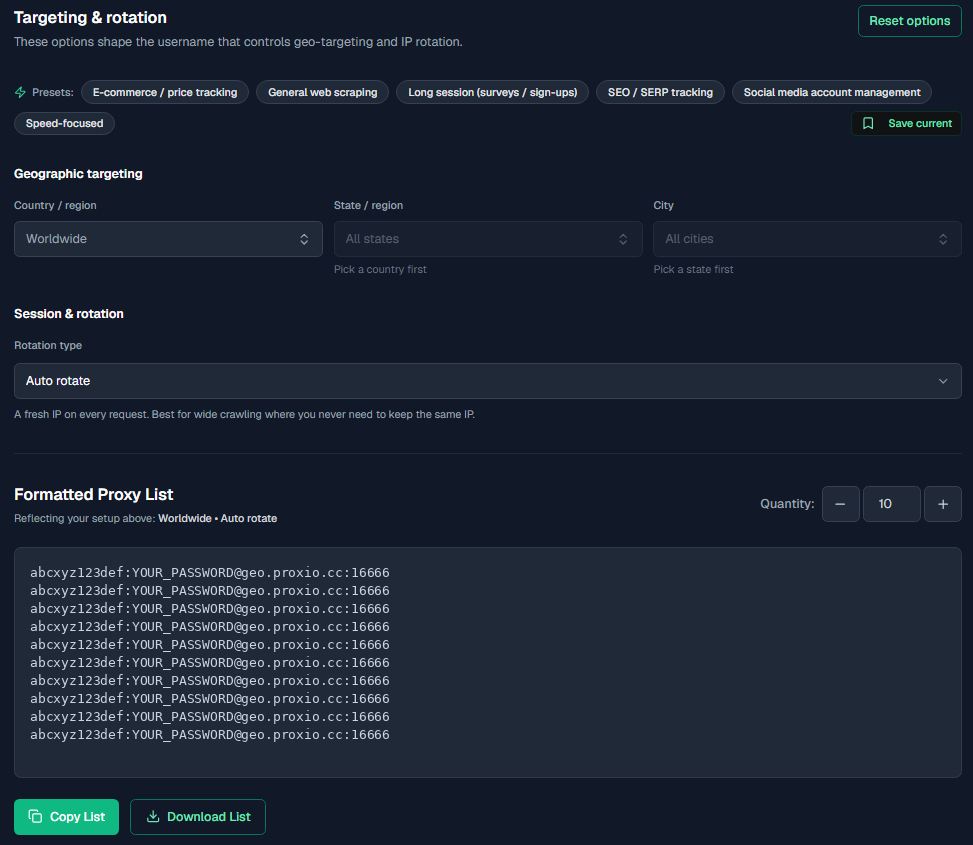
You can also save up to 50 of your own private presets. Browse them all in
[Rotation Presets](/docs/proxies/rotation-presets).
## Let the dashboard recommend
On your first purchase, the dashboard's onboarding wizard includes a **Proxy
Advisor** questionnaire. Answer a few questions about your use case, rotation
preference, and geo coverage, and it recommends a setup you can adjust later.
Rotation and geo-targeting are residential features. ISP and datacenter proxies
are dedicated IPs with fixed connection details. See
[ISP & Datacenter proxies](/docs/proxies/isp-datacenter).
## Where next
---
# Proxio API
Source: https://docs.proxio.net/docs/api
> The Proxio REST API gives you one base URL, one auth scheme, one response envelope, cursor pagination, idempotent writes, signed webhooks, and an OpenAPI 3.1 document. Manage services, credentials, usage, orders, and proxy lists programmatically.
The Proxio API is a single, coherent control-plane REST API. It covers the
day-to-day work: list your services, mint proxy credentials, generate
ready-to-use proxy lists, read usage, place orders and renewals, and receive
signed webhooks when things change. A handful of account operations stay in the
dashboard, listed under [what the API does not cover](#what-the-api-does-not-cover).
It is built to be predictable. One base URL, one authentication scheme, one
response envelope, one error taxonomy, cursor pagination on every list that can
grow, documented rate limits, idempotent writes, and an
[OpenAPI 3.1 document](/docs/api/openapi) you can feed straight into codegen.
## Base URL
Every endpoint lives under a single host and version prefix:
```text
https://dashboard.proxio.net/api/v1
```
All requests are HTTPS only, send and receive `application/json` (UTF-8), and
carry your API key in the `Authorization` header. The one documented exception
is [`GET /services/{id}/proxy-list`](/docs/api/proxy-list) with
`format=txt` or `format=csv`, which returns `text/plain` or `text/csv`.
Endpoint paths in these docs (for example `GET /services`) are written relative
to that base URL; code samples build full URLs from a `BASE` constant. The
discovery route is a `GET` on the base URL itself.
## The envelope at a glance
Every successful response wraps its payload in a `data` field, with an optional
`meta` object that always carries a `request_id` and, for paginated lists, a
`next_cursor`:
```json
{
"data": { "id": "clpkg_2a9x", "category": "RESIDENTIAL", "status": "active" },
"meta": { "request_id": "req_8Ke2jP4mQ" }
}
```
Every error uses the same envelope in reverse, with a stable machine-readable
`code`, a human `message`, a deep link to the docs, and the `request_id` to
quote to support:
```json
{
"error": {
"code": "VALIDATION_ERROR",
"message": "quantity_gb must be an integer >= 1.",
"doc_url": "https://docs.proxio.net/docs/api/errors#validation_error",
"request_id": "req_8Ke2jP4mQ",
"details": [{ "field": "quantity_gb", "issue": "too_small", "min": 1 }]
}
}
```
See [Errors](/docs/api/errors) for the complete catalog and
[Pagination](/docs/api/pagination) for the cursor model.
## Use with an AI assistant
These docs are built to be handed straight to an AI coding assistant. Point it at
the machine-readable sources below and ask it to write the integration, the whole
API surface is available in a form an LLM can ingest in one fetch.
| Source | URL | Use it for |
|---|---|---|
| `llms.txt` | [`https://docs.proxio.net/llms.txt`](https://docs.proxio.net/llms.txt) | A concise, link-based map of every docs page. |
| `llms-full.txt` | [`https://docs.proxio.net/llms-full.txt`](https://docs.proxio.net/llms-full.txt) | The full text of every page concatenated into one file, ideal to paste or feed as context. |
| OpenAPI 3.1 | [`https://dashboard.proxio.net/api/v1/openapi.json`](https://dashboard.proxio.net/api/v1/openapi.json) | The canonical machine-readable spec for codegen and typed clients. |
Give your assistant one of these URLs and a plain-English goal. A prompt like this
is usually enough:
```text
Here is the Proxio API spec: https://dashboard.proxio.net/api/v1/openapi.json
And the full docs: https://docs.proxio.net/llms-full.txt
Write a Python client that:
- authenticates with my pxo_ key from the PROXIO_API_KEY env var
- generates 500 sticky US residential proxy lines and rotates to a fresh
session every 100 requests
- honors 429s using the Retry-After header
Use the documented endpoints and the { data, meta } / { error } envelope exactly.
```
Tell your assistant to branch on the error `code` (not the message), pass
`meta.next_cursor` back verbatim for pagination, and send an `Idempotency-Key`
on writes. Every rule it needs is in [`/llms-full.txt`](https://docs.proxio.net/llms-full.txt),
and where an example ever disagrees with the [OpenAPI document](/docs/api/openapi),
the spec wins.
## Why this API
| Guarantee | What it means for you |
|---|---|
| One auth scheme | A single `Authorization: Bearer pxo_…` key, SHA-256 hashed, scoped, revocable, with an optional IP allowlist. No second token, no second domain. |
| Cursor pagination where it matters | Every list that can grow without bound uses `?limit&cursor` and returns `meta.next_cursor` / `meta.has_more`. One loop works everywhere it's used, services, orders, transactions, top-ups, webhooks and their delivery log, API keys. Small bounded lists return a full array instead, see [Pagination](/docs/api/pagination). |
| Idempotency on writes | Send an `Idempotency-Key` and a retried request never double-charges or double-creates. Required on money moves, accepted on the writes listed in [Idempotency](/docs/api/idempotency#where-it-applies). |
| Signed webhooks | Outbound HMAC-signed events (`X-Proxio-Signature`) so you can react to orders, usage thresholds, and expirations without polling. |
| OpenAPI 3.1 | A real, single-source [machine-readable spec](/docs/api/openapi) at `/openapi.json` for Postman, Insomnia, and SDK generators. |
| A written stability policy | The `/v1` surface is additive-only. New fields never break you; removals get a `/v2` and 12 months notice. See [Versioning](/docs/api/versioning). |
## What the API does not cover
Some account operations live only in the dashboard. There is no `/v1` endpoint
for any of these:
| Not in the API | Where it lives |
|---|---|
| Support tickets | The dashboard support section. |
| Blocked destinations (blocklists and block rules) | The dashboard credential settings. |
| Rotation presets | The dashboard proxy settings. Per-request rotation is still fully controllable through the [username grammar](/docs/api/proxy-list#the-username-grammar). |
Everything else in the dashboard, including wallet top-ups, API key
management, and the auto-renewal toggle on a service, has an API equivalent.
## Start here
}
title="Getting Started"
href="/docs/api/getting-started"
description="Create a key in the dashboard and make your first authenticated request in cURL, Python, or Node.js."
/>
}
title="Authentication"
href="/docs/api/authentication"
description="pxo_ keys, the read / write / purchase scopes, IP allowlists, expiry, and rotation."
/>
}
title="Services"
href="/docs/api/services"
description="List your packages, read connection info, and drill into a single service."
/>
}
title="Proxy List"
href="/docs/api/proxy-list"
description="Generate ready-to-paste proxy lines with targeting embedded in the username."
/>
## Conventions
}
title="Errors"
href="/docs/api/errors"
description="The complete error-code catalog. Every code deep-links here from doc_url."
/>
}
title="Rate Limits"
href="/docs/api/rate-limits"
description="120 requests per minute by default, X-RateLimit-* headers, and 429 handling."
/>
}
title="Idempotency"
href="/docs/api/idempotency"
description="Safe retries with Idempotency-Key: new, replay, conflict, and in-progress."
/>
}
title="Versioning"
href="/docs/api/versioning"
description="The v1 stability policy plus Sunset and Deprecation headers."
/>
}
title="Webhooks"
href="/docs/api/webhooks"
description="Signed events, the full catalog, and a verification walkthrough in Python and Node."
/>
}
title="OpenAPI"
href="/docs/api/openapi"
description="The machine-readable spec and how to import it into your tools."
/>
---
# Getting Started
Source: https://docs.proxio.net/docs/api/getting-started
> Create an API key in the Proxio dashboard, verify it with GET /account, and generate your first proxy list, with copy-paste examples in cURL, Python, and Node.js.
This page takes you from zero to your first working API call. You'll create a
key in the dashboard, confirm it with a `GET /account` request, and then pull
a ready-to-use proxy list, all in cURL, Python, and Node.js.
The base URL for every request is `https://dashboard.proxio.net/api/v1`. Endpoint
paths like `/account` are relative to it.
### Create an API key
In the dashboard, go to **Settings → API Keys** and create a new key. Pick a
preset that matches what the key will do:
- **Read-only** (`read`) for dashboards and monitoring.
- **Automation** (`read`, `write`) to also manage credentials, whitelists,
sessions, and webhooks.
- **Full** (`read`, `write`, `purchase`) to also place orders and renewals that
spend from your wallet.
The full key is shown **once**, at creation time. Copy it immediately and store
it in a secret manager, it starts with `pxo_` and cannot be retrieved again. If
you lose it, revoke it and create a new one.
Anyone with your `pxo_…` key can act as your account within its scopes. Never
commit it to source control or paste it into a browser. For extra safety, set
an [IP allowlist](/docs/api/authentication#ip-allowlists) on the key.
### Verify the key
Call `GET /account` with your key in the `Authorization` header. A `200`
confirms the key is valid and shows your profile, wallet balance, and service
totals.
```bash
curl https://dashboard.proxio.net/api/v1/account \
-H "Authorization: Bearer pxo_9fJ2kQ7xR4mN8pL1dW6vB3cH5tZ0aYqS7dK2mN9x"
```
```python
# pip install requests
import requests
BASE = "https://dashboard.proxio.net/api/v1"
API_KEY = "pxo_9fJ2kQ7xR4mN8pL1dW6vB3cH5tZ0aYqS7dK2mN9x"
resp = requests.get(
f"{BASE}/account",
headers={"Authorization": f"Bearer {API_KEY}"},
timeout=15,
)
resp.raise_for_status()
print(resp.json()["data"])
```
```js
// Node 18+ has global fetch, no dependencies needed.
const BASE = "https://dashboard.proxio.net/api/v1"
const API_KEY = "pxo_9fJ2kQ7xR4mN8pL1dW6vB3cH5tZ0aYqS7dK2mN9x"
const res = await fetch(`${BASE}/account`, {
headers: { Authorization: `Bearer ${API_KEY}` },
})
if (!res.ok) throw new Error(`HTTP ${res.status}`)
const { data } = await res.json()
console.log(data)
```
**200 response:**
```json
{
"data": {
"user": { "id": "clx_9a2f", "email": "you@example.com", "created_at": "2026-01-02T10:00:00.000Z" },
"wallet": { "currency": "USD", "balance": "42.50" },
"totals": { "active_services": 3, "total_services": 7, "active_credentials": 5 }
},
"meta": { "request_id": "req_8Ke2jP4mQ" }
}
```
### Find a service
The API calls a package a **service**. List yours to grab an id to work with:
```bash
curl "https://dashboard.proxio.net/api/v1/services?status=active&limit=5" \
-H "Authorization: Bearer pxo_9fJ2kQ7xR4mN8pL1dW6vB3cH5tZ0aYqS7dK2mN9x"
```
```python
import requests
BASE = "https://dashboard.proxio.net/api/v1"
API_KEY = "pxo_9fJ2kQ7xR4mN8pL1dW6vB3cH5tZ0aYqS7dK2mN9x"
resp = requests.get(
f"{BASE}/services",
headers={"Authorization": f"Bearer {API_KEY}"},
params={"status": "active", "limit": 5},
timeout=15,
)
resp.raise_for_status()
services = resp.json()["data"]
print(services[0]["id"], services[0]["category"])
```
```js
const BASE = "https://dashboard.proxio.net/api/v1"
const API_KEY = "pxo_9fJ2kQ7xR4mN8pL1dW6vB3cH5tZ0aYqS7dK2mN9x"
const res = await fetch(`${BASE}/services?status=active&limit=5`, {
headers: { Authorization: `Bearer ${API_KEY}` },
})
const { data } = await res.json()
console.log(data[0].id, data[0].category)
```
Copy the `id` of a **RESIDENTIAL** service for the next step. See
[Services](/docs/api/services) for the full list and detail shapes.
### Generate your first proxy list
Ask the service for ten ready-to-use proxy lines. Targeting is embedded directly
in the username, so each line is paste-ready, no separate configuration.
`session=sticky` pins each line to one IP, which makes the session segments
visible in the output below.
```bash
curl "https://dashboard.proxio.net/api/v1/services/clpkg_2a9x/proxy-list?count=10&country=us&session=sticky&format=txt" \
-H "Authorization: Bearer pxo_9fJ2kQ7xR4mN8pL1dW6vB3cH5tZ0aYqS7dK2mN9x"
```
```python
import requests
BASE = "https://dashboard.proxio.net/api/v1"
API_KEY = "pxo_9fJ2kQ7xR4mN8pL1dW6vB3cH5tZ0aYqS7dK2mN9x"
SERVICE_ID = "clpkg_2a9x"
resp = requests.get(
f"{BASE}/services/{SERVICE_ID}/proxy-list",
headers={"Authorization": f"Bearer {API_KEY}"},
params={"count": 10, "country": "us", "session": "sticky", "format": "txt"},
timeout=15,
)
resp.raise_for_status()
print(resp.text)
```
```js
const BASE = "https://dashboard.proxio.net/api/v1"
const API_KEY = "pxo_9fJ2kQ7xR4mN8pL1dW6vB3cH5tZ0aYqS7dK2mN9x"
const SERVICE_ID = "clpkg_2a9x"
const res = await fetch(
`${BASE}/services/${SERVICE_ID}/proxy-list?count=10&country=us&session=sticky&format=txt`,
{ headers: { Authorization: `Bearer ${API_KEY}` } },
)
console.log(await res.text())
```
**200 response (`text/plain`):**
```text
abc123xyz-region-us-sessid-k3n8f2p9q1ab1-sesstime-10:secretpass@geo.proxio.cc:16666
abc123xyz-region-us-sessid-m7b2c4d6e8fg2-sesstime-10:secretpass@geo.proxio.cc:16666
```
Each line is `username:password@host:port`, ready to drop into any HTTP client.
The [Proxy List](/docs/api/proxy-list) page covers the full username grammar,
every query parameter, and recipes like "1000 sticky US sessions for 30 minutes".
## Where next
---
# Authentication
Source: https://docs.proxio.net/docs/api/authentication
> Authenticate to the Proxio API with a single Bearer key. Learn the pxo_ key format, the read / write / purchase scopes, per-key IP allowlists, expiry, and how to rotate keys safely.
The Proxio API uses one authentication scheme: a Bearer API key sent in the
`Authorization` header. There is no second token, no cookie, and no separate
auth domain.
```text
Authorization: Bearer pxo_9fJ2kQ7xR4mN8pL1dW6vB3cH5tZ0aYqS7dK2mN9x
```
Every endpoint requires a valid key except the two public discovery routes: a
`GET` on the base URL itself and [`GET /openapi.json`](/docs/api/openapi).
## Key format
A key looks like `pxo_` followed by 40 base62 characters. It is generated from
30 cryptographically random bytes, so it carries roughly 240 bits of entropy.
- The **full key is shown once**, at creation. It is stored only as a SHA-256
hash, so Proxio can never show it to you again.
- Only a short **prefix** (the first 12 characters, e.g. `pxo_9fJ2kQ7x`) is
retained for display, so you can tell keys apart in the dashboard.
- Lost keys cannot be recovered. Revoke and recreate instead.
Keep keys out of source control, browsers, and logs. Inject them from a secret
manager or environment variable at runtime. If a key leaks, revoke it in
**Settings → API Keys** immediately.
## Managing keys
Keys are created and managed in the dashboard under **Settings → API keys**, or
programmatically through the [API Keys](/docs/api/api-keys) endpoints
themselves, so a pipeline can mint and revoke its own credentials without a
human opening the dashboard. Each key carries a name, its scopes, an optional
expiry, an optional list of allowed IPs, and an optional per-key rate-limit
override. The override is self-service in one direction only: you can set a
key below the [default](/docs/api/rate-limits) of 120 req/min, but raising a
key above the default is done by Proxio support. The dashboard table also
shows each key's prefix, when it expires, its allowed IPs, and a **Last
used** timestamp so you can spot idle or stale keys.
Minting through the API carries one more rule the dashboard doesn't need to
enforce on itself: a key can only create a key whose scopes, expiry,
IP allowlist, and rate limit are no broader than its own. See
[API Keys](/docs/api/api-keys) for the exact inheritance and narrowing
rules.
## Scopes
Every key carries one or more scopes. Each endpoint declares exactly one scope
it requires, and the key must literally contain it, there is no implicit
elevation from `write` to `read`.
| Scope | Grants |
|---|---|
| `read` | Every `GET`: account, products, services, usage, credentials, sessions, whitelist, locations, wallet (including top-ups and transactions), orders, webhooks (including [deliveries and the event log](/docs/api/deliveries)), and API keys. Also [`POST /orders/quote`](/docs/api/orders#quote-an-order), it prices without spending, so it's scoped like a read. |
| `write` | Mutations that don't spend money: credential create / update / delete / rotate, whitelist add / remove (including [batch add](/docs/api/whitelist#batch-add-bindings)), session rotate / delete, webhook management (including [redeliver](/docs/api/deliveries#redeliver)), toggling a service's [auto-renewal](/docs/api/services#update-auto-renewal), and [API key](/docs/api/api-keys) create / revoke. |
| `purchase` | Wallet spend, and opening a wallet top-up: `POST /orders`, `POST /services/{id}/renew`, and [`POST /wallet/topups`](/docs/api/wallet#top-up-the-wallet). |
The dashboard offers three presets when you create a key:
- **Read-only** = `read`
- **Automation** = `read`, `write`
- **Full** = `read`, `write`, `purchase`
If a key is missing the scope an endpoint needs, the request fails with
[`INSUFFICIENT_SCOPE`](/docs/api/errors#insufficient_scope) (403) and a
`details` array naming the required scope:
```json
{
"error": {
"code": "INSUFFICIENT_SCOPE",
"message": "This key is missing the required scope.",
"doc_url": "https://docs.proxio.net/docs/api/errors#insufficient_scope",
"request_id": "req_8Ke2jP4mQ",
"details": [{ "required": "purchase" }]
}
}
```
## IP allowlists
Each key can pin the source IPs that are allowed to use it. Store a list of
CIDR ranges on the key; a call from an IP outside every range fails with
[`IP_NOT_ALLOWED`](/docs/api/errors#ip_not_allowed) (403). Leave the list empty
to allow any IP.
The IP that is checked is the public source address Proxio sees for the request.
Allowlists pair well with server-to-server integrations that run from a stable
set of egress IPs.
## Expiry
A key can carry an `expires_at` timestamp. After it passes, the key stops
working and calls fail with
[`EXPIRED_API_KEY`](/docs/api/errors#expired_api_key) (401). Short-lived keys
are a good fit for time-boxed jobs and contractors. Leave `expires_at` unset for
a key that never expires on its own.
## How a request is authenticated
On every call the API runs these checks in order and returns the first failure:
| Check | Failure code | HTTP |
|---|---|---|
| `Authorization` header present | `UNAUTHENTICATED` | 401 |
| Header is a well-formed `Bearer pxo_…` and the key hash matches | `INVALID_API_KEY` | 401 |
| Key is not revoked or deactivated | `REVOKED_API_KEY` | 401 |
| Key is not past its `expires_at` | `EXPIRED_API_KEY` | 401 |
| Owning account is not suspended | `ACCOUNT_SUSPENDED` | 403 |
| Caller IP is within the key's allowlist | `IP_NOT_ALLOWED` | 403 |
| Key carries the endpoint's required scope | `INSUFFICIENT_SCOPE` | 403 |
A malformed key and an unknown key both return `INVALID_API_KEY` with the same
HTTP status and error code (the message text itself differs slightly, "the
provided API key is malformed" versus "...is invalid"), so the API never
reveals whether a given prefix exists.
## Rotating keys
Because a key is scoped and independent, rotation is a clean, zero-downtime
swap:
### Create the replacement
Mint a new key with the same scopes (and IP allowlist, if any) in
**Settings → API Keys**. Copy the full `pxo_…` value once.
### Deploy it
Roll the new key out to your services or secret manager. Because each key has
its own [rate-limit budget](/docs/api/rate-limits), the old and new keys run
side by side without interfering.
### Revoke the old key
Once traffic has fully moved, revoke the old key. Revocation is a soft delete:
the key stays listed as revoked for audit, and any further call with it returns
`REVOKED_API_KEY`.
## Related pages
---
# Errors
Source: https://docs.proxio.net/docs/api/errors
> The complete Proxio API error catalog. Every error returns a stable UPPER_SNAKE code, an HTTP status, a request_id, and a doc_url that deep-links to the matching section here. Includes retry guidance per code family.
Every error the API itself raises uses one envelope. There is no
header-encoded error, no bare string, and no HTML page, always this JSON
object under an `error` key, calling a real path with a verb it doesn't
support is no exception: it answers
[`METHOD_NOT_ALLOWED`](#method_not_allowed) in the same envelope, with an
`Allow` header naming the verbs that path does support.
```json
{
"error": {
"code": "VALIDATION_ERROR",
"message": "quantity_gb must be an integer >= 1.",
"doc_url": "https://docs.proxio.net/docs/api/errors#validation_error",
"request_id": "req_8Ke2jP4mQ",
"details": [{ "field": "quantity_gb", "issue": "too_small", "min": 1 }]
}
}
```
- **`code`** is a stable, machine-readable `UPPER_SNAKE` value from the closed
catalog below. Branch on this, never on the message.
- **`message`** is a human-readable English string, safe to log. It may change
wording between releases.
- **`doc_url`** deep-links to this page. The anchor is always the lowercased
code, so `INVALID_CURSOR` links to `#invalid_cursor`.
- **`request_id`** mirrors the `X-Request-Id` response header. Quote it when you
contact support, it pins the exact request in our logs.
- **`details`** is an optional array with structured context (for example the
offending fields on a validation error). It is absent when not applicable.
Adding a new code in a later release is a backward-compatible change, so treat
any unrecognized `code` as a generic failure of its HTTP status class.
## Catalog
The **Retry** column tells you whether resending the same request can succeed:
retry codes are transient, non-retry codes need you to change something first.
| Code | HTTP | Retry | Meaning |
|---|---|---|---|
| `UNAUTHENTICATED` | 401 | No | No credentials presented. |
| `INVALID_API_KEY` | 401 | No | Malformed key or no matching key. |
| `EXPIRED_API_KEY` | 401 | No | Key is past its `expires_at`. |
| `REVOKED_API_KEY` | 401 | No | Key was revoked or deactivated. |
| `INSUFFICIENT_SCOPE` | 403 | No | Valid key lacks the required scope. |
| `IP_NOT_ALLOWED` | 403 | No | Caller IP is outside the key's allowlist. |
| `ACCOUNT_SUSPENDED` | 403 | No | The owning account is suspended. |
| `FORBIDDEN` | 403 | No | Generic authorization failure. Reserved (not currently returned by any endpoint). |
| `NOT_FOUND` | 404 | No | Resource doesn't exist, or isn't owned by the caller. |
| `METHOD_NOT_ALLOWED` | 405 | No | HTTP verb not supported on this path. `Allow` header (and `details[0].allow`) names the verbs that are. |
| `VALIDATION_ERROR` | 400 | No | Body or query failed schema validation. `details[]` present. |
| `MALFORMED_JSON` | 400 | No | Request body isn't valid JSON. |
| `MISSING_PARAMETER` | 400 | No | A required query, path, or header parameter is absent. |
| `INVALID_CURSOR` | 400 | No | Pagination cursor is unparseable or tampered. |
| `UNSUPPORTED_OPERATION` | 400 | No | Operation is invalid for this resource's state. |
| `INVALID_IP` | 400 | No | Whitelist IP is not a public, routable address, or is malformed. |
| `CONFLICT` | 409 | No | Mostly an idempotency dead end: the key can't be reused. Retry with a **new** key. |
| `DUPLICATE_RESOURCE` | 409 | No | A unique constraint was violated. |
| `IP_ALREADY_BOUND` | 409 | No | Whitelist IP is already on one of your own credentials. `details:[{credential_id}]`. |
| `IP_UNAVAILABLE` | 409 | No | Whitelist IP is unavailable. Choose a different IP. |
| `LIMIT_REACHED` | 409 | No | A per-resource cap was hit. `details:[{limit}]`. |
| `IDEMPOTENCY_KEY_REUSED` | 409 | No | Same `Idempotency-Key`, different request body. |
| `IDEMPOTENCY_IN_PROGRESS` | 409 | Yes | A request with this key is still being processed. |
| `INSUFFICIENT_BALANCE` | 402 | No | Wallet can't cover the order or renewal. |
| `QUOTA_EXCEEDED` | 402 | No | A quota-gated write was blocked. Reserved (not currently returned by any endpoint). |
| `RATE_LIMITED` | 429 | Yes | Per-key rate limit exceeded. `Retry-After` is set. |
| `UPSTREAM_ERROR` | 502 | Yes | An upstream network dependency failed. |
| `SERVICE_UNAVAILABLE` | 503 | Yes | A dependency is temporarily down. |
| `INTERNAL_ERROR` | 500 | Yes | Unhandled server error. Quote the `request_id`. |
## Authentication (401)
These mean the key itself was rejected. Fix the credential; retrying the same
request won't help. See [Authentication](/docs/api/authentication).
### UNAUTHENTICATED
No `Authorization` header was sent. Add `Authorization: Bearer pxo_…`.
### INVALID_API_KEY
The header wasn't a well-formed `Bearer pxo_…` value, or no key matches the hash.
A malformed key and an unknown key deliberately return the same code (the
message text differs slightly between the two, but neither one says which
case you hit), so the API never confirms whether a given prefix exists.
Re-copy the key.
### EXPIRED_API_KEY
The key is past its `expires_at`. Create a new key (or one without an expiry) and
swap it in.
### REVOKED_API_KEY
The key was revoked or deactivated. Revocation is permanent; mint a replacement.
## Authorization (403)
The key is valid but not permitted to do this. Change the key or the caller, not
the request payload.
### INSUFFICIENT_SCOPE
The key doesn't carry the scope the endpoint requires. `details` names the
missing scope, for example `[{ "required": "purchase" }]`. Create a key with the
right [scope](/docs/api/authentication#scopes).
### IP_NOT_ALLOWED
The caller's IP is outside the key's IP allowlist. Call from an allowed IP, or
update the allowlist on the key.
### ACCOUNT_SUSPENDED
The account that owns the key is suspended. Contact support, no key change will
lift it.
### FORBIDDEN
A generic authorization failure that isn't covered by a more specific 403 code.
Reserved: it is defined in the catalog but not currently returned by any
endpoint.
## Not found (404)
### NOT_FOUND
The resource doesn't exist, or it exists but isn't owned by your account.
Ownership failures return `404`, never `403`, so the API never confirms the
existence of resources you can't see. Check the id.
## Method (405)
### METHOD_NOT_ALLOWED
The path exists but doesn't support this HTTP verb, `DELETE /locations` for
example, the geo catalog has no `DELETE`. It's the ordinary error envelope
like every other code on this page, plus an `Allow` header naming the verbs
that path actually does support:
```text
HTTP/1.1 405 Method Not Allowed
Allow: GET, HEAD, OPTIONS
```
```json
{
"error": {
"code": "METHOD_NOT_ALLOWED",
"message": "The DELETE method is not supported on this endpoint.",
"doc_url": "https://docs.proxio.net/docs/api/errors#method_not_allowed",
"request_id": "req_8Ke2jP4mQ",
"details": [{ "method": "DELETE", "allow": "GET, HEAD, OPTIONS" }]
}
}
```
`details[0].allow` is the same string as the `Allow` header, in the body too
in case your client doesn't surface response headers as conveniently as it
surfaces JSON. `HEAD` is listed automatically whenever `GET` is supported, and
`OPTIONS` always is. Check the method against the
[endpoint's reference page](/docs/api) rather than guessing from this
response, `Allow` tells you what's supported on this **path**, not what the
verb you meant to use is called elsewhere in the API. This check runs before
authentication, so a wrong-verb call answers `405` even with no `Authorization`
header, or an invalid one, it never spends a rate-limit unit either.
## Validation (400)
The request was understood but rejected. Correct the request and resend.
### VALIDATION_ERROR
The body or query failed schema validation. `details[]` lists each offending
field with its `issue` (and constraints like `min`). Fix the named fields.
### MALFORMED_JSON
The request body isn't valid JSON. Check for trailing commas, unquoted keys, or
a wrong `Content-Type`.
### MISSING_PARAMETER
A required query, path, or header parameter is absent. For a money endpoint
called without an idempotency key, `details` is `[{ "header": "Idempotency-Key" }]`.
Supply the missing parameter.
### INVALID_CURSOR
The pagination `cursor` couldn't be decoded, it was truncated or altered. Never
build cursors yourself; only pass back the exact `meta.next_cursor` you received.
See [Pagination](/docs/api/pagination).
### UNSUPPORTED_OPERATION
The operation is invalid for this resource's current state, for example creating
a credential on a static IP (ISP/datacenter) service, or topping up an unlimited
package. The message explains the specific reason.
### INVALID_IP
Only a public, routable address can be whitelisted. `details[0].reason` is one
of two values:
| Reason | Meaning |
|---|---|
| `INVALID_IP` | The value isn't a parseable IP address. |
| `PRIVATE_OR_RESERVED` | The address parses but isn't eligible: private, reserved, loopback, link-local, CGNAT, or otherwise not usable for whitelisting. |
The API deliberately does not distinguish further, so don't build logic on why a
specific address was refused. Submit an address you control from the public
internet. See [Whitelist](/docs/api/whitelist).
## Conflict (409)
### CONFLICT
In practice this is the [idempotency](/docs/api/idempotency) layer telling you a
key is spent and cannot be reused. It arrives in two situations, and the message
distinguishes them:
| Situation | What happened |
|---|---|
| A previous request with this key **did not complete** | The original attempt was abandoned and stayed unfinished for 300 seconds. A committed side effect can't be ruled out, so it is never re-run. |
| A previous request with this key **failed after it started** | An earlier attempt began executing and then errored in a way that may have left a partial effect. |
Both mean the same thing for your code: **the operation is not retryable under
this key.** Generate a **new** `Idempotency-Key` and send the request again.
Reusing the same key will keep returning `CONFLICT` until the 24-hour record
expires.
Before you retry, check whether the original operation actually landed. For an
order, list [`GET /orders`](/docs/api/orders) and look for a `PAID` order
matching what you intended; retrying blindly with a new key is what turns one
purchase into two.
A key held by a still-running request returns the **retryable**
[`IDEMPOTENCY_IN_PROGRESS`](#idempotency_in_progress). If that request never
finishes, the same key flips to `CONFLICT` once 300 seconds pass,
and that answer is permanent. So a poll loop on `IDEMPOTENCY_IN_PROGRESS` must
handle `CONFLICT` as its terminal case: stop retrying that key, reconcile, and
start over with a new one.
`CONFLICT` is also reserved as the generic 409 for any future write conflict not
covered by a more specific code, so branch on the code and read the message.
### DUPLICATE_RESOURCE
A uniqueness constraint was violated, for example a webhook URL you've already
registered. Reuse the existing resource or choose a different value.
### IP_ALREADY_BOUND
The whitelist IP is already bound to one of **your own** credentials.
`details` carries `[{ "credential_id": ... }]` naming that credential. Remove
the existing binding first, or bind a different IP.
### IP_UNAVAILABLE
The IP can't be whitelisted. The API gives no reason by design, and the response
says nothing about who, if anyone, holds it. Choose a different IP. See
[Whitelist](/docs/api/whitelist).
### LIMIT_REACHED
A per-resource cap was hit: 20 credentials per service, 50 whitelist entries per
credential, or 20 webhooks per account. `details` carries the `limit`. Delete
something, or use a different parent resource.
### IDEMPOTENCY_KEY_REUSED
You reused an `Idempotency-Key` with a **different** request body. Keys are bound
to their first request for 24 hours. Use a fresh key for a genuinely new request.
See [Idempotency](/docs/api/idempotency).
### IDEMPOTENCY_IN_PROGRESS
A previous request with this idempotency key is still being processed. This is
**retryable**: wait briefly and retry with the same key to get the stored result.
It is not retryable forever, though. If the original request never completes,
the key turns into a permanent [`CONFLICT`](#conflict) after 300 seconds, so cap
your poll loop and handle that outcome.
## Payment (402)
### INSUFFICIENT_BALANCE
Your wallet can't cover the order or renewal total. Top up and retry. See
[Orders](/docs/api/orders).
### QUOTA_EXCEEDED
A quota-gated write was blocked because a quota is exhausted. Raise or reset the
relevant quota, then retry. Reserved: it is defined in the catalog but not
currently returned by any endpoint.
## Rate limit (429)
### RATE_LIMITED
You exceeded the per-key rate limit. The response carries `Retry-After` (seconds)
and the `X-RateLimit-*` headers. **Retryable**: back off for `Retry-After`
seconds and resend. See [Rate Limits](/docs/api/rate-limits).
## Server (5xx)
These are transient by nature. Retry with exponential backoff and jitter.
### UPSTREAM_ERROR
An upstream network dependency failed. **Retryable**, usually a fresh
attempt succeeds.
### SERVICE_UNAVAILABLE
A dependency the endpoint needs is temporarily down and it couldn't degrade.
**Retryable** after a short wait.
### INTERNAL_ERROR
An unhandled server error. **Retryable** with backoff; if it persists, contact
support and quote the `request_id` from the body.
## Related pages
---
# Rate Limits
Source: https://docs.proxio.net/docs/api/rate-limits
> Proxio API rate limits are documented and per-key. 120 requests per minute by default, a per-key override, and 60 per minute for unauthenticated discovery. Every response carries X-RateLimit-* headers, and 429s include Retry-After.
Rate limits on the Proxio API are documented, per-key, and visible on every
response. You never have to guess your budget, it's in the headers.
## The numbers
| Scope | Limit | Applies to |
|---|---|---|
| Default per key | **120 requests / 60s** | Every authenticated `/v1` endpoint. |
| Per-key override | Custom | Set on an individual key to use less than the default. When set, it replaces the default for that key. Raising a key above the default is done by Proxio support, not self-service. |
| Discovery | **60 requests / 60s** per IP | The unauthenticated discovery route (a `GET` on the base URL) and `GET /openapi.json`. |
The budget is **per API key**, not per account. A read-only key powering a
dashboard and a CI key running jobs have independent budgets, so one can't
starve the other. Every request counts against the limit, not just failures.
The default of 120 per minute is roughly two requests per second sustained. You
can lower a key's limit yourself in **Settings → API keys**, useful for a key
you want to keep deliberately gentle. If a heavy integration needs more than
the default, contact support to raise it, no code change is required on your
side once it's set.
### Endpoint-specific limits
A few write endpoints carry an extra throttle on top of the per-key budget:
| Operation | Extra limit | Scope |
|---|---|---|
| Whitelist additions ([add a binding](/docs/api/whitelist)) | **30 / 60s** | per account |
| [Session rotation](/docs/api/sessions) (rotate one or all) | **30 / 60s** | per credential |
Both return [`RATE_LIMITED`](/docs/api/errors#rate_limited) (429) with a
`Retry-After` header when exceeded, just like the per-key limit.
## Headers
Once your key authenticates, every `/v1` response carries the current limit
state, success or error:
| Header | Example | Meaning |
|---|---|---|
| `X-RateLimit-Limit` | `120` | Your budget for the current window. |
| `X-RateLimit-Remaining` | `118` | Requests left in the current window. |
| `X-RateLimit-Reset` | `1752745860` | Unix seconds when the window fully resets. |
| `Retry-After` | `12` | On [`429`](#what-a-429-looks-like), and also on a [`502` or `503`](#retry-after-on-502-and-503). Seconds to wait before retrying. |
Watch `X-RateLimit-Remaining` and slow down as it approaches zero, rather than
waiting to be told no.
The limit is measured per API key, so it can only be evaluated after the key
is identified. Authentication runs first, which means a response that fails at
that stage has **no** `X-RateLimit-*` headers at all:
[`UNAUTHENTICATED`](/docs/api/errors#unauthenticated),
[`INVALID_API_KEY`](/docs/api/errors#invalid_api_key),
[`EXPIRED_API_KEY`](/docs/api/errors#expired_api_key),
[`REVOKED_API_KEY`](/docs/api/errors#revoked_api_key),
[`ACCOUNT_SUSPENDED`](/docs/api/errors#account_suspended), and
[`IP_NOT_ALLOWED`](/docs/api/errors#ip_not_allowed). Read the headers
defensively and fall back to your own backoff when they're absent. Everything
past authentication, including `404`s, validation errors, and `429`s, does
carry them.
### A rejected request still costs budget, unless the rejection is the limit itself
A request is counted the moment the key is authenticated, **before** the scope
check runs. So a call with a valid key but the wrong scope returns
[`INSUFFICIENT_SCOPE`](/docs/api/errors#insufficient_scope) (403) and still
consumes one unit of the window. A loop retrying a scope error will exhaust the
budget and start getting `429`s instead. Fix the key's scopes rather than
retrying.
The one rejection that does **not** cost anything is a `429` from this same
limiter. A request the rate limiter itself turns away is given its unit back,
so retrying a `429` never digs the hole deeper the way retrying a scope error
does. This is also what makes honoring `Retry-After` reliable: the wait it
tells you is solved to be the point your budget has genuinely recovered
enough to admit the next request, so a client that backs off for exactly that
long, sends nothing in between, and then retries once succeeds. It's not a
rounded-down guess.
## What a 429 looks like
When you exceed the limit, the API returns `429` with the standard error
envelope and a `Retry-After` header:
```json
{
"error": {
"code": "RATE_LIMITED",
"message": "Rate limit exceeded for this API key.",
"doc_url": "https://docs.proxio.net/docs/api/errors#rate_limited",
"request_id": "req_8Ke2jP4mQ"
}
}
```
`RATE_LIMITED` is retryable: honor `Retry-After`, then resend the same request.
## Retry-After on 502 and 503
[`UPSTREAM_ERROR`](/docs/api/errors#upstream_error) (502) and
[`SERVICE_UNAVAILABLE`](/docs/api/errors#service_unavailable) (503) also
carry a `Retry-After` header now, but just as retryable, and this is the same
header telling you the same thing: wait this long, then resend. Unlike a `429`,
a 502 or 503 does **spend** a unit of your budget: only a request refused by
the limiter itself is refunded, so a run of upstream failures still eats into
what you can send. In
practice that's a flat **2 seconds** on a 502 and **5 seconds** on a 503, a
502 is usually one bad upstream hop that clears almost immediately, a 503
means something took longer to recover. Read the header rather than
hardcoding either number, a specific failure is free to send its own value
and the header is what actually reaches you. The retry loop below, built for
`429`, works unmodified for these two: swap the status check and it's the
same pattern.
## Handling 429 in code
Respect `Retry-After` and back off. These helpers retry a `GET` a few times,
sleeping for the server-provided delay:
```bash
# curl --retry treats 429 as retryable and honors Retry-After automatically.
curl --retry 5 --retry-all-errors --retry-delay 0 \
"https://dashboard.proxio.net/api/v1/services?limit=20" \
-H "Authorization: Bearer pxo_9fJ2kQ7xR4mN8pL1dW6vB3cH5tZ0aYqS7dK2mN9x"
```
```python
import time
import requests
BASE = "https://dashboard.proxio.net/api/v1"
API_KEY = "pxo_9fJ2kQ7xR4mN8pL1dW6vB3cH5tZ0aYqS7dK2mN9x"
HEADERS = {"Authorization": f"Bearer {API_KEY}"}
def get_with_retry(path, params=None, max_attempts=5):
for attempt in range(max_attempts):
resp = requests.get(f"{BASE}{path}", headers=HEADERS, params=params, timeout=15)
if resp.status_code != 429:
resp.raise_for_status()
return resp.json()
# Honor Retry-After; fall back to exponential backoff if it's absent.
wait = int(resp.headers.get("Retry-After", 2 ** attempt))
time.sleep(wait)
raise RuntimeError("Rate limited after retries")
print(get_with_retry("/services", {"limit": 20})["data"])
```
```js
const BASE = "https://dashboard.proxio.net/api/v1"
const API_KEY = "pxo_9fJ2kQ7xR4mN8pL1dW6vB3cH5tZ0aYqS7dK2mN9x"
const HEADERS = { Authorization: `Bearer ${API_KEY}` }
const sleep = (ms) => new Promise((r) => setTimeout(r, ms))
async function getWithRetry(path, maxAttempts = 5) {
for (let attempt = 0; attempt < maxAttempts; attempt++) {
const res = await fetch(`${BASE}${path}`, { headers: HEADERS })
if (res.status !== 429) {
if (!res.ok) throw new Error(`HTTP ${res.status}`)
return res.json()
}
// Honor Retry-After; fall back to exponential backoff if it's absent.
const wait = Number(res.headers.get("Retry-After") ?? 2 ** attempt)
await sleep(wait * 1000)
}
throw new Error("Rate limited after retries")
}
const { data } = await getWithRetry("/services?limit=20")
console.log(data)
```
If many workers share one key, add a small random jitter on top of
`Retry-After` so they don't all retry on the same tick. Spreading heavy
automation across [multiple keys](/docs/api/authentication#rotating-keys) also
multiplies your total budget, since limits are per key.
## Related pages
---
# Pagination
Source: https://docs.proxio.net/docs/api/pagination
> The Proxio API uses cursor pagination everywhere. Pass limit and cursor, read meta.next_cursor, and loop until it's null. Includes a copy-paste pagination loop in Python and Node.js.
Every list in the Proxio API is cursor-paginated. There is no page number and no
offset, you pass an opaque cursor forward and stop when the API says there's
nothing left.
## Parameters
| Parameter | Values | Default | Notes |
|---|---|---|---|
| `limit` | 1 to 100 | 20 | Maximum items per page. |
| `cursor` | opaque string | - | The `next_cursor` from the previous page. Omit it for the first page. |
Results are ordered newest first (`created_at` descending, then `id`
descending), a stable order that never skips or repeats an item as you page.
## Reading the cursor
Paginated responses put the next cursor in `meta.next_cursor`. When it's a
string, there's another page; when it's `null`, you've reached the end.
```json
{
"data": [
{ "id": "clord_9f2a", "status": "PAID", "total": "112.50", "created_at": "2026-07-16T10:00:00.000Z" }
],
"meta": {
"next_cursor": "eyJpZCI6ImNsb3JkXzlmMmEiLCJ0cyI6IjIwMjYtMDctMTZUMTA6MDA6MDBaIn0",
"has_more": true,
"request_id": "req_8Ke2jP4mQ"
}
}
```
`meta.has_more` says the same thing as `next_cursor` in boolean form, `true`
exactly when `next_cursor` is a string and `false` exactly when it's `null`.
Use whichever reads more naturally in your loop condition, they never
disagree.
A cursor is an encoded pointer, not something you construct. Send back exactly
the `next_cursor` string you received. Editing or truncating it fails with
[`INVALID_CURSOR`](/docs/api/errors#invalid_cursor).
There is no `total` count: paginate until `next_cursor` is `null` (or
`has_more` is `false`) rather than computing a page count up front.
## Sorting and date filters
A cursor list's default order is newest first (`created_at` descending). Some
lists accept more:
| Parameter | Values | Notes |
|---|---|---|
| `sort` | a sort key, list-dependent | Defaults to `created_at`. An endpoint that supports more names them on its own page, for example [orders sorts by `created_at` or `total`](/docs/api/orders#list-orders) and [wallet transactions by `created_at` or `amount`](/docs/api/wallet#transactions). [`/services`](/docs/api/services#list-services) accepts only `created_at`, there's no second sort key to ask for. An unrecognized `sort` fails with [`VALIDATION_ERROR`](/docs/api/errors#validation_error) naming the allowed set, it's never silently ignored. |
| `order` | `asc` \| `desc` | Defaults to `desc`. Same validation as `sort`. |
| `created_after`, `created_before` | ISO 8601 timestamps | Both inclusive, on the list's own `created_at`. An unparseable value, or a `before` earlier than `after`, fails with `VALIDATION_ERROR` naming the specific parameter. |
## Sort, order, and the cursor
A cursor encodes a **position**, and a position only means something inside
one specific ordering. Change `sort` or `order` partway through a walk and
the API refuses the old cursor with
[`INVALID_CURSOR`](/docs/api/errors#invalid_cursor) rather than silently
serving rows twice or skipping some, it does **not** transparently restart
you. To change `sort` or `order`, drop `cursor` entirely and start a fresh
walk from page one. A cursor from before a list supported sorting keeps
working under the default `created_at` / `desc` order, only an actual change
of `sort` or `order` mid-walk is refused.
### Which lists paginate
Lists that can grow without bound are cursor-paginated:
[`/services`](/docs/api/services), [`/orders`](/docs/api/orders),
[`/wallet/transactions`](/docs/api/wallet#transactions),
[`/wallet/topups`](/docs/api/wallet#top-ups),
[`/webhooks`](/docs/api/webhooks), [`/api-keys`](/docs/api/api-keys),
[`/webhooks/{id}/deliveries`](/docs/api/deliveries), and
[`/events`](/docs/api/deliveries#account-wide-event-log).
Small, bounded lists return a full array in `data` (still with `meta`, but no
cursor): [`/locations`](/docs/api/locations),
[`/products`](/docs/api/products), a service's
[credentials](/docs/api/credentials) (up to 20), a credential's
[whitelist](/docs/api/whitelist) (up to 50), and its
[sessions](/docs/api/sessions) (up to 500).
## A pagination loop
Keep calling with the returned cursor until it comes back `null`, collecting
every page into one list:
```python
import requests
BASE = "https://dashboard.proxio.net/api/v1"
API_KEY = "pxo_9fJ2kQ7xR4mN8pL1dW6vB3cH5tZ0aYqS7dK2mN9x"
HEADERS = {"Authorization": f"Bearer {API_KEY}"}
def paginate(path, params=None):
params = dict(params or {})
params.setdefault("limit", 100)
cursor = None
while True:
if cursor:
params["cursor"] = cursor
resp = requests.get(f"{BASE}{path}", headers=HEADERS, params=params, timeout=15)
resp.raise_for_status()
body = resp.json()
for item in body["data"]:
yield item
cursor = body["meta"].get("next_cursor")
if not cursor:
break
orders = list(paginate("/orders", {"status": "PAID"}))
print(f"Fetched {len(orders)} orders")
```
```js
const BASE = "https://dashboard.proxio.net/api/v1"
const API_KEY = "pxo_9fJ2kQ7xR4mN8pL1dW6vB3cH5tZ0aYqS7dK2mN9x"
const HEADERS = { Authorization: `Bearer ${API_KEY}` }
async function paginate(path, params = {}) {
const items = []
const query = new URLSearchParams({ limit: "100", ...params })
let cursor = null
do {
if (cursor) query.set("cursor", cursor)
const res = await fetch(`${BASE}${path}?${query}`, { headers: HEADERS })
if (!res.ok) throw new Error(`HTTP ${res.status}`)
const body = await res.json()
items.push(...body.data)
cursor = body.meta.next_cursor
} while (cursor)
return items
}
const orders = await paginate("/orders", { status: "PAID" })
console.log(`Fetched ${orders.length} orders`)
```
Use the largest `limit` (100) to minimize round trips, and remember each page is
one request against your [rate-limit budget](/docs/api/rate-limits).
## Related pages
---
# Idempotency
Source: https://docs.proxio.net/docs/api/idempotency
> Send an Idempotency-Key on Proxio API mutations so retries never double-charge or double-create. Learn the new / replay / conflict / in-progress semantics, which endpoints require the key, the 24-hour TTL, and the Idempotent-Replay header.
Networks drop responses. When a `POST` times out, you can't tell whether the
server did the work or not. An idempotency key removes the guesswork: retry the
same request with the same key and you get the same result exactly once, no
double charge, no duplicate resource.
## The header
```text
Idempotency-Key:
```
Choose a value that is unique per logical operation, a UUID (v4) per checkout is
ideal. Reuse the same key when (and only when) you're retrying that same
operation.
## Where it applies
Idempotency is opt-in per endpoint, not blanket coverage. This table is the
complete list:
| Endpoint | Idempotency-Key |
|---|---|
| [`POST /orders`](/docs/api/orders) | **Required** |
| [`POST /services/{id}/renew`](/docs/api/orders#renew) | **Required** |
| [`POST /wallet/topups`](/docs/api/wallet#top-up-the-wallet) | **Required** |
| Credential create, rotate-password | Accepted |
| Whitelist add, [whitelist batch add](/docs/api/whitelist#batch-add-bindings) | Accepted |
| Session rotate / delete | Accepted |
| Webhook create, rotate-secret, [redeliver](/docs/api/deliveries#redeliver) | Accepted |
| [`POST /api-keys`](/docs/api/api-keys#create-a-key) | Accepted |
Three endpoints **require** the header: two charge your wallet directly,
[placing an order](/docs/api/orders#place-an-order) and
[renewing a service](/docs/api/orders#renew); the third,
[opening a wallet top-up](/docs/api/wallet#top-up-the-wallet), doesn't move
money itself but opens a payment checkout, and the same guarantee applies:
retry with the same key and you get back the **same** checkout rather than a
second one for the same intent. Calling any of the three without the header
fails with [`MISSING_PARAMETER`](/docs/api/errors#missing_parameter) (400) and
`details: [{ "header": "Idempotency-Key" }]`.
On any mutation not in the table above, an `Idempotency-Key` is accepted by
the HTTP layer but has no effect: nothing is stored, no replay happens, and a
retry re-executes the operation. That covers credential update and delete,
whitelist removal, webhook update and delete, and the webhook test endpoint.
Sending the header there is harmless, but do not treat it as a retry guard.
None of those operations move money, so a repeat is not costly, but plan for
the repeat rather than assuming it is suppressed.
## Semantics
The key is scoped to your account and bound to the exact request (method, path,
and body) it first accompanied. Here's how each case resolves:
| Situation | Result |
|---|---|
| **New** key | The request runs normally. The response is stored against the key. |
| **Replay**: same key, same request body | The stored response is returned with an `Idempotent-Replay: true` header. The operation does **not** run again. |
| **Conflict**: same key, different request body | [`IDEMPOTENCY_KEY_REUSED`](/docs/api/errors#idempotency_key_reused) (409). The original operation is untouched. |
| **In progress**: same key, first request still running | [`IDEMPOTENCY_IN_PROGRESS`](/docs/api/errors#idempotency_in_progress) (409). Retryable, wait briefly and retry with the same key. |
| **Failed**: a prior attempt errored mid-flight | [`CONFLICT`](/docs/api/errors#conflict) (409). Because a partial side effect can't be ruled out, the key is refused: retry with a **new** Idempotency-Key. |
| **Abandoned**: a prior attempt never finished, and 300 seconds passed | [`CONFLICT`](/docs/api/errors#conflict) (409). Same terminal answer, same fix: a **new** Idempotency-Key. |
A request rejected before it could do anything, a validation failure or
[`INSUFFICIENT_BALANCE`](/docs/api/errors#insufficient_balance) for example,
releases its key. Fix the cause and retry with the **same** key.
`IDEMPOTENCY_IN_PROGRESS` is retryable, but only while the original request is
genuinely alive. Once it has been unfinished for **300 seconds**, the key is
written off and every later attempt with it returns
[`CONFLICT`](/docs/api/errors#conflict) instead, permanently. Cap your poll
loop and treat `CONFLICT` as the signal to reconcile
([`GET /orders`](/docs/api/orders) for a purchase) and start again with a
fresh key.
Responses that carry a secret (the webhook signing secret from
`POST /webhooks` or `POST /webhooks/{id}/rotate-secret`, passwords from
credential `POST` and `rotate-password`, and the plaintext token from
[`POST /api-keys`](/docs/api/api-keys#create-a-key)) include it **only on
the original response**. A replay returns the same resource with the secret
field `null`. A credential password can be re-read with a `GET`; a lost
webhook signing secret can only be rotated; a lost API key token can't be
recovered at all, revoke the key and mint a replacement.
A replayed response carries the marker header so you can tell a fresh success
from a replayed one:
```text
HTTP/1.1 201 Created
Idempotent-Replay: true
X-Request-Id: req_8Ke2jP4mQ
```
An idempotency key is a promise that the request body hasn't changed. If you
need to send a genuinely different request, use a fresh key. Reusing a key with
a different body is rejected, not silently applied.
## Retention
Idempotency records live for **24 hours** from creation, then expire. Within that
window a retry replays the stored response; after it, the same key is free to be
used for a new request. Keep your retry loops well inside 24 hours, and don't
recycle a key across unrelated operations.
## A safe retry
Generate one key per operation, then reuse it across every retry attempt:
```python
import uuid
import requests
BASE = "https://dashboard.proxio.net/api/v1"
API_KEY = "pxo_9fJ2kQ7xR4mN8pL1dW6vB3cH5tZ0aYqS7dK2mN9x"
# One key for this logical purchase, reused on every retry.
idem_key = str(uuid.uuid4())
headers = {
"Authorization": f"Bearer {API_KEY}",
"Idempotency-Key": idem_key,
}
body = {"category": "RESIDENTIAL", "quantity_gb": 50}
resp = requests.post(f"{BASE}/orders", headers=headers, json=body, timeout=30)
resp.raise_for_status()
# On a timeout or 5xx, retrying with the SAME idem_key is safe: it never
# double-charges. A completed request replays with Idempotent-Replay: true.
print(resp.headers.get("Idempotent-Replay"), resp.json()["data"])
```
```js
import { randomUUID } from "node:crypto"
const BASE = "https://dashboard.proxio.net/api/v1"
const API_KEY = "pxo_9fJ2kQ7xR4mN8pL1dW6vB3cH5tZ0aYqS7dK2mN9x"
// One key for this logical purchase, reused on every retry.
const idemKey = randomUUID()
const headers = {
Authorization: `Bearer ${API_KEY}`,
"Idempotency-Key": idemKey,
"Content-Type": "application/json",
}
const body = JSON.stringify({ category: "RESIDENTIAL", quantity_gb: 50 })
const res = await fetch(`${BASE}/orders`, { method: "POST", headers, body })
// Retrying with the SAME idemKey after a timeout or 5xx never double-charges.
console.log(res.headers.get("Idempotent-Replay"), (await res.json()).data)
```
## Related pages
---
# Versioning & Stability
Source: https://docs.proxio.net/docs/api/versioning
> The Proxio API v1 stability policy. The v1 surface is additive-only, breaking changes require a new major version and 12 months notice via a Sunset date, an RFC 9745 Deprecation header, and a Link rel=deprecation, and every response carries X-Proxio-Api-Version.
The API version lives in the path: the base URL ends in `/v1`. That version
number is a contract, and this page is the contract text.
## Stability policy
> **Proxio API v1 stability.** The `/v1` surface makes no breaking changes.
> Adding a new field, endpoint, event type, error code, or optional parameter is
> a **minor, backward-compatible** change and may ship at any time, and clients
> must ignore unknown fields. **Removing or renaming** a field, endpoint, or error
> code, or changing a type or a default, is **breaking**: it requires a new major
> version (`/v2`) and **12 months** notice, during which deprecated resources
> return a `Sunset` HTTP date header and a `Deprecation` header carrying the
> date the deprecation took effect.
This same policy is embedded in the `info.description` of the
[OpenAPI document](/docs/api/openapi), so it travels with any tooling you
generate from the spec.
## What this means for your code
- **Ignore unknown fields.** New fields can appear in any response at any time.
Deserialize permissively so a new field never breaks your parser.
- **Branch on error `code`, not `message`.** New error codes are additive.
Treat an unrecognized [`code`](/docs/api/errors) as a generic failure of its
HTTP status class.
- **New optional parameters and event types are safe.** They won't change the
behavior of requests that don't use them.
- **Nothing is removed or renamed inside v1.** If a field or endpoint ever has to
go away, it moves to `/v2` with a year of overlap.
## Version headers
| Header | On | Meaning |
|---|---|---|
| `X-Proxio-Api-Version` | Every response | The API version serving the request, currently `1`. |
`X-Proxio-Api-Version` is the one header actually on the wire today.
`Deprecation`, `Sunset`, and `Link` are **stated policy, not current
behavior**: nothing in v1 has ever been deprecated, so nothing emits them yet.
The commitment above is what happens *when* that changes, and the exact wire
format is worth knowing now, before you're reading it under time pressure:
| Header | Format | Meaning |
|---|---|---|
| `Deprecation` | `@`, e.g. `@1735689600` | An [RFC 9745](https://www.rfc-editor.org/rfc/rfc9745) structured-field date: when the resource was declared deprecated. Not the bare string `true`, that spelling was never standardized and carries no date, the one thing you'd actually need to schedule a migration. |
| `Sunset` | An HTTP-date, e.g. `Thu, 01 Jan 2026 00:00:00 GMT` | [RFC 8594](https://www.rfc-editor.org/rfc/rfc8594): when it stops working, the end of the 12-month window. Same date format as the standard `Date` header. |
| `Link` | `; rel="deprecation"` | Points at the migration notes for that specific deprecation. |
All three ride on every response the deprecated resource produces, success,
error, and `204` alike, so a client that only ever sees `4xx` from a
deprecated endpoint still gets the clock. There's no code path that sends any
of the three outside an actual deprecation. Once v1 has its first one, treat
their appearance as your migration clock starting: parse `Deprecation` as a
date, not a boolean, and log all three from day one so it surfaces in your
monitoring well ahead of the `Sunset` date rather than as an outage on it.
Additive changes ship continuously and are recorded on the
[Changelog](/docs/api/changelog) page, each entry dated and tagged additive.
Watch it to pick up new fields, endpoints, and events as they land.
## Related pages
---
# Account
Source: https://docs.proxio.net/docs/api/account
> Read your Proxio profile, wallet balance, and service totals in one call with GET /account. Includes cURL, Python, and Node.js examples.
`GET /account` returns your profile, wallet balance, and a few headline
totals in a single call. It's the simplest way to confirm a key works and to
render an account summary.
**Scope:** `read`
## Get your account
```bash
curl https://dashboard.proxio.net/api/v1/account \
-H "Authorization: Bearer pxo_9fJ2kQ7xR4mN8pL1dW6vB3cH5tZ0aYqS7dK2mN9x"
```
```python
import requests
BASE = "https://dashboard.proxio.net/api/v1"
API_KEY = "pxo_9fJ2kQ7xR4mN8pL1dW6vB3cH5tZ0aYqS7dK2mN9x"
resp = requests.get(
f"{BASE}/account",
headers={"Authorization": f"Bearer {API_KEY}"},
timeout=15,
)
resp.raise_for_status()
print(resp.json()["data"])
```
```js
const BASE = "https://dashboard.proxio.net/api/v1"
const API_KEY = "pxo_9fJ2kQ7xR4mN8pL1dW6vB3cH5tZ0aYqS7dK2mN9x"
const res = await fetch(`${BASE}/account`, {
headers: { Authorization: `Bearer ${API_KEY}` },
})
const { data } = await res.json()
console.log(data)
```
**200 response:**
```json
{
"data": {
"user": {
"id": "clx_9a2f",
"email": "you@example.com",
"created_at": "2026-01-02T10:00:00.000Z"
},
"wallet": {
"currency": "USD",
"balance": "42.50"
},
"totals": {
"active_services": 3,
"total_services": 7,
"active_credentials": 5
}
},
"meta": { "request_id": "req_8Ke2jP4mQ" }
}
```
## Fields
| Field | Type | Notes |
|---|---|---|
| `user.id` | string | Your account id, an opaque string. |
| `user.email` | string \| null | Account email, or `null` if none is set. |
| `user.created_at` | string | Account creation time (ISO 8601 UTC). |
| `wallet.currency` | string | Always `USD` in v1. |
| `wallet.balance` | string | Signed decimal string, e.g. `"42.50"`. |
| `totals.active_services` | number | Services that are active and not expired. |
| `totals.total_services` | number | All services, active or not. |
| `totals.active_credentials` | number | Active proxy credentials across all services. |
Balances and amounts are decimal **strings**, not floats, so you never lose
precision to binary rounding. Parse them with a decimal type.
## Related pages
---
# API Keys
Source: https://docs.proxio.net/docs/api/api-keys
> Manage Proxio API keys programmatically with GET/POST /api-keys and DELETE /api-keys/{id}. A key can only mint a key that is weaker than or equal to itself, the plaintext token is returned exactly once, and expiry, rate limit, and IP allowlist all clamp to the calling key's own values.
Beyond the dashboard's **Settings → API keys** page, keys can be listed,
minted, and revoked from the API itself, so an automated pipeline can rotate
its own credentials without a human in the loop. See
[Authentication](/docs/api/authentication) for the key format, scopes, and how
a request is authenticated; this page covers the management endpoints.
**Scopes:** `read` to list, `write` to create and revoke.
The governing rule on every field below: a key may never mint a key more
powerful than itself. Scopes must be a subset of the calling key's own
scopes, and the per-minute limit, expiry, and IP allowlist each clamp to the
calling key's own value. Possession of one key can never be traded up into a
stronger one.
## List keys
`GET /api-keys` returns your own keys, [cursor-paginated](/docs/api/pagination),
newest first. There's no `sort`, `order`, or date-range filter on this list.
Revoked and expired keys stay listed, with their `revoked_at` / `expires_at`
timestamps, so this doubles as an audit of everything that was ever issued.
The plaintext token is never included here, only `key_prefix`.
```bash
curl https://dashboard.proxio.net/api/v1/api-keys \
-H "Authorization: Bearer pxo_9fJ2kQ7xR4mN8pL1dW6vB3cH5tZ0aYqS7dK2mN9x"
```
```python
import requests
BASE = "https://dashboard.proxio.net/api/v1"
API_KEY = "pxo_9fJ2kQ7xR4mN8pL1dW6vB3cH5tZ0aYqS7dK2mN9x"
resp = requests.get(
f"{BASE}/api-keys",
headers={"Authorization": f"Bearer {API_KEY}"},
timeout=15,
)
resp.raise_for_status()
print(resp.json()["data"])
```
```js
const BASE = "https://dashboard.proxio.net/api/v1"
const API_KEY = "pxo_9fJ2kQ7xR4mN8pL1dW6vB3cH5tZ0aYqS7dK2mN9x"
const res = await fetch(`${BASE}/api-keys`, {
headers: { Authorization: `Bearer ${API_KEY}` },
})
console.log((await res.json()).data)
```
**200 response:**
```json
{
"data": [
{
"id": "clkey_4p9x",
"name": "ci-pipeline",
"key_prefix": "pxo_9fJ2kQ7x",
"scopes": ["read", "write"],
"allowed_ips": [],
"rate_limit_per_min": null,
"created_at": "2026-07-17T09:30:00.000Z",
"last_used_at": "2026-08-01T14:02:11.000Z",
"expires_at": null,
"revoked_at": null
}
],
"meta": { "next_cursor": null, "has_more": false, "request_id": "req_8Ke2jP4mQ" }
}
```
`rate_limit_per_min: null` means the key runs at the platform
[default](/docs/api/rate-limits) (120/min) rather than a lowered override.
## Create a key
`POST /api-keys` mints a new key. The plaintext token is returned **exactly
once**, in this response, and is never recoverable afterward, only its SHA-256
hash is stored, exactly like a key created in the dashboard.
**Body**
| Field | Type | Notes |
|---|---|---|
| `name` | string | Required, 1 to 120 characters. |
| `scopes` | string[] | Required, at least one of `read`, `write`, `purchase`. |
| `expires_at` | string \| null | ISO 8601 UTC timestamp (`Z` suffix). Omit or send `null` to inherit the calling key's own expiry. |
| `allowed_ips` | string[] \| null | Up to 50 IPv4/IPv6 addresses or CIDR ranges. Omit or send `null` to inherit the calling key's own allowlist. |
| `rate_limit_per_min` | number \| null | Omit to inherit the calling key's effective limit (see below). |
### Scopes must be a subset
`scopes` can only contain scopes the **calling** key itself holds. Asking for
one it doesn't have fails with
[`INSUFFICIENT_SCOPE`](/docs/api/errors#insufficient_scope) (403) and
`details` naming each missing scope:
```json
{ "error": { "code": "INSUFFICIENT_SCOPE", "details": [{ "required": "purchase" }], "...": "..." } }
```
A `read`-only key can never bootstrap itself a `write` or `purchase` key this
way.
### Rate limit inherits, and never exceeds the caller's own
The ceiling for a minted key is the **lower** of two numbers: the calling
key's own effective limit, and the platform [default](/docs/api/rate-limits)
(120/min). Sending `rate_limit_per_min` above that ceiling fails with
[`VALIDATION_ERROR`](/docs/api/errors#validation_error) and
`details: [{ "field": "rate_limit_per_min", "issue": "exceeds_ceiling", "max": ... }]`.
Omit the field and the new key inherits the calling key's own limit, **but
only when that limit is already below the default**. A calling key running at
the plain default produces a new key at the default too, not a stored `120`.
Raising a key above the default remains a Proxio support action, exactly as in
the dashboard.
### Expiry never outlives the calling key
If the calling key itself carries an `expires_at`, a minted key can't be given
a later one: an `expires_at` past the calling key's own fails with
[`VALIDATION_ERROR`](/docs/api/errors#validation_error) and
`details: [{ "field": "expires_at", "issue": "exceeds_calling_key_expiry", "max": "..." }]`.
Omitting the field inherits the calling key's expiry exactly, including "never
expires" if that's what the calling key has. `expires_at` must also be in the
future; a past timestamp fails with `issue: "not_in_future"`.
### IP allowlist can only narrow
If the calling key itself carries an IP allowlist, every entry in the new
key's `allowed_ips` must fall **inside** one of the calling key's own ranges,
a `/28` narrows a covering `/24`, but a `/24` cannot widen a `/28`. An entry
outside the calling key's allowlist fails with
[`VALIDATION_ERROR`](/docs/api/errors#validation_error) and
`details: [{ "field": "allowed_ips", "issue": "outside_calling_key_allowlist", "value": "..." }]`
per offending entry. Omit the field to inherit the calling key's allowlist
exactly. A calling key with **no** allowlist of its own places no such
constraint, the new key can carry any allowlist, or none.
```bash
curl -X POST https://dashboard.proxio.net/api/v1/api-keys \
-H "Authorization: Bearer pxo_9fJ2kQ7xR4mN8pL1dW6vB3cH5tZ0aYqS7dK2mN9x" \
-H "Content-Type: application/json" \
-H "Idempotency-Key: $(uuidgen)" \
-d '{ "name": "ci-pipeline", "scopes": ["read", "write"] }'
```
```python
import uuid
import requests
BASE = "https://dashboard.proxio.net/api/v1"
API_KEY = "pxo_9fJ2kQ7xR4mN8pL1dW6vB3cH5tZ0aYqS7dK2mN9x"
resp = requests.post(
f"{BASE}/api-keys",
headers={
"Authorization": f"Bearer {API_KEY}",
"Idempotency-Key": str(uuid.uuid4()),
},
json={"name": "ci-pipeline", "scopes": ["read", "write"]},
timeout=15,
)
resp.raise_for_status()
created = resp.json()["data"]
print(created["secret"]) # pxo_..., shown once
```
```js
import { randomUUID } from "node:crypto"
const BASE = "https://dashboard.proxio.net/api/v1"
const API_KEY = "pxo_9fJ2kQ7xR4mN8pL1dW6vB3cH5tZ0aYqS7dK2mN9x"
const res = await fetch(`${BASE}/api-keys`, {
method: "POST",
headers: {
Authorization: `Bearer ${API_KEY}`,
"Content-Type": "application/json",
"Idempotency-Key": randomUUID(),
},
body: JSON.stringify({ name: "ci-pipeline", scopes: ["read", "write"] }),
})
const created = (await res.json()).data
console.log(created.secret) // pxo_..., shown once
```
**201 response:**
```json
{
"data": {
"id": "clkey_4p9x",
"name": "ci-pipeline",
"key_prefix": "pxo_9fJ2kQ7x",
"scopes": ["read", "write"],
"allowed_ips": [],
"rate_limit_per_min": null,
"created_at": "2026-07-17T09:30:00.000Z",
"last_used_at": null,
"expires_at": null,
"revoked_at": null,
"secret": "pxo_3mR8vT1yN6qX9wZ2lC4kS7pJ0aH5eB8dF1gK4nQr"
},
"meta": { "request_id": "req_8Ke2jP4mQ" }
}
```
`secret` follows the same one-time contract as the webhook signing secret
and a credential's password: it rides only the original response. An
[idempotent replay](/docs/api/idempotency#semantics) of this create, the
same `Idempotency-Key` sent again, returns the identical key resource with
`secret: null` instead of handing the token out a second time. If you lose
it before saving it, revoke the key and mint a replacement.
## Revoke a key
`DELETE /api-keys/{id}` returns `204 No Content`. Revocation is a soft delete:
the key stays listed with its `revoked_at` timestamp for audit, and any
further call made with it fails with
[`REVOKED_API_KEY`](/docs/api/errors#revoked_api_key). A key may revoke
itself, it simply stops authenticating on the next request. Calling this
again on an already-revoked key is safe: it keeps the original `revoked_at`
and still returns `204`. An id that isn't yours, or never existed, returns
[`NOT_FOUND`](/docs/api/errors#not_found) rather than a `403`, so the API never
confirms whether a given id exists.
```bash
curl -X DELETE https://dashboard.proxio.net/api/v1/api-keys/clkey_4p9x \
-H "Authorization: Bearer pxo_9fJ2kQ7xR4mN8pL1dW6vB3cH5tZ0aYqS7dK2mN9x"
```
```python
import requests
BASE = "https://dashboard.proxio.net/api/v1"
API_KEY = "pxo_9fJ2kQ7xR4mN8pL1dW6vB3cH5tZ0aYqS7dK2mN9x"
resp = requests.delete(
f"{BASE}/api-keys/clkey_4p9x",
headers={"Authorization": f"Bearer {API_KEY}"},
timeout=15,
)
print(resp.status_code) # 204
```
```js
const BASE = "https://dashboard.proxio.net/api/v1"
const API_KEY = "pxo_9fJ2kQ7xR4mN8pL1dW6vB3cH5tZ0aYqS7dK2mN9x"
const res = await fetch(`${BASE}/api-keys/clkey_4p9x`, {
method: "DELETE",
headers: { Authorization: `Bearer ${API_KEY}` },
})
console.log(res.status) // 204
```
## Related pages
---
# Products
Source: https://docs.proxio.net/docs/api/products
> Read the Proxio catalog and live pricing with GET /products, including per-GB residential rates with volume tiers and per-IP-per-day ISP and datacenter pricing with duration discounts. ETag / If-None-Match give you a cheap 304 when pricing hasn't changed.
`GET /products` returns the current catalog and pricing: what you can buy and
what it costs, right now. Use it to build a pricing screen or to compute an order
total before you place one.
**Scope:** `read`
## List products
```bash
curl https://dashboard.proxio.net/api/v1/products \
-H "Authorization: Bearer pxo_9fJ2kQ7xR4mN8pL1dW6vB3cH5tZ0aYqS7dK2mN9x"
```
```python
import requests
BASE = "https://dashboard.proxio.net/api/v1"
API_KEY = "pxo_9fJ2kQ7xR4mN8pL1dW6vB3cH5tZ0aYqS7dK2mN9x"
resp = requests.get(
f"{BASE}/products",
headers={"Authorization": f"Bearer {API_KEY}"},
timeout=15,
)
resp.raise_for_status()
for product in resp.json()["data"]["products"]:
print(product["category"], product["billing"])
```
```js
const BASE = "https://dashboard.proxio.net/api/v1"
const API_KEY = "pxo_9fJ2kQ7xR4mN8pL1dW6vB3cH5tZ0aYqS7dK2mN9x"
const res = await fetch(`${BASE}/products`, {
headers: { Authorization: `Bearer ${API_KEY}` },
})
const { data } = await res.json()
for (const product of data.products) {
console.log(product.category, product.billing)
}
```
**200 response:**
```json
{
"data": {
"products": [
{
"category": "RESIDENTIAL",
"billing": "per_gb",
"currency": "USD",
"price_per_gb": "2.50",
"ips_per_gb": 0,
"unlimited_supported": true,
"volume_tiers": [
{ "min_gb": 0, "percent_off": "0.00", "price_per_gb": "2.50" },
{ "min_gb": 50, "percent_off": "10.00", "price_per_gb": "2.25" }
],
"renewal": { "auto": true }
},
{
"category": "ISP",
"billing": "per_ip_duration",
"currency": "USD",
"base_day_rate": "1.20",
"duration_discounts": {
"1": 0, "7": 0, "14": 0.05, "30": 0.20, "60": 0.30, "90": 0.40
},
"allowed_days": [1, 7, 14, 30, 60, 90]
}
]
},
"meta": { "request_id": "req_8Ke2jP4mQ" }
}
```
## Billing models
A product's `billing` field tells you how it's priced.
### `per_gb` (residential)
Metered by bandwidth. `price_per_gb` is the base rate, and `volume_tiers` lists
the discounts that kick in at higher volumes. Each tier gives its `min_gb`
threshold, the `percent_off`, and the resulting `price_per_gb`. When
`unlimited_supported` is `true`, the category can also be sold as an
unlimited-bandwidth package.
A residential service isn't manually extended, which is what the
RESIDENTIAL product's `"renewal": { "auto": true }` reflects. Continuity comes
from [auto-renewal](/docs/dashboard/orders#auto-renewal) instead: each cycle
renews automatically at the current `price_per_gb` / `volume_tiers` rates for
the plan's GB allotment. Use [`topup`](/docs/api/orders#renew) to add data to
a residential service right now. ISP and datacenter products carry no
`renewal` field: they're extended manually instead, see `per_ip_duration`
below.
### `per_ip_duration` (ISP and datacenter)
Priced per IP per day. `base_day_rate` is the daily rate for one IP, and
`duration_discounts` maps a rental length in days to a discount, so longer
rentals cost less per day. `allowed_days` lists the durations you can buy, which
are the valid values for `days` when you [place an order](/docs/api/orders).
Every value in `duration_discounts` is a **fraction between 0 and 1**, not a
percentage. `0.20` means 20% off, `0` means no discount. Multiplying by a
value you read as a percentage will overstate the price by 100x.
`allowed_days` is derived from the keys of `duration_discounts`, so the two
always agree: a day count that isn't a key is not purchasable.
Compute an ISP or datacenter total like this:
```text
total = base_day_rate × days × (1 − duration_discounts[days]) × ip_quantity
```
So 3 IPs for 30 days at a `base_day_rate` of `1.20` with a `"30"` discount of
`0.20` costs `1.20 × 30 × 0.80 × 3 = 86.40`. The per-IP subtotal is rounded to
2 decimals before it is multiplied by `ip_quantity`.
Every price is a decimal **string** (`"2.50"`), never a float. Compute totals
with a decimal type to avoid rounding drift. The `duration_discounts` values
are the one exception: they are JSON numbers.
When you're ready to buy, server-side pricing is always authoritative, any
prices you send in an order body are ignored. See
[Orders](/docs/api/orders).
## Caching
Unlike the [locations catalog](/docs/api/locations#caching), pricing sets
`Cache-Control: private, no-cache`: store the response, but revalidate it on
every reuse rather than serving a stale price for up to an hour, prices
change more often than the geo catalog and a client polling for a price
change wants to know within seconds, not up to 3600 of them.
Every response also carries an `ETag`. Paired with `no-cache`, that
revalidation is cheap: send the `ETag` back as `If-None-Match` and an
unchanged catalog answers `304 Not Modified` with no body, so a poller pays
for a header round trip instead of the full product list on every check.
```bash
curl -si https://dashboard.proxio.net/api/v1/products \
-H "Authorization: Bearer pxo_9fJ2kQ7xR4mN8pL1dW6vB3cH5tZ0aYqS7dK2mN9x" \
-H 'If-None-Match: W/"c2FsdGVkX1+3Qz..."'
# HTTP/1.1 304 Not Modified
```
## Related pages
---
# Services
Source: https://docs.proxio.net/docs/api/services
> List your Proxio services and read connection info with GET /services and GET /services/{id}, and toggle auto-renewal with PATCH /services/{id}. A service is a package, residential services return a gateway endpoint and credential, static services return a fixed proxy list.
A **service** is a package you own. `GET /services` lists them (cursor
paginated), `GET /services/{id}` returns one service plus its connection
details, and `PATCH /services/{id}` toggles auto-renewal.
**Scope:** `read` for both `GET`s, `write` for the `PATCH`.
## List services
The list is [cursor-paginated](/docs/api/pagination) and stays lightweight: it
returns summary figures rather than computing detailed usage.
**Query parameters**
| Parameter | Values | Default | Notes |
|---|---|---|---|
| `limit` | 1 to 100 | 20 | Page size. |
| `cursor` | opaque | - | From the previous page's `next_cursor`. |
| `category` | `RESIDENTIAL`, `ISP`, `DC`, `MOBILE`, `STATIC_RESIDENTIAL` | - | Case-insensitive. Any other value fails with [`VALIDATION_ERROR`](/docs/api/errors#validation_error). |
| `status` | `active` \| `expired` \| `all` | `active` | `active` means active and not expired. Case-insensitive. Any other value fails with [`VALIDATION_ERROR`](/docs/api/errors#validation_error). |
| `q` | string | - | Substring match on the service **id** only. At most 50 characters of letters, digits, `_`, and `-`. |
| `created_after`, `created_before` | ISO 8601 timestamps | - | Both inclusive. See [Pagination](/docs/api/pagination#sorting-and-date-filters). |
| `order` | `asc` \| `desc` | `desc` | There's no `sort` parameter here: `created_at` is the only order this list supports, so there's nothing to name. |
Unlike [orders](/docs/api/orders#list-orders) or [wallet transactions](/docs/api/wallet#transactions),
this list has no second sort key: `sort=created_at` is accepted (it's also
the default), and any other value fails with
[`VALIDATION_ERROR`](/docs/api/errors#validation_error) naming `created_at`
as the only allowed value. `order` still works to flip newest-first to
oldest-first.
A `category` outside the list above fails with
[`VALIDATION_ERROR`](/docs/api/errors#validation_error) (400), and so does a
`status` outside `active`, `expired`, and `all`. The error names the field and
lists what it accepts, as
`details: [{ "field": "category", "issue": "invalid", "allowed": [...] }]`.
You never get the unfiltered list back in place of a filter, so an empty page
means you own nothing that matches. Both are case-insensitive, so
`residential` and `RESIDENTIAL` are the same filter. The accepted SET still
differs from [`GET /orders`](/docs/api/orders#list-orders), which filters the
category you bought rather than the one stored on the service, so `datacenter`
works there and `DC` works here.
`q` is an id substring search, not a general search: it does not look at labels
or any other field. Keep it to at most 50 characters of letters, digits, `_`,
and `-`, which is what a service id is made of. A longer term, or one carrying
anything else, fails with
[`VALIDATION_ERROR`](/docs/api/errors#validation_error) instead of returning
your whole list, so `?q=my service` tells you the term is wrong rather than
answering as if it had searched.
```bash
curl "https://dashboard.proxio.net/api/v1/services?status=active&category=RESIDENTIAL&limit=20" \
-H "Authorization: Bearer pxo_9fJ2kQ7xR4mN8pL1dW6vB3cH5tZ0aYqS7dK2mN9x"
```
```python
import requests
BASE = "https://dashboard.proxio.net/api/v1"
API_KEY = "pxo_9fJ2kQ7xR4mN8pL1dW6vB3cH5tZ0aYqS7dK2mN9x"
resp = requests.get(
f"{BASE}/services",
headers={"Authorization": f"Bearer {API_KEY}"},
params={"status": "active", "category": "RESIDENTIAL", "limit": 20},
timeout=15,
)
resp.raise_for_status()
body = resp.json()
print(body["data"], body["meta"]["next_cursor"])
```
```js
const BASE = "https://dashboard.proxio.net/api/v1"
const API_KEY = "pxo_9fJ2kQ7xR4mN8pL1dW6vB3cH5tZ0aYqS7dK2mN9x"
const res = await fetch(
`${BASE}/services?status=active&category=RESIDENTIAL&limit=20`,
{ headers: { Authorization: `Bearer ${API_KEY}` } },
)
const body = await res.json()
console.log(body.data, body.meta.next_cursor)
```
**200 response:**
```json
{
"data": [
{
"id": "clpkg_2a9x",
"category": "RESIDENTIAL",
"product_key": "RESIDENTIAL",
"is_unlimited": false,
"status": "active",
"limit": { "bytes": "50000000000", "bytes_num": 50000000000, "gigabytes": 50 },
"remaining": { "bytes": "31240000000", "bytes_num": 31240000000, "gigabytes": 31.24 },
"expires_at": "2026-08-01T00:00:00.000Z",
"auto_renewal_enabled": false,
"credential_count": 2,
"created_at": "2026-07-02T10:00:00.000Z"
}
],
"meta": { "next_cursor": "eyJpZCI6…", "has_more": true, "request_id": "req_8Ke2jP4mQ" }
}
```
For unlimited packages, `limit` and `remaining` are `null`.
Byte amounts are [quantity objects](/docs/api/usage#byte-quantities), the
exact-bytes string is authoritative. The list stays lightweight; for detailed
`used` figures call the [usage endpoint](/docs/api/usage).
## Get one service
`GET /services/{id}` adds a `connection` block. Its shape depends on how the
category is delivered.
```bash
curl https://dashboard.proxio.net/api/v1/services/clpkg_2a9x \
-H "Authorization: Bearer pxo_9fJ2kQ7xR4mN8pL1dW6vB3cH5tZ0aYqS7dK2mN9x"
```
```python
import requests
BASE = "https://dashboard.proxio.net/api/v1"
API_KEY = "pxo_9fJ2kQ7xR4mN8pL1dW6vB3cH5tZ0aYqS7dK2mN9x"
SERVICE_ID = "clpkg_2a9x"
resp = requests.get(
f"{BASE}/services/{SERVICE_ID}",
headers={"Authorization": f"Bearer {API_KEY}"},
timeout=15,
)
resp.raise_for_status()
print(resp.json()["data"]["connection"])
```
```js
const BASE = "https://dashboard.proxio.net/api/v1"
const API_KEY = "pxo_9fJ2kQ7xR4mN8pL1dW6vB3cH5tZ0aYqS7dK2mN9x"
const SERVICE_ID = "clpkg_2a9x"
const res = await fetch(`${BASE}/services/${SERVICE_ID}`, {
headers: { Authorization: `Bearer ${API_KEY}` },
})
const { data } = await res.json()
console.log(data.connection)
```
### Residential (gateway)
Residential services connect through Proxio's gateway. The `connection` block
gives you the gateway endpoint, your primary credential (password included),
and a hint about embedding targeting in the username.
```json
{
"data": {
"id": "clpkg_2a9x",
"category": "RESIDENTIAL",
"is_unlimited": false,
"status": "active",
"expires_at": "2026-08-01T00:00:00.000Z",
"connection": {
"delivery": "gateway",
"endpoint": { "host": "geo.proxio.cc", "port": 16666, "protocols": ["http", "socks5"] },
"credential": { "id": "clsub_7h2k", "username": "abc123xyz", "password": "secretpass", "is_primary": true },
"proxies": null,
"targeting_hint": "Embed targeting in the username: {username}-region-us-city-newyork-sessid--sesstime-10"
}
},
"meta": { "request_id": "req_8Ke2jP4mQ" }
}
```
To turn this into ready-to-paste lines with targeting already applied, use the
[proxy-list generator](/docs/api/proxy-list). To mint more credentials, see
[Credentials](/docs/api/credentials).
### Static delivery (ISP, datacenter)
ISP and datacenter services are delivered as a fixed list of static proxies.
There's no gateway endpoint or username targeting, just a `proxies` array of
concrete `host:port:username:password` entries.
```json
{
"data": {
"id": "clpkg_5d3m",
"category": "ISP",
"is_unlimited": true,
"status": "active",
"connection": {
"delivery": "static",
"delivery_status": "ready",
"endpoint": null,
"credential": null,
"proxies": [
{ "host": "203.0.113.10", "port": 8080, "username": "u1", "password": "p1", "protocol": "http" }
]
}
},
"meta": { "request_id": "req_8Ke2jP4mQ" }
}
```
Right after a purchase, `delivery_status` is `"provisioning"` and `proxies`
is `[]` while your static proxies are allocated. Poll until it reads
`"ready"` and the list fills in.
## Update auto-renewal
`PATCH /services/{id}` toggles `auto_renewal_enabled`, it's the only field
this endpoint writes. **Scope:** `write`.
**Body**
| Field | Type | Notes |
|---|---|---|
| `auto_renewal_enabled` | boolean | Required. |
```bash
curl -X PATCH https://dashboard.proxio.net/api/v1/services/clpkg_2a9x \
-H "Authorization: Bearer pxo_9fJ2kQ7xR4mN8pL1dW6vB3cH5tZ0aYqS7dK2mN9x" \
-H "Content-Type: application/json" \
-d '{ "auto_renewal_enabled": true }'
```
```python
import requests
BASE = "https://dashboard.proxio.net/api/v1"
API_KEY = "pxo_9fJ2kQ7xR4mN8pL1dW6vB3cH5tZ0aYqS7dK2mN9x"
resp = requests.patch(
f"{BASE}/services/clpkg_2a9x",
headers={"Authorization": f"Bearer {API_KEY}"},
json={"auto_renewal_enabled": True},
timeout=15,
)
resp.raise_for_status()
print(resp.json()["data"]["auto_renewal_enabled"])
```
```js
const BASE = "https://dashboard.proxio.net/api/v1"
const API_KEY = "pxo_9fJ2kQ7xR4mN8pL1dW6vB3cH5tZ0aYqS7dK2mN9x"
const res = await fetch(`${BASE}/services/clpkg_2a9x`, {
method: "PATCH",
headers: {
Authorization: `Bearer ${API_KEY}`,
"Content-Type": "application/json",
},
body: JSON.stringify({ auto_renewal_enabled: true }),
})
console.log((await res.json()).data.auto_renewal_enabled)
```
**200 response:** the updated service, in the same shape as a
[list item](#list-services).
Turning auto-renewal **off** always succeeds. Turning it **on** requires a
service the renewal cycle can actually pick up:
[`UNSUPPORTED_OPERATION`](/docs/api/errors#unsupported_operation) if the
service has no `expires_at` at all (nothing to renew against), or if it's
already [`expired`](#fields) (renew it first, then enable auto-renewal). This
mirrors the toggle in the dashboard's
[service settings](/docs/dashboard/orders#auto-renewal).
## Fields
| Field | Type | Notes |
|---|---|---|
| `id` | string | Service (package) id. |
| `category` | string | e.g. `RESIDENTIAL`, `ISP`. |
| `product_key` | string | The product this service was bought as. Falls back to `category` when there's no linked product record. List items only. |
| `is_unlimited` | boolean | `true` for unlimited-bandwidth packages. |
| `status` | string | `active` or `expired`. |
| `limit` / `remaining` | object \| null | [Byte quantities](/docs/api/usage#byte-quantities); `null` when unlimited. **List items only** (see the note below). |
| `expires_at` | string \| null | Expiry (ISO 8601 UTC), if any. |
| `auto_renewal_enabled` | boolean | Whether this service auto-renews. List items only. |
| `credential_count` | integer | Active credentials on this service. List items only. |
| `created_at` | string | When the service was provisioned (ISO 8601 UTC). List items only. |
| `connection.delivery` | string | `gateway` (rotating gateway) or `static` (fixed proxy list). Detail only. |
| `connection.endpoint` | object \| null | Gateway host, port, and protocols (gateway only). Detail only. |
| `connection.credential` | object \| null | Primary credential incl. password (gateway only). Detail only. |
| `connection.proxies` | array \| null | Fixed proxy entries (static only). Detail only. |
| `connection.delivery_status` | string | `provisioning` or `ready` (static only, `delivery: "static"`). Detail only. |
| `connection.targeting_hint` | string | A human-readable tip with an example username showing where targeting segments go (gateway only, `delivery: "gateway"`). Detail only. |
`limit` and `remaining` appear on **list items** (`GET /services`); the
**detail** response (`GET /services/{id}`) returns the `connection` block
instead. For live usage figures on a single service, call
[`GET /services/{id}/usage`](/docs/api/usage).
A service the key doesn't own returns [`NOT_FOUND`](/docs/api/errors#not_found).
## Related pages
---
# Usage
Source: https://docs.proxio.net/docs/api/usage
> Read bandwidth usage for a Proxio service. GET /services/{id}/usage returns a summary (limit, used, remaining, today, success rate) and GET /services/{id}/usage/series returns a zero-filled time series with close-reason breakdowns. Explains the byte-quantity object.
Two endpoints report bandwidth for a service: a **summary** for headline numbers
and a **series** for charts. Both express byte amounts as quantity objects, so
start with how those work.
**Scope:** `read`
## Byte quantities
Bandwidth is metered in bytes, and exact byte counts can exceed what a JSON
number holds precisely. To avoid precision loss, every byte-valued field is a
**quantity object** with three views of the same value:
```json
"remaining": {
"bytes": "10485760000",
"bytes_num": 10485760000,
"gigabytes": 10.4858
}
```
| Field | Type | Notes |
|---|---|---|
| `bytes` | string | Exact integer bytes, as a string. **Always present, always authoritative.** |
| `bytes_num` | number \| null | The same value as a JSON number, present only when it fits safely (up to 9007199254740991); otherwise `null`. |
| `gigabytes` | number | Convenience float (`bytes / 1e9`), rounded to 4 decimals. |
Read `bytes` (the string) when you need exactness. Use `bytes_num` only for
quick math where you've confirmed it isn't `null`, and treat `gigabytes` as a
display convenience. For realistic package sizes `bytes_num` is virtually
always populated, but the string is the field to trust.
For unlimited packages, `limit` and `remaining` are `null` rather than a
quantity object.
## Usage summary
`GET /services/{id}/usage` returns the current headline figures.
```bash
curl https://dashboard.proxio.net/api/v1/services/clpkg_2a9x/usage \
-H "Authorization: Bearer pxo_9fJ2kQ7xR4mN8pL1dW6vB3cH5tZ0aYqS7dK2mN9x"
```
```python
import requests
BASE = "https://dashboard.proxio.net/api/v1"
API_KEY = "pxo_9fJ2kQ7xR4mN8pL1dW6vB3cH5tZ0aYqS7dK2mN9x"
SERVICE_ID = "clpkg_2a9x"
resp = requests.get(
f"{BASE}/services/{SERVICE_ID}/usage",
headers={"Authorization": f"Bearer {API_KEY}"},
timeout=15,
)
resp.raise_for_status()
data = resp.json()["data"]
print(data["remaining"]["bytes"], data["success_rate_7d"])
```
```js
const BASE = "https://dashboard.proxio.net/api/v1"
const API_KEY = "pxo_9fJ2kQ7xR4mN8pL1dW6vB3cH5tZ0aYqS7dK2mN9x"
const SERVICE_ID = "clpkg_2a9x"
const res = await fetch(`${BASE}/services/${SERVICE_ID}/usage`, {
headers: { Authorization: `Bearer ${API_KEY}` },
})
const { data } = await res.json()
console.log(data.remaining.bytes, data.success_rate_7d)
```
**200 response:**
```json
{
"data": {
"service_id": "clpkg_2a9x",
"is_unlimited": false,
"limit": { "bytes": "50000000000", "bytes_num": 50000000000, "gigabytes": 50 },
"used": { "bytes": "18760000000", "bytes_num": 18760000000, "gigabytes": 18.76 },
"remaining": { "bytes": "31240000000", "bytes_num": 31240000000, "gigabytes": 31.24 },
"today": { "bytes": "820000000", "bytes_num": 820000000, "gigabytes": 0.82 },
"connections_7d": 15234,
"blocked_7d": 340,
"success_rate_7d": 0.987
},
"meta": { "request_id": "req_8Ke2jP4mQ", "degraded": false }
}
```
`remaining` is the authoritative quota counter, not `limit` minus `used`: the
two are measured independently (see [Accounting](#accounting) below), so they
can drift apart by a small amount rather than always summing exactly to
`limit`.
`blocked_7d` counts connections refused on purpose over the last 7 days:
your own blocklist rules, the global destination denylist, or your
package/credential quota. Never a failure on our end. `success_rate_7d`
excludes those on both sides of the ratio, so enabling a blocklist preset
doesn't drag your success rate down for using it (see
[Connection quality](#connection-quality) below). It's `null` when there were
no non-blocked attempts in the window, which includes the case where every
connection in the window was a deliberate block.
## Accounting
Both directions count: usage is metered as `bytes_in + bytes_out` at the
proxy, not just the response body your client sees, so it includes protocol
and connection overhead your own byte counter probably doesn't. A few other
things are worth knowing before you compare this number to one you're keeping
yourself:
- **`used` and `remaining` are measured independently**, so in the moments
right after a burst of traffic they can briefly disagree by a small amount
rather than summing exactly to `limit`. Both settle within a few minutes.
`remaining` is the figure quota enforcement uses, so trust it for "can I
still send traffic"; `used` is the one to trust for "how much have I sent".
- **`today` can lag by a few minutes.** It is aggregated rather than counted
live, so traffic from the last few minutes may not appear in it yet. `used`
is not subject to that lag.
- **`today` is the UTC calendar day**, not your local day or a rolling 24
hours. It resets at UTC midnight.
- **GB is decimal SI**, `bytes / 1e9`, the same convention as every other
[byte quantity](#byte-quantities) in the API. If you're comparing against a
tool that reports GiB (`bytes / 2^30`), your numbers will disagree by about
7% even when the underlying byte count matches exactly.
**Why your number differs from ours:** the most common causes, in order, are
counting only response bytes instead of both directions, reading `today`
before the last few minutes have been aggregated, and a GiB vs. GB unit
mismatch. If none of those explain the gap, compare the exact `bytes` string,
not `gigabytes`, since the latter is rounded for display.
## Usage series
`GET /services/{id}/usage/series` returns time-bucketed usage for charts,
zero-filled across the whole range so every bucket is present.
**Query parameters**
| Parameter | Values | Default | Notes |
|---|---|---|---|
| `granularity` | `hour` \| `day` | `day` | Bucket size. |
| `from` | ISO 8601 | now - 7 days | Start of the range. |
| `to` | ISO 8601 | now | End of the range. |
| `group_by` | `country` | - | Adds a `by_country` array to the response. See [Breaking down by country](#breaking-down-by-country). |
Maximum range is **180 days** for `day` granularity and **7 days** for `hour`.
```bash
curl "https://dashboard.proxio.net/api/v1/services/clpkg_2a9x/usage/series?granularity=day&from=2026-07-10T00:00:00Z&to=2026-07-17T00:00:00Z" \
-H "Authorization: Bearer pxo_9fJ2kQ7xR4mN8pL1dW6vB3cH5tZ0aYqS7dK2mN9x"
```
```python
import requests
BASE = "https://dashboard.proxio.net/api/v1"
API_KEY = "pxo_9fJ2kQ7xR4mN8pL1dW6vB3cH5tZ0aYqS7dK2mN9x"
SERVICE_ID = "clpkg_2a9x"
resp = requests.get(
f"{BASE}/services/{SERVICE_ID}/usage/series",
headers={"Authorization": f"Bearer {API_KEY}"},
params={
"granularity": "day",
"from": "2026-07-10T00:00:00Z",
"to": "2026-07-17T00:00:00Z",
},
timeout=15,
)
resp.raise_for_status()
for point in resp.json()["data"]["points"]:
print(point["start"], point["bytes"])
```
```js
const BASE = "https://dashboard.proxio.net/api/v1"
const API_KEY = "pxo_9fJ2kQ7xR4mN8pL1dW6vB3cH5tZ0aYqS7dK2mN9x"
const SERVICE_ID = "clpkg_2a9x"
const query = new URLSearchParams({
granularity: "day",
from: "2026-07-10T00:00:00Z",
to: "2026-07-17T00:00:00Z",
})
const res = await fetch(
`${BASE}/services/${SERVICE_ID}/usage/series?${query}`,
{ headers: { Authorization: `Bearer ${API_KEY}` } },
)
const { data } = await res.json()
for (const point of data.points) console.log(point.start, point.bytes)
```
**200 response:**
```json
{
"data": {
"granularity": "day",
"from": "2026-07-10T00:00:00.000Z",
"to": "2026-07-17T00:00:00.000Z",
"points": [
{
"start": "2026-07-16T00:00:00.000Z",
"bytes": "820000000",
"bytes_num": 820000000,
"gigabytes": 0.82,
"connections": 2100
}
],
"close_reasons": {
"normal": 14980, "idle_timeout": 190, "error": 41, "denied_quota": 23
}
},
"meta": { "request_id": "req_8Ke2jP4mQ", "degraded": false }
}
```
Each point covers one bucket starting at `start` (UTC) and inlines a full
[byte quantity](#byte-quantities): `bytes`, `bytes_num`, and `gigabytes` are all
present on every point, alongside `connections`. `close_reasons` aggregates why
connections ended over the range, a useful signal: `denied_quota` climbing means
you're running low, and a rising `error` count is worth investigating.
### Connection quality
`close_reasons` and the summary's `blocked_7d` / `success_rate_7d` are built
from the same taxonomy: a connection ends for exactly one reason, and every
reason falls into one of two buckets, **a deliberate block** (we, or a rule
you configured, refused it on purpose) or **an attempt** (we actually tried to
carry it). Only attempts count toward `success_rate_7d`'s denominator.
`close_reasons` keys are a closed, public vocabulary of seven values. Any
close reason outside this list is reported as `error`:
| Reason | Bucket | Meaning |
|---|---|---|
| `normal` | Attempt (success) | Clean close. Carried the connection with no issue. |
| `idle_timeout` | Attempt (success) | Established, then went quiet past the idle timeout and we closed it. Counted as a success: the connection was carried, and a timeout firing on schedule isn't a fault, but it's broken out on its own because a sudden spike usually means something upstream is stalling. |
| `error` | Attempt (failure) | A genuine failure, including any reason not listed here. |
| `denied_quota` | Deliberate block | The package or credential was out of quota when the connection was accepted, or ran out mid-flight. |
| `target_denied` | Deliberate block | Our global destination denylist refused it. See [Blocked Destinations](/docs/dashboard/blocked-destinations). |
| `customer_rule` | Deliberate block | Your own blocklist preset or host rule refused it. |
| `connection_limit` | Deliberate block | Your own concurrency cap was exceeded. |
This trips people up when they add up the numbers themselves: `idle_timeout`
sits in the attempts denominator and is **not** subtracted from it, so it
never lowers `success_rate_7d`. It's the overwhelmingly common case of your
own idle pooled connection, not a proxy fault.
If you turn on a blocklist preset like `ads-trackers`, every refused request
shows up as `customer_rule` in `close_reasons` and counts toward
`blocked_7d`, not toward `success_rate_7d`'s denominator. On a typical page
load that can be 20 to 40% of requests. Before this separation existed,
those deliberate refusals dragged the success-rate figure down and made the
feature look like an outage. Now a rising `blocked_7d` alongside a healthy
`success_rate_7d` means blocking is working as configured, not that
anything is wrong.
### Breaking down by country
Add `group_by=country` and the response gains a **`by_country`** array beside
`points`. It is a breakdown of the same range, not of each bucket, so it has no
`start` field:
```json
{
"data": {
"granularity": "day",
"from": "2026-07-10T00:00:00.000Z",
"to": "2026-07-17T00:00:00.000Z",
"points": [],
"close_reasons": {},
"by_country": [
{
"country": "us",
"bytes": "610000000",
"bytes_num": 610000000,
"gigabytes": 0.61,
"connections": 1580
},
{
"country": "unknown",
"bytes": "12000000",
"bytes_num": 12000000,
"gigabytes": 0.012,
"connections": 44
}
]
},
"meta": { "request_id": "req_8Ke2jP4mQ", "degraded": false }
}
```
Entries are ordered by traffic, heaviest first, and each carries the same byte
quantity fields as a point. Traffic whose country couldn't be resolved is
grouped under `"unknown"`. The field is present **only** when you pass
`group_by=country`; without it, `by_country` is absent from `data` rather than
empty. `points` and `close_reasons` are returned either way.
## Degraded reads
If detailed usage reporting is briefly unavailable, these endpoints **degrade**
rather than fail: they return the best available figures and set
`meta.degraded: true`. Treat `used` and `today` as approximate whenever
`degraded` is `true`; `remaining` stays authoritative.
## Related pages
---
# Credentials
Source: https://docs.proxio.net/docs/api/credentials
> Create and manage proxy sub-credentials on a Proxio residential service, list, create (with an optional KB/MB/GB traffic quota), update, delete, and rotate the password. Up to 20 per service.
A **credential** is a sub-account on a residential service: its own proxy
username and password, with an optional bandwidth quota. Use separate
credentials to split one package across jobs, teammates, or environments, each
with its own [whitelist](/docs/api/whitelist), [sessions](/docs/api/sessions),
and usage.
**Scopes:** `read` for `GET`, `write` for everything else.
**Create** and **rotate-password** check the service category and return
[`UNSUPPORTED_OPERATION`](/docs/api/errors#unsupported_operation) on a static
category (ISP, datacenter), because those services ship a fixed proxy list
rather than gateway sub-accounts. See
[Services](/docs/api/services#static-delivery-isp-datacenter).
The read and edit endpoints do **not** apply that check. List, get, update,
and delete work on a static service's credential rows the same way they do on
a residential one.
## List credentials
`GET /services/{id}/credentials` returns the full list (up to 20), no cursor.
```bash
curl https://dashboard.proxio.net/api/v1/services/clpkg_2a9x/credentials \
-H "Authorization: Bearer pxo_9fJ2kQ7xR4mN8pL1dW6vB3cH5tZ0aYqS7dK2mN9x"
```
```python
import requests
BASE = "https://dashboard.proxio.net/api/v1"
API_KEY = "pxo_9fJ2kQ7xR4mN8pL1dW6vB3cH5tZ0aYqS7dK2mN9x"
SERVICE_ID = "clpkg_2a9x"
resp = requests.get(
f"{BASE}/services/{SERVICE_ID}/credentials",
headers={"Authorization": f"Bearer {API_KEY}"},
timeout=15,
)
resp.raise_for_status()
print(resp.json()["data"])
```
```js
const BASE = "https://dashboard.proxio.net/api/v1"
const API_KEY = "pxo_9fJ2kQ7xR4mN8pL1dW6vB3cH5tZ0aYqS7dK2mN9x"
const SERVICE_ID = "clpkg_2a9x"
const res = await fetch(`${BASE}/services/${SERVICE_ID}/credentials`, {
headers: { Authorization: `Bearer ${API_KEY}` },
})
console.log((await res.json()).data)
```
**200 response:**
```json
{
"data": [
{
"id": "clsub_7h2k",
"label": "Primary",
"username": "abc123xyz",
"password": "secretpass",
"is_primary": true,
"is_active": true,
"quota": null,
"used": { "bytes": "0", "bytes_num": 0, "gigabytes": 0 },
"created_at": "2026-07-02T10:00:00.000Z"
}
],
"meta": { "request_id": "req_8Ke2jP4mQ" }
}
```
`quota` is `null` for an uncapped credential, or an object
`{ "megabytes": , "gigabytes": }` when a cap is set (the cap is
stored as whole megabytes). Units are decimal SI: 1 GB = 1000 MB = 1,000,000 KB.
`used` is a [byte quantity](/docs/api/usage#byte-quantities).
## Create a credential
`POST /services/{id}/credentials`. Body: `label` and an optional traffic cap
given in one of three units. Up to **20 credentials per service**.
**Body**
| Field | Type | Notes |
|---|---|---|
| `label` | string | A name to identify the credential. |
| `quota_mb` | integer \| null | Traffic cap in MB (positive integer). |
| `quota_gb` | number \| null | Traffic cap in GB (positive, decimals allowed, e.g. `1.5`). |
| `quota_kb` | integer \| null | Traffic cap in KB (positive integer). |
Send **exactly one** of `quota_mb`, `quota_gb`, or `quota_kb`, or omit all three
for an uncapped credential. The value is converted to whole megabytes (rounded
up, minimum 1 MB) and capped at 10,000,000 MB. Passing an explicit `null` on any
one of the fields clears the cap.
Providing more than one quota field (even if one is `null`) fails with
[`VALIDATION_ERROR`](/docs/api/errors#validation_error) and
`details: [{ "field": ..., "issue": "conflicting_quota_fields" }]`. A value over
the maximum fails with the same code and
`details: [{ "field": ..., "issue": "too_large", "max_mb": 10000000 }]`.
```bash
curl -X POST https://dashboard.proxio.net/api/v1/services/clpkg_2a9x/credentials \
-H "Authorization: Bearer pxo_9fJ2kQ7xR4mN8pL1dW6vB3cH5tZ0aYqS7dK2mN9x" \
-H "Content-Type: application/json" \
-H "Idempotency-Key: $(uuidgen)" \
-d '{ "label": "scraper-a", "quota_gb": 10 }'
```
```python
import uuid
import requests
BASE = "https://dashboard.proxio.net/api/v1"
API_KEY = "pxo_9fJ2kQ7xR4mN8pL1dW6vB3cH5tZ0aYqS7dK2mN9x"
SERVICE_ID = "clpkg_2a9x"
resp = requests.post(
f"{BASE}/services/{SERVICE_ID}/credentials",
headers={
"Authorization": f"Bearer {API_KEY}",
"Idempotency-Key": str(uuid.uuid4()),
},
json={"label": "scraper-a", "quota_gb": 10},
timeout=15,
)
resp.raise_for_status()
created = resp.json()["data"]
print(created["username"], created["password"])
```
```js
import { randomUUID } from "node:crypto"
const BASE = "https://dashboard.proxio.net/api/v1"
const API_KEY = "pxo_9fJ2kQ7xR4mN8pL1dW6vB3cH5tZ0aYqS7dK2mN9x"
const SERVICE_ID = "clpkg_2a9x"
const res = await fetch(`${BASE}/services/${SERVICE_ID}/credentials`, {
method: "POST",
headers: {
Authorization: `Bearer ${API_KEY}`,
"Content-Type": "application/json",
"Idempotency-Key": randomUUID(),
},
body: JSON.stringify({ label: "scraper-a", quota_gb: 10 }),
})
const { data } = await res.json()
console.log(data.username, data.password)
```
**201 response:**
```json
{
"data": {
"id": "clsub_9m4p",
"label": "scraper-a",
"username": "k7p2q1m9x3ab",
"password": "gk2rt81wq7pz",
"is_primary": false,
"is_active": true,
"quota": { "megabytes": 10000, "gigabytes": 10 },
"used": { "bytes": "0", "bytes_num": 0, "gigabytes": 0 },
"created_at": "2026-07-17T09:30:00.000Z"
},
"meta": { "request_id": "req_8Ke2jP4mQ" }
}
```
The plaintext `password` is in this response, and list and get responses
include it too, so any key with `read` scope can recover it. The one exception
is an [idempotent replay](/docs/api/idempotency#semantics) of this create,
which returns `password: null`; re-read the credential instead.
Reaching the cap returns [`LIMIT_REACHED`](/docs/api/errors#limit_reached) (409)
with `details: [{ "limit": 20 }]`.
Creating a credential also emits a `credential.created`
[webhook event](/docs/api/webhooks#event-catalog), if you have an endpoint
subscribed to it.
## Get one credential
`GET /services/{id}/credentials/{credId}` returns a single credential in the
same shape as a list item.
```bash
curl https://dashboard.proxio.net/api/v1/services/clpkg_2a9x/credentials/clsub_9m4p \
-H "Authorization: Bearer pxo_9fJ2kQ7xR4mN8pL1dW6vB3cH5tZ0aYqS7dK2mN9x"
```
```python
import requests
BASE = "https://dashboard.proxio.net/api/v1"
API_KEY = "pxo_9fJ2kQ7xR4mN8pL1dW6vB3cH5tZ0aYqS7dK2mN9x"
resp = requests.get(
f"{BASE}/services/clpkg_2a9x/credentials/clsub_9m4p",
headers={"Authorization": f"Bearer {API_KEY}"},
timeout=15,
)
resp.raise_for_status()
print(resp.json()["data"])
```
```js
const BASE = "https://dashboard.proxio.net/api/v1"
const API_KEY = "pxo_9fJ2kQ7xR4mN8pL1dW6vB3cH5tZ0aYqS7dK2mN9x"
const res = await fetch(
`${BASE}/services/clpkg_2a9x/credentials/clsub_9m4p`,
{ headers: { Authorization: `Bearer ${API_KEY}` } },
)
console.log((await res.json()).data)
```
## Update a credential
`PATCH /services/{id}/credentials/{credId}`. Send any of `label`, `is_active`,
and a single quota field (`quota_mb`, `quota_gb`, or `quota_kb`). A quota value
sets a new cap, and an explicit `null` removes it; the same one-field-only,
whole-MB, and 10,000,000 MB rules as [create](#create-a-credential) apply. Omit
the quota fields to leave the current cap unchanged.
```bash
curl -X PATCH https://dashboard.proxio.net/api/v1/services/clpkg_2a9x/credentials/clsub_9m4p \
-H "Authorization: Bearer pxo_9fJ2kQ7xR4mN8pL1dW6vB3cH5tZ0aYqS7dK2mN9x" \
-H "Content-Type: application/json" \
-d '{ "label": "scraper-a-eu", "quota_gb": null, "is_active": true }'
```
```python
import requests
BASE = "https://dashboard.proxio.net/api/v1"
API_KEY = "pxo_9fJ2kQ7xR4mN8pL1dW6vB3cH5tZ0aYqS7dK2mN9x"
resp = requests.patch(
f"{BASE}/services/clpkg_2a9x/credentials/clsub_9m4p",
headers={"Authorization": f"Bearer {API_KEY}"},
json={"label": "scraper-a-eu", "quota_gb": None, "is_active": True},
timeout=15,
)
resp.raise_for_status()
print(resp.json()["data"])
```
```js
const BASE = "https://dashboard.proxio.net/api/v1"
const API_KEY = "pxo_9fJ2kQ7xR4mN8pL1dW6vB3cH5tZ0aYqS7dK2mN9x"
const res = await fetch(
`${BASE}/services/clpkg_2a9x/credentials/clsub_9m4p`,
{
method: "PATCH",
headers: {
Authorization: `Bearer ${API_KEY}`,
"Content-Type": "application/json",
},
body: JSON.stringify({ label: "scraper-a-eu", quota_gb: null, is_active: true }),
},
)
console.log((await res.json()).data)
```
## Delete a credential
`DELETE /services/{id}/credentials/{credId}` returns `204 No Content`. The
**primary** credential (the first one created) can't be deleted, attempting it
returns [`UNSUPPORTED_OPERATION`](/docs/api/errors#unsupported_operation) (400).
```bash
curl -X DELETE https://dashboard.proxio.net/api/v1/services/clpkg_2a9x/credentials/clsub_9m4p \
-H "Authorization: Bearer pxo_9fJ2kQ7xR4mN8pL1dW6vB3cH5tZ0aYqS7dK2mN9x"
```
```python
import requests
BASE = "https://dashboard.proxio.net/api/v1"
API_KEY = "pxo_9fJ2kQ7xR4mN8pL1dW6vB3cH5tZ0aYqS7dK2mN9x"
resp = requests.delete(
f"{BASE}/services/clpkg_2a9x/credentials/clsub_9m4p",
headers={"Authorization": f"Bearer {API_KEY}"},
timeout=15,
)
print(resp.status_code) # 204
```
```js
const BASE = "https://dashboard.proxio.net/api/v1"
const API_KEY = "pxo_9fJ2kQ7xR4mN8pL1dW6vB3cH5tZ0aYqS7dK2mN9x"
const res = await fetch(
`${BASE}/services/clpkg_2a9x/credentials/clsub_9m4p`,
{ method: "DELETE", headers: { Authorization: `Bearer ${API_KEY}` } },
)
console.log(res.status) // 204
```
## Rotate the password
`POST /services/{id}/credentials/{credId}/rotate-password` generates a new
password and returns it once.
```bash
curl -X POST \
https://dashboard.proxio.net/api/v1/services/clpkg_2a9x/credentials/clsub_9m4p/rotate-password \
-H "Authorization: Bearer pxo_9fJ2kQ7xR4mN8pL1dW6vB3cH5tZ0aYqS7dK2mN9x" \
-H "Idempotency-Key: $(uuidgen)"
```
```python
import uuid
import requests
BASE = "https://dashboard.proxio.net/api/v1"
API_KEY = "pxo_9fJ2kQ7xR4mN8pL1dW6vB3cH5tZ0aYqS7dK2mN9x"
resp = requests.post(
f"{BASE}/services/clpkg_2a9x/credentials/clsub_9m4p/rotate-password",
headers={
"Authorization": f"Bearer {API_KEY}",
"Idempotency-Key": str(uuid.uuid4()),
},
timeout=15,
)
resp.raise_for_status()
print(resp.json()["data"]["password"]) # the new password
```
```js
import { randomUUID } from "node:crypto"
const BASE = "https://dashboard.proxio.net/api/v1"
const API_KEY = "pxo_9fJ2kQ7xR4mN8pL1dW6vB3cH5tZ0aYqS7dK2mN9x"
const res = await fetch(
`${BASE}/services/clpkg_2a9x/credentials/clsub_9m4p/rotate-password`,
{
method: "POST",
headers: {
Authorization: `Bearer ${API_KEY}`,
"Idempotency-Key": randomUUID(),
},
},
)
console.log((await res.json()).data.password) // the new password
```
**200 response:**
```json
{
"data": {
"id": "clsub_9m4p",
"username": "abc123xyz",
"password": "w4hn92xcv5qm",
"propagation_seconds": 30,
"warning": "The previous password keeps working for up to ~30s."
},
"meta": { "request_id": "req_8Ke2jP4mQ" }
}
```
The new password works immediately, and the old one keeps authenticating for
roughly 30 seconds (`propagation_seconds`). Expect a brief overlap window, and
don't rely on the old password being rejected the instant you rotate.
Rotating also emits a `credential.rotated`
[webhook event](/docs/api/webhooks#event-catalog). The new password is
**never** included in it, a webhook body is a copy whose destination you
don't control, so a subscriber learns that the password changed, not what it
changed to.
## Related pages
---
# Proxy List
Source: https://docs.proxio.net/docs/api/proxy-list
> Generate ready-to-use Proxio proxy lines with GET /services/{id}/proxy-list. Targeting, including ASN, is embedded in the username, output as txt, json, or csv, with the full username grammar, every query parameter (count, sesstime, retry, retry_rotate, session_id, asn), sticky vs rotating, and practical recipes.
`GET /services/{id}/proxy-list` is the fastest path from a residential
service to working proxies. It returns ready-to-paste connection lines with
country, state, city, and session targeting **already embedded in the
username**, so there's nothing to assemble by hand. Ask for `txt`, `json`, or
`csv`.
**Scope:** `read`
## The username grammar
Targeting is expressed as dash-separated segments appended to your base
username. Every segment is optional and they're applied in this order:
```text
{base}[-region-{cc}][-st-{state}][-city-{city}][-asn-{n}][-sessid-{id}][-sesstime-{min}][-retry-{N}][-retryrotate-1]
```
| Segment | Value | Notes |
|---|---|---|
| `-region-{cc}` | ISO 3166-1 alpha-2, lowercase | Country, e.g. `us`. |
| `-st-{state}` | ISO 3166-2 code, lowercase | State/region; requires a country. Optional. |
| `-city-{city}` | dash-free slug, lowercase | City; requires a country. A state is **not** required. |
| `-asn-{n}` | 1 to 4294967295 | Target a specific network. See [ASN targeting](#asn-targeting) below, it behaves differently from the geo segments. |
| `-sessid-{id}` | your session id, or an auto-generated one | Pins one IP; present only for sticky lines. |
| `-sesstime-{min}` | integer minutes | Session window; **rejected outside 1 to 90**, never clamped. |
| `-retry-{N}` | integer | Extra connection retries; **rejected outside 0 to 20**, never clamped. See the note under [retry and retry_rotate](#retry-and-retry_rotate). |
| `-retryrotate-1` | flag | Take a fresh IP on each retry. |
City values are slugged to `[a-z0-9]` with dashes removed, because the
gateway splits the username on `-`. So `"New York"` becomes `newyork`, not
`new-york`, and this endpoint's own `city` parameter does that stripping for
you. `state` looks similar but works differently: it's the exact ISO 3166-2
`code` [`GET /locations`](/docs/api/locations) returns for that state (`ca`,
not `california`), not a slug of its name, send the code as-is rather than a
display name. See
[Geo-Targeting](/docs/proxies/geo-targeting#slugging-rules) for the full
rule.
**Geo hierarchy:** country is the only prerequisite. State and city each require
a country, but they do **not** require each other, so `country` + `city` with no
state is a valid combination. Adding a state alongside a city narrows the match
further and is useful when a city name is ambiguous across states.
## Query parameters
| Parameter | Values | Default | Notes |
|---|---|---|---|
| `format` | `txt` \| `json` \| `csv` | `txt` | `txt` and `csv` return `text/*`; `json` returns the envelope. |
| `protocol` | `http` \| `socks5` | `http` | Sets the `protocol` field and scheme hints; the port is the same either way. |
| `count` | 1 to 1000 | 10 | Number of lines to generate. |
| `country` | ISO2, comma-separated | - | Repeatable; round-robins across the values. |
| `state` | code, comma-separated | - | Requires `country`. Optional. |
| `city` | slug, comma-separated | - | Requires `country`. A `state` is optional; add one to disambiguate a city name. |
| `asn` | ASN, comma-separated | - | Repeatable, round-robins like `country`. See [ASN targeting](#asn-targeting). |
| `session` | `sticky` \| `rotating` | `rotating` | `sticky` gives each line a unique `sessid`. |
| `session_id` | 1 to 32 letters/digits | auto-generated | Requires `session=sticky` and `count=1`. See [retry and retry_rotate](#retry-and-retry_rotate) for why it's paired with `count`. |
| `sesstime` | 1 to 90 | 10 | Only used when `session=sticky`. |
| `retry` | 0 to 20 | 0 | Extra connection retries. See [retry and retry_rotate](#retry-and-retry_rotate). |
| `retry_rotate` | `true` \| `false` | `false` | Requires `session=sticky` and `retry` of at least 1. |
| `credential_id` | credential id | primary | Which credential's username and password to embed. |
Passing `state` or `city` without a `country` is a
[`VALIDATION_ERROR`](/docs/api/errors#validation_error). Passing a `city`
without a `state` is fine.
Every bounded numeric parameter on this endpoint, `count`, `sesstime`,
`retry`, and `asn`, is validated strictly: a value outside its range, or one
that isn't a whole number at all (`sesstime=abc`, `count=1.5`), fails with
[`VALIDATION_ERROR`](/docs/api/errors#validation_error) naming the
parameter. None of them are silently rounded, clamped, or defaulted to a
fallback. If you're migrating from a client that used to send out-of-range
values expecting them to be adjusted for you, it will now see a `400`
instead.
## Sticky vs rotating
This choice decides whether each line holds an IP or draws a fresh one per
request:
- **`rotating`** (default): no `sessid` segment. Every request through the line
gets a new residential IP. Best for high-volume, independent requests where IP
diversity matters.
- **`sticky`**: each line gets its own freshly generated `sessid` plus
`-sesstime-{min}`, so a line keeps the same IP for the session window. The ids
are unique within a response; treat them as opaque strings rather than
assuming a fixed length or format. Best for logins, carts, and any multi-step
flow. Generate `count` sticky lines to get `count` independent pinned IPs.
See [Session Types](/docs/proxies/sessions) for the underlying rotation model.
## Your own session_id
By default, a `sticky` line gets an auto-generated `sessid`. Pass your own
with `session_id` instead, useful when you want to derive the id from your own
job or user identifier rather than tracking whatever this endpoint handed
back.
`session_id` must be 1 to 32 letters or digits, no dashes, underscores, or any
other punctuation, the username grammar splits on `-`, so anything else would
corrupt every segment after it. It also requires `session=sticky` (a rotating
line has no session to pin) and `count=1`: a fixed id names one session, so
asking for more than one line with it is a conflict, not a request for the
same id repeated. Omit `session_id` and ask for `count` sticky lines to get
`count` independently generated ids instead. Violating either requirement
fails with [`VALIDATION_ERROR`](/docs/api/errors#validation_error).
## `retry` and `retry_rotate`
`retry` adds `-retry-{N}` to the username, extra connection-level retry
attempts on top of the initial dial. `retry_rotate` adds `-retryrotate-1`
alongside it, so a sticky session moves to a fresh IP on each retry instead of
retrying the same one; it requires `session=sticky` and a `retry` of at least
1, since it has no effect on a rotating line or with no retries requested.
This endpoint validates `retry` against the username grammar's own ceiling,
0 to 20, and embeds whatever whole number you send. The proxy pool's own
dial path enforces a lower ceiling of its own once you actually connect, so
a line generated with, say, `retry=12` is valid and usable, but only the
first 5 retries happen; the rest of the number you asked for is not an
error, it's just not honored. Stay at 5 or under if you want the number in
the username to match the number of retries you actually get.
## ASN targeting
`asn` targets a specific network by its autonomous system number, the same
round-robin behavior as `country`: pass several, comma-separated or
repeated, and lines cycle across them. Accepts a bare number (`7018`) or the
conventional `AS`-prefixed spelling (`AS7018`, case-insensitive), both mean
the same thing. Out-of-range or non-numeric values fail with
[`VALIDATION_ERROR`](/docs/api/errors#validation_error).
`GET /services/{id}/proxy-list` only **mints credentials**, it embeds
`-asn-{n}` in a username and hands it back; it never contacts the proxy pool
to check that the network actually has an IP to offer. A `200` here just
means the line is well-formed. If no IP is available in the ASN you asked
for, the failure happens later, **at connection time**, when you actually
use the credential, and there's no fallback to a different ASN: the
connection fails outright rather than silently landing you on a network you
didn't ask for. Handle a dial failure on an ASN-targeted line as "try a
different ASN or drop the constraint", not as a bug in the line you were
given.
## Output formats
### `txt` (default)
`text/plain`, one `username:password@host:port` line per proxy, paste-ready:
```text
abc123xyz-region-us-city-newyork-sessid-k3n8f2p9q1ab1-sesstime-10:secretpass@geo.proxio.cc:16666
abc123xyz-region-us-city-newyork-sessid-m7b2c4d6e8fg2-sesstime-10:secretpass@geo.proxio.cc:16666
```
Every line in one response carries the same targeting, only the `sessid` differs.
### `json`
The standard envelope, with structured fields per proxy:
```json
{
"data": {
"endpoint": { "host": "geo.proxio.cc", "port": 16666 },
"protocol": "http",
"count": 2,
"proxies": [
{
"host": "geo.proxio.cc",
"port": 16666,
"username": "abc123xyz-region-us-sessid-m7b2c4d6e8fg2-sesstime-10",
"password": "secretpass",
"line": "abc123xyz-region-us-sessid-m7b2c4d6e8fg2-sesstime-10:secretpass@geo.proxio.cc:16666"
}
]
},
"meta": { "request_id": "req_8Ke2jP4mQ" }
}
```
### `csv`
`text/csv` with a header row: `host,port,username,password,protocol`.
## Recipes
### 1000 sticky US sessions for 30 minutes
A thousand independent IPs, each pinned for half an hour:
```bash
curl "https://dashboard.proxio.net/api/v1/services/clpkg_2a9x/proxy-list?count=1000&country=us&session=sticky&sesstime=30&format=txt" \
-H "Authorization: Bearer pxo_9fJ2kQ7xR4mN8pL1dW6vB3cH5tZ0aYqS7dK2mN9x"
```
```python
import requests
BASE = "https://dashboard.proxio.net/api/v1"
API_KEY = "pxo_9fJ2kQ7xR4mN8pL1dW6vB3cH5tZ0aYqS7dK2mN9x"
SERVICE_ID = "clpkg_2a9x"
resp = requests.get(
f"{BASE}/services/{SERVICE_ID}/proxy-list",
headers={"Authorization": f"Bearer {API_KEY}"},
params={"count": 1000, "country": "us", "session": "sticky", "sesstime": 30},
timeout=30,
)
resp.raise_for_status()
lines = resp.text.splitlines()
print(f"Got {len(lines)} sticky sessions")
```
```js
const BASE = "https://dashboard.proxio.net/api/v1"
const API_KEY = "pxo_9fJ2kQ7xR4mN8pL1dW6vB3cH5tZ0aYqS7dK2mN9x"
const SERVICE_ID = "clpkg_2a9x"
const query = new URLSearchParams({
count: "1000",
country: "us",
session: "sticky",
sesstime: "30",
})
const res = await fetch(
`${BASE}/services/${SERVICE_ID}/proxy-list?${query}`,
{ headers: { Authorization: `Bearer ${API_KEY}` } },
)
const lines = (await res.text()).trim().split("\n")
console.log(`Got ${lines.length} sticky sessions`)
```
### Per-country round-robin
Pass several countries and the generator distributes lines across them in turn:
```bash
curl "https://dashboard.proxio.net/api/v1/services/clpkg_2a9x/proxy-list?count=30&country=us,gb,de&format=json" \
-H "Authorization: Bearer pxo_9fJ2kQ7xR4mN8pL1dW6vB3cH5tZ0aYqS7dK2mN9x"
```
```python
import requests
BASE = "https://dashboard.proxio.net/api/v1"
API_KEY = "pxo_9fJ2kQ7xR4mN8pL1dW6vB3cH5tZ0aYqS7dK2mN9x"
resp = requests.get(
f"{BASE}/services/clpkg_2a9x/proxy-list",
headers={"Authorization": f"Bearer {API_KEY}"},
params={"count": 30, "country": "us,gb,de", "format": "json"},
timeout=15,
)
resp.raise_for_status()
for proxy in resp.json()["data"]["proxies"]:
print(proxy["username"])
```
```js
const BASE = "https://dashboard.proxio.net/api/v1"
const API_KEY = "pxo_9fJ2kQ7xR4mN8pL1dW6vB3cH5tZ0aYqS7dK2mN9x"
const query = new URLSearchParams({
count: "30",
country: "us,gb,de",
format: "json",
})
const res = await fetch(
`${BASE}/services/clpkg_2a9x/proxy-list?${query}`,
{ headers: { Authorization: `Bearer ${API_KEY}` } },
)
const { data } = await res.json()
for (const proxy of data.proxies) console.log(proxy.username)
```
### City-level targeting
A city needs a `country`. Adding a `state` is optional:
```bash
# Country + city is enough:
curl "https://dashboard.proxio.net/api/v1/services/clpkg_2a9x/proxy-list?count=20&country=us&city=newyork&session=sticky&format=txt" \
-H "Authorization: Bearer pxo_9fJ2kQ7xR4mN8pL1dW6vB3cH5tZ0aYqS7dK2mN9x"
# Add a state when the city name is ambiguous:
curl "https://dashboard.proxio.net/api/v1/services/clpkg_2a9x/proxy-list?count=20&country=us&state=ny&city=newyork&session=sticky&format=txt" \
-H "Authorization: Bearer pxo_9fJ2kQ7xR4mN8pL1dW6vB3cH5tZ0aYqS7dK2mN9x"
```
Use [`GET /locations`](/docs/api/locations) to discover valid country, state,
and city codes.
## Static IP services
For ISP and datacenter services, the IPs are fixed, so targeting doesn't
apply. The endpoint returns your static proxies formatted into the requested
`format`, with `count` capped to the number of proxies in the service. Passing
targeting parameters (`country`, `state`, `city`, `session`) explicitly on a
static service returns
[`UNSUPPORTED_OPERATION`](/docs/api/errors#unsupported_operation); omit them to
just format the fixed list.
## Related pages
---
# Whitelist (IP Auth)
Source: https://docs.proxio.net/docs/api/whitelist
> Bind source IPs to a Proxio credential for passwordless authentication, with optional default geo and session settings. List, add, batch add, and remove bindings. Up to 50 per credential, 30 additions per minute. Covers INVALID_IP, IP_ALREADY_BOUND, and IP_UNAVAILABLE.
IP authentication lets a credential authenticate by **source IP** instead of a
password: connect from a whitelisted IP and the gateway trusts you without
credentials in the proxy URL. Each binding can also carry default geo and session
settings applied when the request doesn't specify its own.
Bindings live under a credential. Up to **50 per credential**.
**Scopes:** `read` for `GET`, `write` for add and remove.
## List bindings
`GET /services/{id}/credentials/{credId}/whitelist` returns the full list (up
to 50), no cursor.
```bash
curl https://dashboard.proxio.net/api/v1/services/clpkg_2a9x/credentials/clsub_7h2k/whitelist \
-H "Authorization: Bearer pxo_9fJ2kQ7xR4mN8pL1dW6vB3cH5tZ0aYqS7dK2mN9x"
```
```python
import requests
BASE = "https://dashboard.proxio.net/api/v1"
API_KEY = "pxo_9fJ2kQ7xR4mN8pL1dW6vB3cH5tZ0aYqS7dK2mN9x"
resp = requests.get(
f"{BASE}/services/clpkg_2a9x/credentials/clsub_7h2k/whitelist",
headers={"Authorization": f"Bearer {API_KEY}"},
timeout=15,
)
resp.raise_for_status()
print(resp.json()["data"])
```
```js
const BASE = "https://dashboard.proxio.net/api/v1"
const API_KEY = "pxo_9fJ2kQ7xR4mN8pL1dW6vB3cH5tZ0aYqS7dK2mN9x"
const res = await fetch(
`${BASE}/services/clpkg_2a9x/credentials/clsub_7h2k/whitelist`,
{ headers: { Authorization: `Bearer ${API_KEY}` } },
)
console.log((await res.json()).data)
```
**200 response:**
```json
{
"data": [
{
"id": "clbind_3k9v",
"ip": "203.0.113.5",
"default_country": "us",
"default_state": null,
"default_city": "newyork",
"default_sticky": true,
"default_sesstime": 10,
"created_at": "2026-07-16T12:00:00.000Z"
}
],
"meta": { "request_id": "req_8Ke2jP4mQ" }
}
```
## Add a binding
`POST /services/{id}/credentials/{credId}/whitelist`.
**Body**
| Field | Type | Notes |
|---|---|---|
| `ip` | string | Public, routable IP to whitelist. Required. |
| `default_country` | string \| null | ISO2 country applied by default. |
| `default_state` | string \| null | ISO 3166-2 state code. |
| `default_city` | string \| null | City slug. |
| `default_sticky` | boolean | Whether requests default to a sticky session. Defaults to `false`. |
| `default_sesstime` | number | Default session window, 1 to 90 minutes. **Only stored when `default_sticky` is `true`.** |
`default_country`, `default_state`, and `default_city` each pass through the
same normalization the [username grammar](/docs/api/proxy-list#the-username-grammar)
uses: lowercase, with everything outside `a-z0-9` stripped (no dashes
preserved). That's a correct mechanical slug for a city name (`"New York"` ->
`newyork`), but `default_state` isn't a slug of the state's name, it's the
ISO 3166-2 code, and normalization can't derive one from the other
(`"California"` slugs to `california`, not the actual code `ca`). Don't
hand-type a display name into `default_state`. Send the exact `code` value
[`GET /locations`](/docs/api/locations) gives you for country, state, and
city alike: those codes are already lowercase and dash-free, so
normalization is a no-op on them and the stored default matches what the
gateway expects.
The two are not independent. If `default_sticky` is `false` or omitted,
`default_sesstime` is discarded and stored as `null`, without a warning and
without an error: the request still returns `201`, and the binding you get
back has `"default_sesstime": null`.
To set a session window, send both fields together:
`{ "default_sticky": true, "default_sesstime": 10 }`. Read
`default_sesstime` back from the response rather than assuming the value you
sent was kept.
```bash
curl -X POST \
https://dashboard.proxio.net/api/v1/services/clpkg_2a9x/credentials/clsub_7h2k/whitelist \
-H "Authorization: Bearer pxo_9fJ2kQ7xR4mN8pL1dW6vB3cH5tZ0aYqS7dK2mN9x" \
-H "Content-Type: application/json" \
-H "Idempotency-Key: $(uuidgen)" \
-d '{ "ip": "203.0.113.5", "default_country": "us", "default_city": "newyork", "default_sticky": true, "default_sesstime": 10 }'
```
```python
import uuid
import requests
BASE = "https://dashboard.proxio.net/api/v1"
API_KEY = "pxo_9fJ2kQ7xR4mN8pL1dW6vB3cH5tZ0aYqS7dK2mN9x"
resp = requests.post(
f"{BASE}/services/clpkg_2a9x/credentials/clsub_7h2k/whitelist",
headers={
"Authorization": f"Bearer {API_KEY}",
"Idempotency-Key": str(uuid.uuid4()),
},
json={
"ip": "203.0.113.5",
"default_country": "us",
"default_city": "newyork",
"default_sticky": True,
"default_sesstime": 10,
},
timeout=15,
)
resp.raise_for_status()
print(resp.status_code, resp.json()["data"]) # 201
```
```js
import { randomUUID } from "node:crypto"
const BASE = "https://dashboard.proxio.net/api/v1"
const API_KEY = "pxo_9fJ2kQ7xR4mN8pL1dW6vB3cH5tZ0aYqS7dK2mN9x"
const res = await fetch(
`${BASE}/services/clpkg_2a9x/credentials/clsub_7h2k/whitelist`,
{
method: "POST",
headers: {
Authorization: `Bearer ${API_KEY}`,
"Content-Type": "application/json",
"Idempotency-Key": randomUUID(),
},
body: JSON.stringify({
ip: "203.0.113.5",
default_country: "us",
default_city: "newyork",
default_sticky: true,
default_sesstime: 10,
}),
},
)
console.log(res.status, (await res.json()).data) // 201
```
**201 response** returns the created binding in the list-item shape above.
Only a public, routable address can be whitelisted. Anything else is rejected
with [`INVALID_IP`](/docs/api/errors#invalid_ip) (400); `details[0].reason` is
`INVALID_IP` when the address is malformed, or `PRIVATE_OR_RESERVED` for any
address that isn't eligible, which covers private, reserved, loopback,
link-local, and CGNAT ranges. If the IP is already
whitelisted on one of **your own** credentials, the call returns
[`IP_ALREADY_BOUND`](/docs/api/errors#ip_already_bound) (409) with
`details: [{ "credential_id": ... }]` naming that credential. An IP that is
unavailable for whitelisting is rejected with
[`IP_UNAVAILABLE`](/docs/api/errors#ip_unavailable) (409), with no reason given. Hitting the
per-credential cap returns
[`LIMIT_REACHED`](/docs/api/errors#limit_reached) (409) with
`details: [{ "limit": 50 }]`.
Whitelist additions are limited to **30 per 60 seconds per account** (on top of
your per-key [rate limit](/docs/api/rate-limits)). Exceeding it returns
[`RATE_LIMITED`](/docs/api/errors#rate_limited) (429) with a `Retry-After`
header.
## Batch add bindings
`POST /services/{id}/credentials/{credId}/whitelist/batch` adds up to **50**
IPs to one credential in a single request, instead of 50 round trips against
the 30-per-minute add budget above. Same scope (`write`), same field-level
validation as [adding one](#add-a-binding).
**Body**
| Field | Type | Notes |
|---|---|---|
| `ips` | array | Required, 1 to 50 items. Each item is either a bare IP string, or the same object [`POST /whitelist`](#add-a-binding) takes (`ip` plus the `default_*` fields). Mix and match freely in one array. |
```bash
curl -X POST \
https://dashboard.proxio.net/api/v1/services/clpkg_2a9x/credentials/clsub_7h2k/whitelist/batch \
-H "Authorization: Bearer pxo_9fJ2kQ7xR4mN8pL1dW6vB3cH5tZ0aYqS7dK2mN9x" \
-H "Content-Type: application/json" \
-H "Idempotency-Key: $(uuidgen)" \
-d '{ "ips": ["203.0.113.5", { "ip": "203.0.113.6", "default_country": "us" }] }'
```
```python
import uuid
import requests
BASE = "https://dashboard.proxio.net/api/v1"
API_KEY = "pxo_9fJ2kQ7xR4mN8pL1dW6vB3cH5tZ0aYqS7dK2mN9x"
resp = requests.post(
f"{BASE}/services/clpkg_2a9x/credentials/clsub_7h2k/whitelist/batch",
headers={
"Authorization": f"Bearer {API_KEY}",
"Idempotency-Key": str(uuid.uuid4()),
},
json={"ips": ["203.0.113.5", {"ip": "203.0.113.6", "default_country": "us"}]},
timeout=15,
)
resp.raise_for_status()
body = resp.json()
print(body["meta"]) # {'requested': 2, 'created': 2, 'failed': 0}
```
```js
import { randomUUID } from "node:crypto"
const BASE = "https://dashboard.proxio.net/api/v1"
const API_KEY = "pxo_9fJ2kQ7xR4mN8pL1dW6vB3cH5tZ0aYqS7dK2mN9x"
const res = await fetch(
`${BASE}/services/clpkg_2a9x/credentials/clsub_7h2k/whitelist/batch`,
{
method: "POST",
headers: {
Authorization: `Bearer ${API_KEY}`,
"Content-Type": "application/json",
"Idempotency-Key": randomUUID(),
},
body: JSON.stringify({ ips: ["203.0.113.5", { ip: "203.0.113.6", default_country: "us" }] }),
},
)
const body = await res.json()
console.log(body.meta) // { requested: 2, created: 2, failed: 0 }
```
**200 response** (not `201`, see the callout below):
```json
{
"data": [
{
"index": 0,
"ip": "203.0.113.5",
"status": "created",
"binding": {
"id": "clbind_3k9v", "ip": "203.0.113.5", "default_country": null,
"default_state": null, "default_city": null, "default_sticky": false,
"default_sesstime": null, "created_at": "2026-07-16T12:00:00.000Z"
},
"error": null
},
{
"index": 1,
"ip": "203.0.113.6",
"status": "error",
"binding": null,
"error": {
"code": "IP_ALREADY_BOUND",
"message": "This IP is already whitelisted on one of your own credentials.",
"doc_url": "https://docs.proxio.net/docs/api/errors#ip_already_bound",
"details": [{ "credential_id": "clsub_2b8n" }]
}
}
],
"meta": { "requested": 2, "created": 1, "failed": 1, "request_id": "req_8Ke2jP4mQ" }
}
```
A **request-level** failure, a malformed body, an unknown credential, or the
batch throttle below, is an ordinary error envelope (`400`, `404`, or
`429`), nothing in the batch ran. Once the request is accepted, every item
gets an answer and the response is always `200`, **even when every single
item failed**: `meta.failed` equal to `meta.requested` is how you detect
that, not the HTTP status. `data[]` is in request order, one entry per
input, each carrying exactly one of `binding` or `error` (the other is
`null`), so a generated client has one fixed shape to type. An item's
`error` is field-for-field what [`POST /whitelist`](#add-a-binding) would
have returned for that IP on its own, [`INVALID_IP`](/docs/api/errors#invalid_ip),
[`IP_ALREADY_BOUND`](/docs/api/errors#ip_already_bound),
[`IP_UNAVAILABLE`](/docs/api/errors#ip_unavailable), or
[`LIMIT_REACHED`](/docs/api/errors#limit_reached) once the 50-per-credential
cap is hit partway through the array (every item after that point is a
`LIMIT_REACHED` error without a validation attempt).
A batch call costs **one** token from the same 30-per-minute add budget
every single add shares, not one token per IP, plus **one** token from a
separate budget of **3 batch calls per 60 seconds per account**. Both must
have room or the whole request is refused with
[`RATE_LIMITED`](/docs/api/errors#rate_limited) (429) and a `Retry-After`
header, before anything in the batch runs. The combination bounds how many
IPs one account can probe per minute to a fixed multiple of the single-add
budget, a flat one-token cost per batch would have let one call submit far
more IPs per minute than adding them one at a time ever could.
`Idempotency-Key` is **accepted** here, not required. Send one and a retry
with the same key replays the exact stored result, no items are re-run.
Retry the **same body** without a key, after a timeout where you don't know
whether the first attempt landed, for example, and every item runs again
from scratch: an IP that already succeeded comes back as an
`IP_ALREADY_BOUND` item error (harmless, but it is a real per-item error,
not a skip), while an IP that hadn't been reached yet (say, because the
per-credential cap was hit partway through the first attempt) gets a fresh
try. Send an `Idempotency-Key` with every batch call and reuse it on retry
if you want the original result back untouched instead of re-running the
whole array.
## Remove a binding
`DELETE /services/{id}/credentials/{credId}/whitelist/{bindingId}` returns
`204 No Content`.
```bash
curl -X DELETE \
https://dashboard.proxio.net/api/v1/services/clpkg_2a9x/credentials/clsub_7h2k/whitelist/clbind_3k9v \
-H "Authorization: Bearer pxo_9fJ2kQ7xR4mN8pL1dW6vB3cH5tZ0aYqS7dK2mN9x"
```
```python
import requests
BASE = "https://dashboard.proxio.net/api/v1"
API_KEY = "pxo_9fJ2kQ7xR4mN8pL1dW6vB3cH5tZ0aYqS7dK2mN9x"
resp = requests.delete(
f"{BASE}/services/clpkg_2a9x/credentials/clsub_7h2k/whitelist/clbind_3k9v",
headers={"Authorization": f"Bearer {API_KEY}"},
timeout=15,
)
print(resp.status_code) # 204
```
```js
const BASE = "https://dashboard.proxio.net/api/v1"
const API_KEY = "pxo_9fJ2kQ7xR4mN8pL1dW6vB3cH5tZ0aYqS7dK2mN9x"
const res = await fetch(
`${BASE}/services/clpkg_2a9x/credentials/clsub_7h2k/whitelist/clbind_3k9v`,
{ method: "DELETE", headers: { Authorization: `Bearer ${API_KEY}` } },
)
console.log(res.status) // 204
```
There's no PATCH for a binding in v1. To change an IP or its defaults, delete
the binding and add a new one.
## Related pages
---
# Sessions
Source: https://docs.proxio.net/docs/api/sessions
> List and rotate a Proxio credential's active sticky sessions. GET returns every active session with remaining TTL, DELETE expires one or all. Rotation is rate-limited per credential.
A **sticky session** pins one residential IP for a window of time. These
endpoints let you see a credential's active sessions and force rotation by
expiring one or all of them.
**Scopes:** `read` for `GET`, `write` for the deletes.
## List sessions
`GET /services/{id}/credentials/{credId}/sessions` returns the credential's
active sessions, no cursor.
This endpoint returns sessions in no particular order and does not cap how
many can appear, so treat the array as unordered and sort or limit it on
your side if your integration needs that.
```bash
curl https://dashboard.proxio.net/api/v1/services/clpkg_2a9x/credentials/clsub_7h2k/sessions \
-H "Authorization: Bearer pxo_9fJ2kQ7xR4mN8pL1dW6vB3cH5tZ0aYqS7dK2mN9x"
```
```python
import requests
BASE = "https://dashboard.proxio.net/api/v1"
API_KEY = "pxo_9fJ2kQ7xR4mN8pL1dW6vB3cH5tZ0aYqS7dK2mN9x"
resp = requests.get(
f"{BASE}/services/clpkg_2a9x/credentials/clsub_7h2k/sessions",
headers={"Authorization": f"Bearer {API_KEY}"},
timeout=15,
)
resp.raise_for_status()
for s in resp.json()["data"]:
print(s["session_id"], s["remaining_ttl_seconds"])
```
```js
const BASE = "https://dashboard.proxio.net/api/v1"
const API_KEY = "pxo_9fJ2kQ7xR4mN8pL1dW6vB3cH5tZ0aYqS7dK2mN9x"
const res = await fetch(
`${BASE}/services/clpkg_2a9x/credentials/clsub_7h2k/sessions`,
{ headers: { Authorization: `Bearer ${API_KEY}` } },
)
for (const s of (await res.json()).data) {
console.log(s.session_id, s.remaining_ttl_seconds)
}
```
**200 response:**
```json
{
"data": [
{
"session_id": "k3n8f2p9q1ab1",
"remaining_ttl_seconds": 420,
"created_at": "2026-07-17T09:20:00.000Z"
}
],
"meta": { "request_id": "req_8Ke2jP4mQ" }
}
```
`created_at` is `null` when the gateway doesn't report a start time for the
session.
## Rotate one session
`DELETE /services/{id}/credentials/{credId}/sessions/{sessId}` expires a
single session, its next request draws a new IP. The response reports how many
sessions were expired.
```bash
curl -X DELETE \
https://dashboard.proxio.net/api/v1/services/clpkg_2a9x/credentials/clsub_7h2k/sessions/k3n8f2p9q1ab1 \
-H "Authorization: Bearer pxo_9fJ2kQ7xR4mN8pL1dW6vB3cH5tZ0aYqS7dK2mN9x"
```
```python
import requests
BASE = "https://dashboard.proxio.net/api/v1"
API_KEY = "pxo_9fJ2kQ7xR4mN8pL1dW6vB3cH5tZ0aYqS7dK2mN9x"
resp = requests.delete(
f"{BASE}/services/clpkg_2a9x/credentials/clsub_7h2k/sessions/k3n8f2p9q1ab1",
headers={"Authorization": f"Bearer {API_KEY}"},
timeout=15,
)
resp.raise_for_status()
print(resp.json()["data"]["expired"])
```
```js
const BASE = "https://dashboard.proxio.net/api/v1"
const API_KEY = "pxo_9fJ2kQ7xR4mN8pL1dW6vB3cH5tZ0aYqS7dK2mN9x"
const res = await fetch(
`${BASE}/services/clpkg_2a9x/credentials/clsub_7h2k/sessions/k3n8f2p9q1ab1`,
{ method: "DELETE", headers: { Authorization: `Bearer ${API_KEY}` } },
)
console.log((await res.json()).data.expired)
```
**200 response:**
```json
{ "data": { "expired": 1 }, "meta": { "request_id": "req_8Ke2jP4mQ" } }
```
The operation is idempotent: expiring a session that doesn't exist returns
`"expired": 0` rather than an error.
## Rotate all sessions
`DELETE /services/{id}/credentials/{credId}/sessions` (no session id) expires
every active session on the credential at once.
```bash
curl -X DELETE \
https://dashboard.proxio.net/api/v1/services/clpkg_2a9x/credentials/clsub_7h2k/sessions \
-H "Authorization: Bearer pxo_9fJ2kQ7xR4mN8pL1dW6vB3cH5tZ0aYqS7dK2mN9x"
```
```python
import requests
BASE = "https://dashboard.proxio.net/api/v1"
API_KEY = "pxo_9fJ2kQ7xR4mN8pL1dW6vB3cH5tZ0aYqS7dK2mN9x"
resp = requests.delete(
f"{BASE}/services/clpkg_2a9x/credentials/clsub_7h2k/sessions",
headers={"Authorization": f"Bearer {API_KEY}"},
timeout=15,
)
resp.raise_for_status()
print(resp.json()["data"]["expired"])
```
```js
const BASE = "https://dashboard.proxio.net/api/v1"
const API_KEY = "pxo_9fJ2kQ7xR4mN8pL1dW6vB3cH5tZ0aYqS7dK2mN9x"
const res = await fetch(
`${BASE}/services/clpkg_2a9x/credentials/clsub_7h2k/sessions`,
{ method: "DELETE", headers: { Authorization: `Bearer ${API_KEY}` } },
)
console.log((await res.json()).data.expired)
```
**200 response:**
```json
{ "data": { "expired": 7 }, "meta": { "request_id": "req_8Ke2jP4mQ" } }
```
Rotation is capped at 30 calls per 60 seconds per credential. Exceeding it
returns [`RATE_LIMITED`](/docs/api/errors#rate_limited) (429) with a
`Retry-After` header. If the gateway is briefly unreachable you'll get
[`UPSTREAM_ERROR`](/docs/api/errors#upstream_error) (502), retry shortly.
## Related pages
---
# Locations
Source: https://docs.proxio.net/docs/api/locations
> Fetch Proxio's geo-targeting catalog with GET /locations, the country, state, and city codes you can target, in ISO 3166-1 alpha-2 / ISO 3166-2 / city-slug form. Cacheable for an hour, with ETag / If-None-Match support for a cheap 304 on an unchanged catalog.
`GET /locations` returns the geo catalog you can target: every country, its
states or regions, and their cities, in exactly the code form the
[proxy-list generator](/docs/api/proxy-list) and
[whitelist defaults](/docs/api/whitelist) expect.
**Scope:** `read`
## Get the catalog
```bash
curl https://dashboard.proxio.net/api/v1/locations \
-H "Authorization: Bearer pxo_9fJ2kQ7xR4mN8pL1dW6vB3cH5tZ0aYqS7dK2mN9x"
```
```python
import requests
BASE = "https://dashboard.proxio.net/api/v1"
API_KEY = "pxo_9fJ2kQ7xR4mN8pL1dW6vB3cH5tZ0aYqS7dK2mN9x"
resp = requests.get(
f"{BASE}/locations",
headers={"Authorization": f"Bearer {API_KEY}"},
timeout=15,
)
resp.raise_for_status()
for country in resp.json()["data"]["countries"]:
print(country["code"], country["name"])
```
```js
const BASE = "https://dashboard.proxio.net/api/v1"
const API_KEY = "pxo_9fJ2kQ7xR4mN8pL1dW6vB3cH5tZ0aYqS7dK2mN9x"
const res = await fetch(`${BASE}/locations`, {
headers: { Authorization: `Bearer ${API_KEY}` },
})
const { data } = await res.json()
for (const country of data.countries) console.log(country.code, country.name)
```
**200 response:**
```json
{
"data": {
"countries": [
{
"code": "us",
"name": "United States",
"states": [
{
"code": "ny",
"name": "New York",
"cities": [{ "code": "newyork", "name": "New York" }]
}
]
}
]
},
"meta": { "request_id": "req_8Ke2jP4mQ" }
}
```
Codes are ready to drop straight into targeting: `code` values are ISO 3166-1
alpha-2 (country), ISO 3166-2 (state), and a dash-free slug (city), all
lowercase.
## Fetch one country
Pass `?country=us` to get just that country's subtree, a much smaller payload
when you only need one country's states and cities.
```bash
curl "https://dashboard.proxio.net/api/v1/locations?country=us" \
-H "Authorization: Bearer pxo_9fJ2kQ7xR4mN8pL1dW6vB3cH5tZ0aYqS7dK2mN9x"
```
## Caching
The catalog changes rarely, so responses set `Cache-Control: private,
max-age=3600`. Cache it for up to an hour rather than fetching it on every
request. It's `private`, not `public`, on purpose: the response is still
behind your API key, and `public` would tell a shared cache sitting in front
of your own infrastructure that it's allowed to serve your copy to a
**different** key, `Vary: Authorization` reinforces that for any cache that
stores it anyway.
Every response also carries an `ETag`, a weak validator over the catalog
body. Send it back on your next request as `If-None-Match` and, if nothing
changed, you get `304 Not Modified` with no body instead of re-downloading
the whole catalog:
```bash
# First request, capture the ETag:
curl -si https://dashboard.proxio.net/api/v1/locations \
-H "Authorization: Bearer pxo_9fJ2kQ7xR4mN8pL1dW6vB3cH5tZ0aYqS7dK2mN9x" \
| grep -i etag
# ETag: W/"c2FsdGVkX1+3Qz..."
# Next request, conditional:
curl -si https://dashboard.proxio.net/api/v1/locations \
-H "Authorization: Bearer pxo_9fJ2kQ7xR4mN8pL1dW6vB3cH5tZ0aYqS7dK2mN9x" \
-H 'If-None-Match: W/"c2FsdGVkX1+3Qz..."'
# HTTP/1.1 304 Not Modified
```
A `304` carries the same `Cache-Control`, `Vary`, and `ETag` headers the
`200` would have, but no `data`, cheaper than a full fetch for a poller that
already has a copy and just wants to know whether it's stale.
## Related pages
---
# Wallet
Source: https://docs.proxio.net/docs/api/wallet
> Read your Proxio wallet balance with GET /wallet, fund it with POST /wallet/topups (a 201 is a payment link, not money), and page through the transaction ledger with GET /wallet/transactions, filterable by type and date range, sortable by created_at or amount.
Your wallet is the balance that pays for [orders](/docs/api/orders) and renewals.
These endpoints read the current balance, fund it, and read the full
transaction ledger.
**Scope:** `read` to read the balance, transactions, and top-ups; `purchase`
to open a top-up.
## Balance
`GET /wallet` returns the current balance.
```bash
curl https://dashboard.proxio.net/api/v1/wallet \
-H "Authorization: Bearer pxo_9fJ2kQ7xR4mN8pL1dW6vB3cH5tZ0aYqS7dK2mN9x"
```
```python
import requests
BASE = "https://dashboard.proxio.net/api/v1"
API_KEY = "pxo_9fJ2kQ7xR4mN8pL1dW6vB3cH5tZ0aYqS7dK2mN9x"
resp = requests.get(
f"{BASE}/wallet",
headers={"Authorization": f"Bearer {API_KEY}"},
timeout=15,
)
resp.raise_for_status()
print(resp.json()["data"]["balance"])
```
```js
const BASE = "https://dashboard.proxio.net/api/v1"
const API_KEY = "pxo_9fJ2kQ7xR4mN8pL1dW6vB3cH5tZ0aYqS7dK2mN9x"
const res = await fetch(`${BASE}/wallet`, {
headers: { Authorization: `Bearer ${API_KEY}` },
})
console.log((await res.json()).data.balance)
```
**200 response:**
```json
{
"data": { "currency": "USD", "balance": "42.50" },
"meta": { "request_id": "req_8Ke2jP4mQ" }
}
```
## Top-ups
Funding a wallet from the API, so an unattended pipeline that hits
[`INSUFFICIENT_BALANCE`](/docs/api/errors#insufficient_balance) can refill
itself instead of stopping dead.
**Scope:** `purchase` to create, `read` to list and read back.
Creating a top-up returns a provider-hosted payment link, it does **not**
take card details and it does **not** credit anything. `meta.funded` is
`false` on every creation response, always, for exactly this reason: a
`201` means the link was minted, not that the balance moved. The balance
changes only when the payment provider confirms the payment, and
[`wallet.topup_completed`](/docs/api/webhooks#event-catalog) is how
a pipeline learns it can spend, poll
[`GET /wallet/topups/{id}`](#read-back-a-top-up) or subscribe to that event
rather than assuming a `201` means funded.
### Top up the wallet
`POST /wallet/topups` opens a hosted checkout. Requires the `purchase` scope
and a **required** `Idempotency-Key` (same requirement as
[`POST /orders`](/docs/api/orders#place-an-order)): retrying with the same key
returns the identical link rather than opening a second one.
**Body**
| Field | Type | Notes |
|---|---|---|
| `amount` | number | Required. **1 to 10,000 USD** on this endpoint (the dashboard's own top-up form allows a wider range, this is the API's own ceiling). |
| `currency` | string | Optional. `USD` is the only supported value today; anything else fails validation. |
| `payment_method` | string | Optional. `card` or `crypto`. Omit it to let Proxio pick (card first, then crypto) from what's currently available. |
```bash
curl -X POST https://dashboard.proxio.net/api/v1/wallet/topups \
-H "Authorization: Bearer pxo_9fJ2kQ7xR4mN8pL1dW6vB3cH5tZ0aYqS7dK2mN9x" \
-H "Content-Type: application/json" \
-H "Idempotency-Key: $(uuidgen)" \
-d '{ "amount": 25, "payment_method": "card" }'
```
```python
import uuid
import requests
BASE = "https://dashboard.proxio.net/api/v1"
API_KEY = "pxo_9fJ2kQ7xR4mN8pL1dW6vB3cH5tZ0aYqS7dK2mN9x"
resp = requests.post(
f"{BASE}/wallet/topups",
headers={
"Authorization": f"Bearer {API_KEY}",
"Idempotency-Key": str(uuid.uuid4()),
},
json={"amount": 25, "payment_method": "card"},
timeout=15,
)
resp.raise_for_status()
topup = resp.json()["data"]
print(topup["payment_url"]) # open this, it's not returned again
```
```js
import { randomUUID } from "node:crypto"
const BASE = "https://dashboard.proxio.net/api/v1"
const API_KEY = "pxo_9fJ2kQ7xR4mN8pL1dW6vB3cH5tZ0aYqS7dK2mN9x"
const res = await fetch(`${BASE}/wallet/topups`, {
method: "POST",
headers: {
Authorization: `Bearer ${API_KEY}`,
"Content-Type": "application/json",
"Idempotency-Key": randomUUID(),
},
body: JSON.stringify({ amount: 25, payment_method: "card" }),
})
const topup = (await res.json()).data
console.log(topup.payment_url) // open this, it's not returned again
```
**201 response:**
```json
{
"data": {
"id": "cltop_4n7q3x",
"status": "pending",
"amount": "25.00",
"currency": "USD",
"payment_method": "card",
"payment_url": "https://checkout.example.com/pay/cs_9fJ2kQ7xR4mN8pL1dW6vB3cH5tZ0aY",
"created_at": "2026-08-20T13:30:00.000Z"
},
"meta": { "funded": false, "request_id": "req_8Ke2jP4mQ" }
}
```
Like the [webhook signing secret](/docs/api/webhooks#create) and a
credential's [password](/docs/api/credentials#create-a-credential),
`payment_url` rides only this response. Neither
[`GET /wallet/topups`](#list-top-ups) nor
[`GET /wallet/topups/{id}`](#read-back-a-top-up) ever include it again,
there's nowhere it's stored to resurrect it from. Keep the URL you get back,
or, if you lost the response before the customer paid, replay the create
with the [same `Idempotency-Key`](/docs/api/idempotency#semantics) to get it
again rather than opening a second checkout.
A provider that refuses or times out opening the checkout returns
[`UPSTREAM_ERROR`](/docs/api/errors#upstream_error) (502); the idempotency key
cannot be reused, so retry with a fresh one. No payment method currently available for
API top-ups returns [`SERVICE_UNAVAILABLE`](/docs/api/errors#service_unavailable) (503).
### List top-ups
`GET /wallet/topups` returns your top-up history,
[cursor-paginated](/docs/api/pagination), newest first. `payment_url` is
absent on every row here, see the callout above.
**Query parameters**
| Parameter | Values | Notes |
|---|---|---|
| `status` | `pending`, `completed`, `failed`, `refunded` | Optional, case-insensitive. Any other value fails with [`VALIDATION_ERROR`](/docs/api/errors#validation_error) rather than being ignored, so an empty page means you have no top-ups in that state. |
| `limit`, `cursor` | see [Pagination](/docs/api/pagination) | |
```bash
curl "https://dashboard.proxio.net/api/v1/wallet/topups?status=completed&limit=20" \
-H "Authorization: Bearer pxo_9fJ2kQ7xR4mN8pL1dW6vB3cH5tZ0aYqS7dK2mN9x"
```
```python
import requests
BASE = "https://dashboard.proxio.net/api/v1"
API_KEY = "pxo_9fJ2kQ7xR4mN8pL1dW6vB3cH5tZ0aYqS7dK2mN9x"
resp = requests.get(
f"{BASE}/wallet/topups",
headers={"Authorization": f"Bearer {API_KEY}"},
params={"status": "completed", "limit": 20},
timeout=15,
)
resp.raise_for_status()
print(resp.json()["data"])
```
```js
const BASE = "https://dashboard.proxio.net/api/v1"
const API_KEY = "pxo_9fJ2kQ7xR4mN8pL1dW6vB3cH5tZ0aYqS7dK2mN9x"
const res = await fetch(`${BASE}/wallet/topups?status=completed&limit=20`, {
headers: { Authorization: `Bearer ${API_KEY}` },
})
console.log((await res.json()).data)
```
```json
{
"data": [
{
"id": "cltop_4n7q3x",
"status": "completed",
"amount": "25.00",
"currency": "USD",
"payment_method": "card",
"created_at": "2026-08-20T13:30:00.000Z"
}
],
"meta": { "next_cursor": null, "has_more": false, "request_id": "req_8Ke2jP4mQ" }
}
```
`status` covers four states an unattended caller actually needs to branch on:
`pending` (opened, not yet resolved, this also covers a payment the provider
has authorized but not yet captured), `completed` (the balance moved),
`failed` (it won't complete, open a new one), and `refunded`.
### Read back a top-up
`GET /wallet/topups/{id}` returns a single top-up, the same shape as a list
row (no `payment_url`). This is the endpoint an unattended pipeline polls
after creating a top-up, until `status` is `completed`.
```bash
curl https://dashboard.proxio.net/api/v1/wallet/topups/cltop_4n7q3x \
-H "Authorization: Bearer pxo_9fJ2kQ7xR4mN8pL1dW6vB3cH5tZ0aYqS7dK2mN9x"
```
```python
import requests
BASE = "https://dashboard.proxio.net/api/v1"
API_KEY = "pxo_9fJ2kQ7xR4mN8pL1dW6vB3cH5tZ0aYqS7dK2mN9x"
resp = requests.get(
f"{BASE}/wallet/topups/cltop_4n7q3x",
headers={"Authorization": f"Bearer {API_KEY}"},
timeout=15,
)
resp.raise_for_status()
print(resp.json()["data"]["status"])
```
```js
const BASE = "https://dashboard.proxio.net/api/v1"
const API_KEY = "pxo_9fJ2kQ7xR4mN8pL1dW6vB3cH5tZ0aYqS7dK2mN9x"
const res = await fetch(`${BASE}/wallet/topups/cltop_4n7q3x`, {
headers: { Authorization: `Bearer ${API_KEY}` },
})
console.log((await res.json()).data.status)
```
A top-up id that isn't yours, or never existed, returns
[`NOT_FOUND`](/docs/api/errors#not_found).
## Transactions
`GET /wallet/transactions` returns the ledger, newest first,
[cursor-paginated](/docs/api/pagination).
**Query parameters**
| Parameter | Values | Default | Notes |
|---|---|---|---|
| `type` | one or more of the [transaction types](#transaction-types) below, comma-separated | - | e.g. `type=DEBIT_ORDER` or `type=TOPUP,REFUND`. An unrecognized value fails with [`VALIDATION_ERROR`](/docs/api/errors#validation_error) naming it. |
| `created_after`, `created_before` | ISO 8601 timestamps | - | Both inclusive. An unparseable value, or a `created_before` earlier than `created_after`, fails validation. |
| `sort` | `created_at` \| `amount` | `created_at` | `amount` is signed, so `order=desc` reads largest credit first and `order=asc` reads largest debit first. |
| `order` | `asc` \| `desc` | `desc` | |
| `limit`, `cursor` | see [Pagination](/docs/api/pagination) | | |
Changing `sort` or `order` partway through a paginated walk invalidates the
cursor you're holding: the next page fails with
[`INVALID_CURSOR`](/docs/api/errors#invalid_cursor) rather than silently
skipping or repeating rows. Restart from `cursor`-less page one under the
new `sort`/`order` instead of trying to resume. See
[Pagination](/docs/api/pagination#sort-order-and-the-cursor) for why.
```bash
curl "https://dashboard.proxio.net/api/v1/wallet/transactions?limit=20" \
-H "Authorization: Bearer pxo_9fJ2kQ7xR4mN8pL1dW6vB3cH5tZ0aYqS7dK2mN9x"
```
```python
import requests
BASE = "https://dashboard.proxio.net/api/v1"
API_KEY = "pxo_9fJ2kQ7xR4mN8pL1dW6vB3cH5tZ0aYqS7dK2mN9x"
resp = requests.get(
f"{BASE}/wallet/transactions",
headers={"Authorization": f"Bearer {API_KEY}"},
params={"limit": 20},
timeout=15,
)
resp.raise_for_status()
body = resp.json()
for txn in body["data"]:
print(txn["type"], txn["amount"], txn["balance_after"])
print("next:", body["meta"]["next_cursor"])
```
```js
const BASE = "https://dashboard.proxio.net/api/v1"
const API_KEY = "pxo_9fJ2kQ7xR4mN8pL1dW6vB3cH5tZ0aYqS7dK2mN9x"
const res = await fetch(`${BASE}/wallet/transactions?limit=20`, {
headers: { Authorization: `Bearer ${API_KEY}` },
})
const body = await res.json()
for (const txn of body.data) {
console.log(txn.type, txn.amount, txn.balance_after)
}
console.log("next:", body.meta.next_cursor)
```
**200 response:**
```json
{
"data": [
{
"id": "cltxn_5a1b",
"type": "DEBIT_ORDER",
"amount": "-12.50",
"balance_after": "42.50",
"related_order_id": "clord_9f2a",
"note": "Order clord_9f2a",
"created_at": "2026-07-16T10:00:00.000Z"
}
],
"meta": { "next_cursor": null, "has_more": false, "request_id": "req_8Ke2jP4mQ" }
}
```
## Transaction types
| Type | Meaning | Amount sign |
|---|---|---|
| `TOPUP` | Funds added to the wallet. | Positive |
| `DEBIT_ORDER` | An order or renewal charge. | Negative |
| `REFUND` | Funds returned. | Positive |
| `ADJUSTMENT` | A manual correction. | Positive or negative |
`amount` and `balance_after` are signed decimal **strings**. Parse them with a
decimal type; a `DEBIT_ORDER` links back to its order via `related_order_id`.
## Related pages
---
# Orders
Source: https://docs.proxio.net/docs/api/orders
> List, quote, and place Proxio orders. GET /orders and /orders/{id} read your order history, POST /orders/quote prices one without buying it, POST /orders places a wallet-paid purchase, and POST /services/{id}/renew tops up or extends a service. Pricing is server-authoritative and both purchase writes require an idempotency key.
Orders are how you buy and renew capacity. Listing and reading orders needs
`read`; placing and renewing spends from your [wallet](/docs/api/wallet) and
needs the `purchase` scope plus a required
[idempotency key](/docs/api/idempotency).
The API places **wallet-paid** orders. Top up your wallet first (card and
crypto top-ups stay on the web checkout). Server-side pricing is always
authoritative, any prices you send in the body are ignored.
## List orders
`GET /orders`, [cursor-paginated](/docs/api/pagination), filterable by
`status` and `category`.
**Query parameters**
| Parameter | Values | Notes |
|---|---|---|
| `status` | `PENDING`, `PAID`, `CANCELED`, `REFUNDED`, `EXPIRED` | Case-insensitive. One value, not a list. Any other value fails with [`VALIDATION_ERROR`](/docs/api/errors#validation_error). |
| `category` | `RESIDENTIAL`, `ISP`, `DC` (plus the [aliases](#category-values)), and `MOBILE` / `STATIC_RESIDENTIAL` | Case-insensitive. Any other value fails with [`VALIDATION_ERROR`](/docs/api/errors#validation_error). |
| `created_after`, `created_before` | ISO 8601 timestamps | Both inclusive, on `created_at`. |
| `sort` | `created_at` \| `total` | Defaults to `created_at`. |
| `order` | `asc` \| `desc` | Defaults to `desc`. |
| `limit`, `cursor` | see [Pagination](/docs/api/pagination) | |
Every parameter here is checked. An unrecognized `status`, `category`, `sort`,
or `order`, and an unparseable date, all fail with
[`VALIDATION_ERROR`](/docs/api/errors#validation_error) naming the parameter.
Changing `sort` or `order` partway through a paginated walk invalidates the
cursor you're holding, see
[Pagination](/docs/api/pagination#sort-order-and-the-cursor).
A `status` or `category` outside the sets above returns
[`VALIDATION_ERROR`](/docs/api/errors#validation_error) (400) with
`details: [{ "field": "status", "issue": "invalid", "allowed": [...] }]`.
`?status=paidd` is an error, not every order you've ever placed. Because the
filter you sent is always the filter that ran, an empty page means you have no
matching orders.
This filter reaches more categories than [`POST /orders`](#place-an-order)
sells. An account can hold `MOBILE` or `STATIC_RESIDENTIAL` orders bought from
the dashboard, and those appear in the unfiltered list, so you can narrow to
them here even though you cannot buy them through the API.
```bash
curl "https://dashboard.proxio.net/api/v1/orders?status=PAID&limit=20" \
-H "Authorization: Bearer pxo_9fJ2kQ7xR4mN8pL1dW6vB3cH5tZ0aYqS7dK2mN9x"
```
```python
import requests
BASE = "https://dashboard.proxio.net/api/v1"
API_KEY = "pxo_9fJ2kQ7xR4mN8pL1dW6vB3cH5tZ0aYqS7dK2mN9x"
resp = requests.get(
f"{BASE}/orders",
headers={"Authorization": f"Bearer {API_KEY}"},
params={"status": "PAID", "limit": 20},
timeout=15,
)
resp.raise_for_status()
print(resp.json()["data"])
```
```js
const BASE = "https://dashboard.proxio.net/api/v1"
const API_KEY = "pxo_9fJ2kQ7xR4mN8pL1dW6vB3cH5tZ0aYqS7dK2mN9x"
const res = await fetch(`${BASE}/orders?status=PAID&limit=20`, {
headers: { Authorization: `Bearer ${API_KEY}` },
})
console.log((await res.json()).data)
```
**200 response:**
```json
{
"data": [
{
"id": "clord_9f2a",
"status": "PAID",
"category": "RESIDENTIAL",
"is_unlimited": false,
"quantity_gb": 50,
"ip_quantity": null,
"subtotal": "125.00",
"discount": "12.50",
"total": "112.50",
"paid_via": "WALLET",
"service_id": "clpkg_2a9x",
"created_at": "2026-07-16T10:00:00.000Z"
}
],
"meta": { "next_cursor": null, "has_more": false, "request_id": "req_8Ke2jP4mQ" }
}
```
`GET /orders/{id}` returns a single order in the same shape, plus a
`pricing_snapshot` with the resolved line items.
### Order status
`status` is one of five values:
| Status | Meaning |
|---|---|
| `PENDING` | Created but not yet paid. |
| `PAID` | Charged successfully. Provisioning follows. |
| `CANCELED` | Cancelled before payment. |
| `REFUNDED` | Paid, then refunded. |
| `EXPIRED` | Left unpaid past its validity. |
### Quantity fields
An order carries its size in one of two fields, never both:
- **Metered (residential)**: `quantity_gb` is the GB purchased, and
`ip_quantity` is `null`.
- **Unlimited (ISP, datacenter)**: `quantity_gb` is `null` and `ip_quantity`
holds the number of IP slots. Reading `quantity_gb` on an unlimited order and
treating `null` as zero will silently under-report the order.
Check `is_unlimited` to know which field to read.
## Quote an order
`POST /orders/quote` prices an order without placing it, same body, same
pricing resolvers and coupon evaluation as [placing one](#place-an-order), so
a quote and the purchase that follows it can never disagree. Nothing is
written: no order row, no coupon redemption, no wallet movement.
Despite the `POST` verb, this endpoint only requires the `read` scope, not
`purchase`. It's priced so a pipeline can budget and decide whether to buy
using a read-only key, long before anything holding `purchase` gets
involved. No `Idempotency-Key` needed either, quoting twice is free and has
no side effect to deduplicate.
Body is identical to [`POST /orders`](#place-an-order):
`category`, `quantity_gb`, `days`, `ip_quantity`, `coupon`, and the same
[category values](#category-values) and validation.
```bash
curl -X POST https://dashboard.proxio.net/api/v1/orders/quote \
-H "Authorization: Bearer pxo_9fJ2kQ7xR4mN8pL1dW6vB3cH5tZ0aYqS7dK2mN9x" \
-H "Content-Type: application/json" \
-d '{ "category": "RESIDENTIAL", "quantity_gb": 50, "coupon": "SUMMER10" }'
```
```python
import requests
BASE = "https://dashboard.proxio.net/api/v1"
API_KEY = "pxo_9fJ2kQ7xR4mN8pL1dW6vB3cH5tZ0aYqS7dK2mN9x"
resp = requests.post(
f"{BASE}/orders/quote",
headers={"Authorization": f"Bearer {API_KEY}"},
json={"category": "RESIDENTIAL", "quantity_gb": 50, "coupon": "SUMMER10"},
timeout=15,
)
resp.raise_for_status()
quote = resp.json()["data"]
print(quote["total"], quote["wallet"]["covers_total"])
```
```js
const BASE = "https://dashboard.proxio.net/api/v1"
const API_KEY = "pxo_9fJ2kQ7xR4mN8pL1dW6vB3cH5tZ0aYqS7dK2mN9x"
const res = await fetch(`${BASE}/orders/quote`, {
method: "POST",
headers: {
Authorization: `Bearer ${API_KEY}`,
"Content-Type": "application/json",
},
body: JSON.stringify({ category: "RESIDENTIAL", quantity_gb: 50, coupon: "SUMMER10" }),
})
const quote = (await res.json()).data
console.log(quote.total, quote.wallet.covers_total)
```
**200 response:**
```json
{
"data": {
"category": "residential",
"currency": "USD",
"subtotal": "125.00",
"discount": "12.50",
"total": "112.50",
"pricing": {
"kind": "metered",
"quantity_gb": 50,
"unit_price_gb": 2.5,
"tier_percent_applied": 0,
"ips_per_gb": 0
},
"coupon": {
"code": "SUMMER10",
"applied": true,
"name": "Summer promo",
"percent_off": 10,
"amount_off": null
},
"wallet": { "currency": "USD", "balance": "30.00", "covers_total": false }
},
"meta": { "request_id": "req_8Ke2jP4mQ" }
}
```
- **`category`** on a quote is lowercase and spelled out
(`"residential"`, `"isp"`, `"datacenter"`), unlike everywhere else in this
API, including the order [`category` this quote otherwise mirrors](#category-values),
which is always the uppercase canonical form (`RESIDENTIAL`, `ISP`, `DC`).
Compare case-insensitively, or normalize it yourself, if you're matching a
quote's `category` against a purchase's.
- **`pricing`** is one of two shapes: `kind: "metered"` (residential, shown
above) or `kind: "unlimited"` (ISP/datacenter), the same two shapes the
purchase itself resolves against. It's context for the price, not something
to re-derive `total` from yourself.
- **`coupon`** is `null` when you didn't send one. When you did,
`applied: false` means the code didn't qualify, no reason is given: a
per-reason answer would let you probe which codes exist and how close they
are to their redemption caps.
- **`wallet.covers_total`** is exactly the check the purchase itself makes
(it fails with [`INSUFFICIENT_BALANCE`](/docs/api/errors#insufficient_balance)
when `balance < total`), so `false` here means placing this exact order right
now would be refused for want of funds. [Top up](/docs/api/wallet#top-ups)
before you retry it as a purchase.
Nothing about calling this endpoint reserves the price, a coupon's
remaining redemptions, or your balance. If you quote and then wait, the
purchase that follows re-resolves pricing and re-evaluates the coupon from
scratch and can land on a different number.
## Place an order
`POST /orders`. Requires the `purchase` scope and an `Idempotency-Key`
(without it, the request fails with
[`MISSING_PARAMETER`](/docs/api/errors#missing_parameter)).
**Body**
| Field | Type | Notes |
|---|---|---|
| `category` | string | `RESIDENTIAL`, `ISP`, or `DC`. Case-insensitive, aliases accepted, see [Category values](#category-values). |
| `quantity_gb` | number | Required for residential (per-GB). |
| `days` | number | Required for ISP/DC. One of the durations advertised by [`GET /products`](/docs/api/products) (`allowed_days`). |
| `ip_quantity` | number | ISP/DC only. Default `1`. |
| `coupon` | string | Optional discount code. |
### Category values [#category-values]
Input is normalized onto a canonical enum, so what you send back is not
necessarily what you get. Responses **always** use `RESIDENTIAL`, `ISP`, or `DC`.
| Canonical value | Also accepted on input |
|---|---|
| `RESIDENTIAL` | `residential` |
| `ISP` | `isp`, `isp_rotating` |
| `DC` | `dc`, `dc_rotating`, `datacenter` |
Matching is case-insensitive and surrounding whitespace is trimmed, so
`" Datacenter "` resolves to `DC`. Compare against the canonical value when you
read a response, never against the string you sent. Anything outside the table
fails with [`VALIDATION_ERROR`](/docs/api/errors#validation_error), both in a
`POST /orders` body and as a `GET /orders` filter.
The allowed `days` values are config-driven, not a fixed list: read them from
`allowed_days` on the matching [product](/docs/api/products). A `days` value
outside that set fails with
[`VALIDATION_ERROR`](/docs/api/errors#validation_error) (400) and
`details: [{ "field": "days", "allowed": [...] }]`.
```bash
curl -X POST https://dashboard.proxio.net/api/v1/orders \
-H "Authorization: Bearer pxo_9fJ2kQ7xR4mN8pL1dW6vB3cH5tZ0aYqS7dK2mN9x" \
-H "Content-Type: application/json" \
-H "Idempotency-Key: $(uuidgen)" \
-d '{ "category": "RESIDENTIAL", "quantity_gb": 50, "coupon": "SUMMER10" }'
```
```python
import uuid
import requests
BASE = "https://dashboard.proxio.net/api/v1"
API_KEY = "pxo_9fJ2kQ7xR4mN8pL1dW6vB3cH5tZ0aYqS7dK2mN9x"
resp = requests.post(
f"{BASE}/orders",
headers={
"Authorization": f"Bearer {API_KEY}",
"Idempotency-Key": str(uuid.uuid4()),
},
json={"category": "RESIDENTIAL", "quantity_gb": 50, "coupon": "SUMMER10"},
timeout=30,
)
resp.raise_for_status()
print(resp.status_code, resp.json()["data"]) # 201
```
```js
import { randomUUID } from "node:crypto"
const BASE = "https://dashboard.proxio.net/api/v1"
const API_KEY = "pxo_9fJ2kQ7xR4mN8pL1dW6vB3cH5tZ0aYqS7dK2mN9x"
const res = await fetch(`${BASE}/orders`, {
method: "POST",
headers: {
Authorization: `Bearer ${API_KEY}`,
"Content-Type": "application/json",
"Idempotency-Key": randomUUID(),
},
body: JSON.stringify({ category: "RESIDENTIAL", quantity_gb: 50, coupon: "SUMMER10" }),
})
console.log(res.status, (await res.json()).data) // 201
```
**201 response:**
```json
{
"data": {
"order": { "id": "clord_9f2a", "status": "PAID", "subtotal": "125.00", "discount": "12.50", "total": "112.50", "paid_via": "WALLET" },
"service": { "id": "clpkg_2a9x", "category": "RESIDENTIAL", "status": "active" },
"wallet": { "balance": "30.00" }
},
"meta": { "request_id": "req_8Ke2jP4mQ" }
}
```
On success the order is `PAID` and provisioning runs. If provisioning is still
finishing, `service` may be `null` and `meta.provisioning` is `"pending"`. Poll
[`GET /orders/{id}`](#list-orders) until its `service_id` is populated. The
charge is never applied twice.
If your balance can't cover the total, the order fails with
[`INSUFFICIENT_BALANCE`](/docs/api/errors#insufficient_balance) (402), top up and
retry with the same idempotency key.
The order row is written **before** the wallet is charged, so an order that
fails at the charge, most commonly on
[`INSUFFICIENT_BALANCE`](/docs/api/errors#insufficient_balance), stays in your
history with `status: "PENDING"`. Nothing was charged and nothing was
provisioned, but the row is real: it appears in `GET /orders` and in
`?status=PENDING`.
Each failed attempt adds another one, so a retry loop against an underfunded
wallet accumulates orphan pending orders. Filter them out when you reconcile,
treat only `PAID` as a real purchase, and top up before retrying instead of
hammering the endpoint.
## Renew or top up a service [#renew]
`POST /services/{id}/renew` tops up or extends an existing service. Same
requirements as placing an order: `purchase` scope and a required
`Idempotency-Key`. Send one of two body shapes, depending on what you're doing
and what kind of package it is:
- **Top up** a metered package: `{ "type": "topup", "quantity_gb": 25 }`. Adds
traffic to a metered package (residential and other metered categories) right
away. Topping up an unlimited package returns
[`UNSUPPORTED_OPERATION`](/docs/api/errors#unsupported_operation).
- **Extend** an unlimited **ISP/DC** package: `{ "type": "extend", "days": 30 }`.
Priced at the per-day rate times the number of active IP slots, so a 5-IP
package is billed for all 5. The expiry moves forward by exactly `days`,
immediately.
Any other package kind, including **Residential**, returns
[`UNSUPPORTED_OPERATION`](/docs/api/errors#unsupported_operation) for
`type: "extend"`. Residential packages aren't manually extendable: they renew
via [auto-renewal](/docs/dashboard/orders#auto-renewal) instead, which charges
your wallet the current price for another cycle automatically. Use `topup` to
add data to a residential package right now.
The `days` value for an unlimited ISP/DC extend is config-driven: it must be
one of the extension durations the service's category advertises. An unknown
value fails with [`VALIDATION_ERROR`](/docs/api/errors#validation_error) (400)
and `details: [{ "field": "days", "allowed": [...] }]`.
```bash
curl -X POST https://dashboard.proxio.net/api/v1/services/clpkg_2a9x/renew \
-H "Authorization: Bearer pxo_9fJ2kQ7xR4mN8pL1dW6vB3cH5tZ0aYqS7dK2mN9x" \
-H "Content-Type: application/json" \
-H "Idempotency-Key: $(uuidgen)" \
-d '{ "type": "topup", "quantity_gb": 25 }'
```
```python
import uuid
import requests
BASE = "https://dashboard.proxio.net/api/v1"
API_KEY = "pxo_9fJ2kQ7xR4mN8pL1dW6vB3cH5tZ0aYqS7dK2mN9x"
resp = requests.post(
f"{BASE}/services/clpkg_2a9x/renew",
headers={
"Authorization": f"Bearer {API_KEY}",
"Idempotency-Key": str(uuid.uuid4()),
},
json={"type": "topup", "quantity_gb": 25},
timeout=30,
)
resp.raise_for_status()
print(resp.json()["data"])
```
```js
import { randomUUID } from "node:crypto"
const BASE = "https://dashboard.proxio.net/api/v1"
const API_KEY = "pxo_9fJ2kQ7xR4mN8pL1dW6vB3cH5tZ0aYqS7dK2mN9x"
const res = await fetch(`${BASE}/services/clpkg_2a9x/renew`, {
method: "POST",
headers: {
Authorization: `Bearer ${API_KEY}`,
"Content-Type": "application/json",
"Idempotency-Key": randomUUID(),
},
body: JSON.stringify({ type: "topup", quantity_gb: 25 }),
})
console.log((await res.json()).data)
```
**201 response** (topup on a metered package):
```json
{
"data": {
"order": { "id": "clord_7c1d", "status": "PAID", "total": "62.50" },
"service": {
"id": "clpkg_2a9x",
"remaining": { "bytes": "75000000000", "bytes_num": 75000000000, "gigabytes": 75 },
"expires_at": "2026-09-01T00:00:00.000Z"
}
},
"meta": { "request_id": "req_8Ke2jP4mQ" }
}
```
**201 response** (extend on an unlimited ISP/DC package). The shape is identical,
but `remaining` is `null`, because an unlimited package has no bandwidth counter
to report. Only `expires_at` moves:
```json
{
"data": {
"order": { "id": "clord_7c1d", "status": "PAID", "total": "86.40" },
"service": {
"id": "clpkg_5d3m",
"remaining": null,
"expires_at": "2026-10-01T00:00:00.000Z"
}
},
"meta": { "request_id": "req_8Ke2jP4mQ" }
}
```
Don't assume `remaining` is an object: check for `null` before reading
`remaining.bytes`.
## Related pages
---
# Webhooks
Source: https://docs.proxio.net/docs/api/webhooks
> Receive events from Proxio instead of polling, as a signed JSON envelope or delivered to Discord or Slack. Full event catalog, payload shape, an X-Proxio-Signature verification walkthrough in Python and Node.js (t=,v1= scheme with 300s tolerance, JSON format only), retry and backoff, auto-disable, secret rotation, and a test endpoint.
Webhooks push events to your server so you can react to orders, usage
thresholds, and expirations without polling. An endpoint delivers in one of
three [formats](#delivery-formats): a signed JSON envelope (the default), a
Discord embed, or a Slack message. JSON deliveries are signed with HMAC-SHA256,
so you can prove they came from Proxio.
**Scopes:** `read` to list, `write` to create, update, delete, rotate the secret,
and test.
## Event catalog
Events differ in how quickly they reach you. Most are emitted inline, at the
moment the change commits, treat those as real time. The rest are **state
crossings** that are detected by a periodic check: most of those lag by up to
about **15 minutes** between the condition becoming true and the delivery
arriving, though two that first have to wait on an external payment or
cleanup step before the condition is even knowable lag longer, see their
Timing cell and the callout below the table.
| Event | Fires when | Timing |
|---|---|---|
| `order.paid` | An order transitions to paid (new, top-up, or renewal). | Immediate |
| `order.failed` | An order reaches a terminal, unpaid state (expired or canceled). | Checked periodically, up to about 75 minutes |
| `service.created` | A new service is provisioned. | Immediate |
| `service.renewed` | A renewal order finishes fulfilling (top-up applied or expiry moved). | Checked periodically, up to about 15 minutes |
| `service.expiring_soon` | A package's expiry is within 7, 3, or 1 days. | Checked periodically, up to about 15 minutes |
| `service.expired` | A package passed its expiry. | Checked periodically, up to about 15 minutes |
| `usage.threshold_reached` | A metered package crosses 80% or 95% used. | Checked periodically, up to about 15 minutes |
| `credential.created` | A new credential is created on a service. | Immediate |
| `credential.rotated` | A credential's password is rotated. | Immediate |
| `whitelist.changed` | An IP whitelist binding is added to or removed from a credential. | Immediate |
| `wallet.low_balance` | Wallet balance drops below the low-balance threshold. | Checked periodically, up to about 15 minutes |
| `wallet.topup_completed` | A wallet top-up is confirmed and the balance moves. | Immediate |
| `wallet.topup_failed` | A wallet top-up will not complete; no balance moved. | Checked periodically, up to about 45 minutes |
Every event above is subscribable. `webhook.test` is **not**: it is delivered
only when you call the [test endpoint](#test), and passing it in `events`
returns [`VALIDATION_ERROR`](/docs/api/errors#validation_error) with
`details: [{ "field": "events", "issue": "unknown" }]`. Your handler should
still recognize the `webhook.test` type on the wire.
If your logic needs to act the instant a package expires or a threshold is
crossed, poll [`GET /services/{id}/usage`](/docs/api/usage) or
[`GET /services/{id}`](/docs/api/services) instead. The periodic events are
reliable but not prompt. `order.paid`, `service.created`,
`credential.created`, `credential.rotated`, `whitelist.changed`, and
`wallet.topup_completed` are the ones you can treat as real time.
Don't assume a flat 15 minutes across every periodic event. `order.failed`
and `wallet.topup_failed` genuinely take longer end to end, budget the
windows in the table above for those two specifically, and treat every
other periodic row's ~15 minutes as the one you can rely on elsewhere.
The catalog is closed for v1; new event types are additive, so ignore any `type`
you don't recognize.
## Payload
Every event shares one envelope: `id`, `type`, `created_at`, `api_version`, and
an event-specific `data` object.
```json
{
"id": "evt_7Ke2jP4mQ",
"type": "usage.threshold_reached",
"created_at": "2026-07-17T09:30:00.000Z",
"api_version": "1",
"data": {
"service_id": "clpkg_2a9x",
"threshold": 80,
"used": { "bytes": "40000000000", "bytes_num": 40000000000, "gigabytes": 40 },
"limit": { "bytes": "50000000000", "bytes_num": 50000000000, "gigabytes": 50 }
}
}
```
Each delivery is `POST`ed to your URL with `Content-Type: application/json` and
these headers:
| Header | Example | Meaning |
|---|---|---|
| `X-Proxio-Signature` | `t=1752745800,v1=5d41…` | Timestamp and HMAC signature. **JSON format only.** |
| `X-Proxio-Event` | `usage.threshold_reached` | The event type. |
| `X-Proxio-Delivery` | `cldlv_3k9v` | The delivery id, for support and dedup. |
The envelope above is the **JSON** delivery format. Discord and Slack endpoints
receive the same event reshaped for their platform (see
[Delivery formats](#delivery-formats)) and are **not** signed, they carry only
the `X-Proxio-Event` and `X-Proxio-Delivery` headers.
## Event payloads
`data` is event-specific. Where a payload embeds a resource (`order`,
`service`), it matches the **list** shape of the corresponding REST endpoint
(`GET /services`, not the `connection`-carrying `GET /services/{id}` detail),
so a `service` here has `limit` / `remaining` rather than a `connection`
block.
### `order.paid`
```json
{ "order": {
"id": "clord_9f2a", "status": "PAID", "category": "RESIDENTIAL",
"is_unlimited": false, "quantity_gb": 50, "ip_quantity": null,
"subtotal": "125.00", "discount": "12.50", "total": "112.50",
"paid_via": "WALLET", "service_id": "clpkg_2a9x",
"created_at": "2026-07-17T09:30:00.000Z"
} }
```
`order.paid` is normally emitted the instant the order transitions to
`PAID`, with the full `order` object above. It can also arrive up to 15
minutes later with a minimal `{ "order": { "id": "clord_9f2a" } }` payload
instead. At most one of the two reaches you, but you cannot predict which
shape it will be. The only field you can rely on is `order.id`; if you need
the rest, re-read it with [`GET /orders/{id}`](/docs/api/orders#list-orders).
### `order.failed`
```json
{ "order": { "id": "clord_5h8k", "status": "EXPIRED" }, "reason": "payment_expired" }
```
`status` is `EXPIRED` (left unpaid too long) or `CANCELED`, and `reason`
matches it one-to-one: `"payment_expired"` for `EXPIRED`, `"canceled"` for
`CANCELED`. A `PENDING` order whose most recent payment attempt failed is
**not** `order.failed`, the order itself can still be paid, only a terminal,
unpaid order fires this. Re-read
[`GET /orders/{id}`](/docs/api/orders#list-orders) for the full order.
### `service.created`
```json
{ "service": {
"id": "clpkg_2a9x", "category": "RESIDENTIAL", "product_key": "RESIDENTIAL",
"is_unlimited": false, "status": "active",
"limit": { "bytes": "50000000000", "bytes_num": 50000000000, "gigabytes": 50 },
"remaining": { "bytes": "50000000000", "bytes_num": 50000000000, "gigabytes": 50 },
"expires_at": "2026-08-16T09:30:00.000Z", "auto_renewal_enabled": false,
"created_at": "2026-07-17T09:30:00.000Z"
} }
```
Same caveat as `order.paid`: this can also arrive up to 15 minutes later with
a minimal `{ "service": { "id": "clpkg_2a9x", "category": "RESIDENTIAL" } }`
payload instead. Only `service.id` is guaranteed; re-read
[`GET /services/{id}`](/docs/api/services#get-one-service) for the rest.
### `service.renewed`
```json
{ "service_id": "clpkg_2a9x", "order_id": "clord_7c1d", "expires_at": "2026-09-01T00:00:00.000Z" }
```
Fires once a [renewal](/docs/api/orders#renew) (or an auto-renewal cycle) has
actually applied, a metered top-up or an expiry extension. `expires_at` is the
service's expiry at that point, moved forward for a day-priced extend,
unchanged for a metered top-up that only added data, or `null` if the service
carries no expiry at all. `order_id` is the renewal order; re-read
[`GET /orders/{id}`](/docs/api/orders#list-orders) for the amount charged.
### `service.expiring_soon`
```json
{ "service_id": "clpkg_2a9x", "expires_at": "2026-08-16T09:30:00.000Z", "days_remaining": 3 }
```
`days_remaining` is a bucket, not an exact count: `7`, `3`, or `1`, whichever
window the expiry fell into when the event fired.
### `service.expired`
```json
{ "service_id": "clpkg_2a9x", "expires_at": "2026-07-17T09:30:00.000Z" }
```
### `usage.threshold_reached`
```json
{
"service_id": "clpkg_2a9x",
"threshold": 80,
"used": { "bytes": "40000000000", "bytes_num": 40000000000, "gigabytes": 40 },
"limit": { "bytes": "50000000000", "bytes_num": 50000000000, "gigabytes": 50 }
}
```
`threshold` is always exactly `80` or `95`, never anything in between; a
metered package can fire both, once each, in the same billing cycle as usage
climbs past each line.
### `credential.created`
```json
{
"service_id": "clpkg_2a9x",
"credential": {
"id": "clsub_9m4p", "label": "scraper-a", "username": "k7p2q1m9x3ab",
"created_at": "2026-07-17T09:30:00.000Z"
}
}
```
Fires for a credential created through [`POST /services/{id}/credentials`](/docs/api/credentials#create-a-credential),
never for the primary credential a service is provisioned with (that's covered
by `service.created`).
### `credential.rotated`
```json
{
"service_id": "clpkg_2a9x",
"credential": { "id": "clsub_9m4p", "username": "k7p2q1m9x3ab" },
"rotated_at": "2026-08-20T14:02:00.000Z"
}
```
`credential.rotated` tells a subscriber that a password changed, not what it
changed to. The plaintext password is shown exactly once, in the
[rotate-password response](/docs/api/credentials#rotate-the-password)
itself, and a webhook body is a copy whose destination you don't control, so
it never carries a credential secret. If your system needs the new
password, read it from the API response that triggered the rotation.
### `whitelist.changed`
```json
{
"service_id": "clpkg_2a9x",
"credential_id": "clsub_7h2k",
"action": "added",
"binding": { "id": "clbind_3k9v", "ip": "203.0.113.5" }
}
```
`action` is `"added"` or `"removed"`, matching a binding created through the
[whitelist endpoints](/docs/api/whitelist) or deleted from them.
### `wallet.low_balance`
```json
{ "currency": "USD", "balance": "4.32" }
```
Fires when the wallet balance drops below the account's low-balance threshold
($5 by default), at most **once per UTC calendar day** while it stays below
that line, not on every check.
### `wallet.topup_completed`
```json
{
"topup": {
"id": "cltop_4n7q3x", "status": "completed", "amount": "25.00",
"currency": "USD", "payment_method": "card",
"created_at": "2026-08-20T14:00:00.000Z"
},
"wallet": { "currency": "USD", "balance": "67.50" }
}
```
This is how a pipeline learns it can spend: [`POST /wallet/topups`](/docs/api/wallet#top-up-the-wallet)
only opens a payment link, the balance moves when the provider confirms, and
this event is that confirmation. `wallet.balance` is the account's balance
**at the moment this event fired**, not "the balance this top-up produced",
those are the same number unless something else moved the balance in
between. Re-read [`GET /wallet/topups/{id}`](/docs/api/wallet#read-back-a-top-up)
if you need the top-up's own record.
### `wallet.topup_failed`
```json
{
"topup": {
"id": "cltop_8w3f2p", "status": "failed", "amount": "25.00",
"currency": "USD", "payment_method": "crypto",
"created_at": "2026-08-20T13:30:00.000Z"
},
"reason": "payment_failed",
"retryable": true
}
```
No balance moved. `retryable: true` doesn't mean this same top-up will change
state again, a failed top-up is a dead end, it means the failure is always
recoverable the same way: open a new [`POST /wallet/topups`](/docs/api/wallet#top-up-the-wallet).
### `webhook.test`
```json
{ "message": "This is a test event from Proxio. If you can verify its signature, your endpoint is ready." }
```
Only ever produced by [the test endpoint](#test); see there for details.
## Delivery formats
An endpoint's `format` decides how each event is delivered. It defaults to
`json`, and every format delivers to a single `url`.
| Format | Delivery | Signed |
|---|---|---|
| `json` | The signed envelope above, `POST`ed to your `url`. | Yes (`X-Proxio-Signature`) |
| `discord` | A Discord embed (title, per-field data, timestamp, footer with the event id) `POST`ed to a Discord incoming-webhook `url`. | No |
| `slack` | A Slack message (`text` fallback plus Block Kit `blocks`: a header with the event name, the event fields, and a context line with the event id) `POST`ed to a Slack incoming-webhook `url`. | No |
- **`json`** is the default and the only signed format. It also has a rotatable
signing [secret](#rotate-the-secret).
- **`discord`** requires `url` to be a Discord incoming-webhook URL (on
`discord.com`, `discordapp.com`, or the `ptb`/`canary` subdomains, with a
`/api/webhooks/…` path). Pasting a Discord URL in the dashboard auto-suggests
this format.
- **`slack`** requires `url` to be a Slack **incoming-webhook** URL, the
`https://hooks.slack.com/services/…` address Slack gives you when you add an
Incoming Webhook to a channel. Pasting one in the dashboard auto-suggests this
format. Anything else returns `VALIDATION_ERROR` with
`details: [{ "field": "url", "issue": "not_slack" }]`.
## Verifying the signature
Signature verification applies to the **JSON** format only. Discord and Slack
deliveries are authenticated by the secret in the incoming-webhook URL itself and
carry no `X-Proxio-Signature`.
The `X-Proxio-Signature` header uses a Stripe-style scheme: `t=` is the Unix
timestamp the request was signed, and `v1=` is the hex HMAC-SHA256 of the signed
payload. To verify:
1. Parse `t` and `v1` from the header.
2. Build the signed message `"{t}.{rawRequestBody}"`, the raw bytes exactly as
received, not a re-serialized copy.
3. Compute `HMAC_SHA256(secret, signedMessage)` with your webhook's `whsec_…`
secret and compare it to `v1` in constant time.
4. Reject the request if the timestamp is more than **300 seconds** from now
(replay protection).
HMAC is over the exact bytes Proxio sent. Read the raw request body before any
JSON parsing or framework re-serialization, otherwise whitespace or key-order
changes will break the signature.
```python
import hashlib
import hmac
import time
def verify_signature(secret: str, signature_header: str, raw_body: bytes, tolerance: int = 300) -> bool:
# signature_header looks like: "t=1752745800,v1=5d41..."
parts = dict(item.split("=", 1) for item in signature_header.split(","))
timestamp = int(parts["t"])
# 1. Replay protection: reject stale timestamps.
if abs(time.time() - timestamp) > tolerance:
raise ValueError("Timestamp outside tolerance")
# 2. Recompute the HMAC over "{t}.{rawBody}".
signed_message = f"{timestamp}.".encode() + raw_body
expected = hmac.new(secret.encode(), signed_message, hashlib.sha256).hexdigest()
# 3. Constant-time compare.
if not hmac.compare_digest(expected, parts["v1"]):
raise ValueError("Signature mismatch")
return True
# Flask example:
# @app.post("/webhooks/proxio")
# def handler():
# verify_signature(WHSEC, request.headers["X-Proxio-Signature"], request.get_data())
# event = request.get_json()
# ...
# return "", 200
```
```js
import crypto from "node:crypto"
function verifySignature(secret, signatureHeader, rawBody, tolerance = 300) {
// signatureHeader looks like: "t=1752745800,v1=5d41..."
const parts = Object.fromEntries(
signatureHeader.split(",").map((item) => item.split("=", 2)),
)
const timestamp = Number(parts.t)
// 1. Replay protection: reject stale timestamps.
if (Math.abs(Date.now() / 1000 - timestamp) > tolerance) {
throw new Error("Timestamp outside tolerance")
}
// 2. Recompute the HMAC over "{t}.{rawBody}".
const signedMessage = `${timestamp}.` + rawBody
const expected = crypto.createHmac("sha256", secret).update(signedMessage).digest("hex")
// 3. Constant-time compare.
const a = Buffer.from(expected)
const b = Buffer.from(parts.v1)
if (a.length !== b.length || !crypto.timingSafeEqual(a, b)) {
throw new Error("Signature mismatch")
}
return true
}
// Express example (raw body required):
// app.post("/webhooks/proxio", express.raw({ type: "application/json" }), (req, res) => {
// verifySignature(WHSEC, req.header("X-Proxio-Signature"), req.body.toString("utf8"))
// const event = JSON.parse(req.body.toString("utf8"))
// res.sendStatus(200)
// })
```
Respond `2xx` quickly to acknowledge a delivery. Do the heavy work
asynchronously, a slow handler counts as a failure and triggers a retry.
## Retries and backoff
If your endpoint doesn't return `2xx` within the 10-second delivery timeout, the
delivery is retried with exponential backoff. There are **6 attempts** total: the
initial attempt plus 5 retries.
| Attempt | Delay before it |
|---|---|
| 1 | immediate |
| 2 | ~10s |
| 3 | ~20s |
| 4 | ~40s |
| 5 | ~80s |
| 6 | ~160s |
The retries span roughly 5 minutes; after the 6th attempt fails the delivery is
marked failed.
### Delivery is at-least-once
Plan for duplicates. An attempt is retried whenever your endpoint doesn't answer
`2xx` inside the timeout, and a response your server produced but never got back
to us (a timeout after your handler already committed, a connection reset, a
`500` from a proxy in front of you) is indistinguishable from a genuine failure.
The same event can therefore be delivered to you more than once.
What *is* deduplicated is **emission**, not delivery: the same underlying state
crossing detected twice, such as a periodic check re-observing a threshold that
already fired, will not create a second delivery. That guarantee does not extend
to the retry loop.
**Make your handler idempotent.** Key on the event `id` (`evt_…`) in the payload,
or on the `X-Proxio-Delivery` header, record which ones you've processed, and
make a repeat a no-op. Respond `2xx` before doing slow work so a late
acknowledgement doesn't trigger an avoidable retry.
After 20 consecutive failed deliveries, the endpoint is automatically disabled
(`enabled: false`) to stop hammering a dead URL. A single success resets the
failure counter. Re-enable a disabled endpoint with a
[`PATCH`](#manage-endpoints) once it's healthy again.
## Manage endpoints
Webhooks can also be managed in the dashboard under **Settings → Webhooks**:
create an endpoint with a format select and its contextual fields, pick events,
enable or disable, reveal the secret once or rotate it (json), send a test,
delete, and review recent deliveries.
### List
`GET /webhooks` returns your endpoints ([cursor-paginated](/docs/api/pagination)),
never including the secret.
```bash
curl https://dashboard.proxio.net/api/v1/webhooks \
-H "Authorization: Bearer pxo_9fJ2kQ7xR4mN8pL1dW6vB3cH5tZ0aYqS7dK2mN9x"
```
```python
import requests
BASE = "https://dashboard.proxio.net/api/v1"
API_KEY = "pxo_9fJ2kQ7xR4mN8pL1dW6vB3cH5tZ0aYqS7dK2mN9x"
resp = requests.get(
f"{BASE}/webhooks",
headers={"Authorization": f"Bearer {API_KEY}"},
timeout=15,
)
resp.raise_for_status()
print(resp.json()["data"])
```
```js
const BASE = "https://dashboard.proxio.net/api/v1"
const API_KEY = "pxo_9fJ2kQ7xR4mN8pL1dW6vB3cH5tZ0aYqS7dK2mN9x"
const res = await fetch(`${BASE}/webhooks`, {
headers: { Authorization: `Bearer ${API_KEY}` },
})
console.log((await res.json()).data)
```
### Create
`POST /webhooks`. Subscribe to `events` and pick a delivery `format`. For a
`json` endpoint the response includes the signing `secret` **once**, store it now
(discord and slack endpoints don't sign, so no secret is returned).
**Body**
| Field | Type | Notes |
|---|---|---|
| `events` | string[] | Required. Event types to subscribe to. |
| `format` | string | `json` (default), `discord`, or `slack`. |
| `url` | string | Required for every format (HTTPS, must resolve to a public address). For `discord` it must be a Discord incoming-webhook URL; for `slack` a Slack incoming-webhook URL. |
| `enabled` | boolean | Defaults to `true`. |
Validation failures return
[`VALIDATION_ERROR`](/docs/api/errors#validation_error) with
`details[].field`/`issue`: a missing or malformed field reports
`issue: "invalid_type"`, a `url` that isn't the right shape for the chosen format
reports `"not_discord"` or `"not_slack"`, and an unrecognized event type reports
`"unknown"`.
`url` is also run through an SSRF guard, both when you create or update the
endpoint and again right before every delivery (so a URL that resolves
somewhere safe today but gets DNS-rebound later is still caught). A rejected
URL comes back the same way, `field: "url"`, with one of these `issue` codes:
| `issue` | Meaning |
|---|---|
| `INVALID_URL` | Not a parseable URL at all. |
| `NOT_HTTPS` | The scheme isn't `https://`. |
| `FORBIDDEN_HOST` | The host is `localhost` or ends in `.internal` / `.local`. |
| `FORBIDDEN_IP` | The host, or an address it resolves to, is private, loopback, link-local, CGNAT, or otherwise non-routable. |
| `DNS_FAILED` | The host didn't resolve. |
```bash
curl -X POST https://dashboard.proxio.net/api/v1/webhooks \
-H "Authorization: Bearer pxo_9fJ2kQ7xR4mN8pL1dW6vB3cH5tZ0aYqS7dK2mN9x" \
-H "Content-Type: application/json" \
-H "Idempotency-Key: $(uuidgen)" \
-d '{ "url": "https://example.com/webhooks/proxio", "events": ["order.paid", "usage.threshold_reached"], "enabled": true }'
```
```python
import uuid
import requests
BASE = "https://dashboard.proxio.net/api/v1"
API_KEY = "pxo_9fJ2kQ7xR4mN8pL1dW6vB3cH5tZ0aYqS7dK2mN9x"
resp = requests.post(
f"{BASE}/webhooks",
headers={
"Authorization": f"Bearer {API_KEY}",
"Idempotency-Key": str(uuid.uuid4()),
},
json={
"url": "https://example.com/webhooks/proxio",
"events": ["order.paid", "usage.threshold_reached"],
"enabled": True,
},
timeout=15,
)
resp.raise_for_status()
print(resp.json()["data"]["secret"]) # whsec_..., shown once
```
```js
import { randomUUID } from "node:crypto"
const BASE = "https://dashboard.proxio.net/api/v1"
const API_KEY = "pxo_9fJ2kQ7xR4mN8pL1dW6vB3cH5tZ0aYqS7dK2mN9x"
const res = await fetch(`${BASE}/webhooks`, {
method: "POST",
headers: {
Authorization: `Bearer ${API_KEY}`,
"Content-Type": "application/json",
"Idempotency-Key": randomUUID(),
},
body: JSON.stringify({
url: "https://example.com/webhooks/proxio",
events: ["order.paid", "usage.threshold_reached"],
enabled: true,
}),
})
console.log((await res.json()).data.secret) // whsec_..., shown once
```
**201 response:**
```json
{
"data": {
"id": "clwh_2b8n",
"url": "https://example.com/webhooks/proxio",
"format": "json",
"events": ["order.paid", "usage.threshold_reached"],
"enabled": true,
"secret": "whsec_9fJ2kQ7xR4mN8pL1dW6vB3cH5tZ0aY",
"failure_count": 0,
"last_delivery_at": null,
"created_at": "2026-07-17T09:30:00.000Z",
"updated_at": "2026-07-17T09:30:00.000Z"
},
"meta": { "request_id": "req_8Ke2jP4mQ" }
}
```
The `secret` is only present on the `json` create response (see the
[replay note](/docs/api/idempotency#semantics) if you send an `Idempotency-Key`).
The endpoint `url` is unique per account, so registering a URL you already have
returns [`DUPLICATE_RESOURCE`](/docs/api/errors#duplicate_resource) (409), which
also covers pointing two endpoints at the same Discord or Slack incoming webhook.
You can register up to **20 webhooks per account**; beyond that returns
[`LIMIT_REACHED`](/docs/api/errors#limit_reached) (409).
### Get, update, delete
- `GET /webhooks/{id}` returns one endpoint (no secret) plus a
`recent_deliveries` array. Each entry carries `id`, `event_type`, `status`,
`response_status`, `attempts`, `last_attempt_at`, and `created_at`. `status`
is one of `PENDING` (queued or retrying), `DELIVERED` (a `2xx` landed), or
`FAILED` (all 6 attempts were exhausted, or the endpoint was disabled, or
the URL failed the SSRF re-check at send time). The array holds at most the
**10 most recent** deliveries, newest first, and is not paginated, so it is
a health snapshot rather than a delivery log. Keep your own record if you
need full history.
- `PATCH /webhooks/{id}` updates `events`, `enabled`, `format`, or `url`, use it
to re-enable an auto-disabled endpoint or to switch format. The stored `url` is
reused when you switch format without sending a new one, and is re-checked
against the new format, so switching to `discord` or `slack` needs that
platform's incoming-webhook `url`.
- `DELETE /webhooks/{id}` returns `204 No Content`.
```bash
# Re-enable an endpoint after fixing it:
curl -X PATCH https://dashboard.proxio.net/api/v1/webhooks/clwh_2b8n \
-H "Authorization: Bearer pxo_9fJ2kQ7xR4mN8pL1dW6vB3cH5tZ0aYqS7dK2mN9x" \
-H "Content-Type: application/json" \
-d '{ "enabled": true }'
```
### Rotate the secret
`POST /webhooks/{id}/rotate-secret` regenerates the signing secret for a `json`
endpoint and returns the new `secret` **once**. The scope is `write` and an
`Idempotency-Key` is accepted.
```bash
curl -X POST https://dashboard.proxio.net/api/v1/webhooks/clwh_2b8n/rotate-secret \
-H "Authorization: Bearer pxo_9fJ2kQ7xR4mN8pL1dW6vB3cH5tZ0aYqS7dK2mN9x"
```
```json
{
"data": { "secret": "whsec_5tZ0aY9fJ2kQ7xR4mN8pL1dW6vB3cH5" },
"meta": { "request_id": "req_8Ke2jP4mQ" }
}
```
Only `json` endpoints have a signature to rotate. Calling this on a `discord` or
`slack` endpoint returns
[`VALIDATION_ERROR`](/docs/api/errors#validation_error) with
`details: [{ "field": "format", "issue": "unsupported" }]`.
### Test
`POST /webhooks/{id}/test` sends a synthetic `webhook.test` delivery so you
can validate your signature handling before real events flow. This is the only
way a `webhook.test` event is produced, it cannot be subscribed to, and it is
sent regardless of which events the endpoint has selected.
```bash
curl -X POST https://dashboard.proxio.net/api/v1/webhooks/clwh_2b8n/test \
-H "Authorization: Bearer pxo_9fJ2kQ7xR4mN8pL1dW6vB3cH5tZ0aYqS7dK2mN9x"
```
```python
import requests
BASE = "https://dashboard.proxio.net/api/v1"
API_KEY = "pxo_9fJ2kQ7xR4mN8pL1dW6vB3cH5tZ0aYqS7dK2mN9x"
resp = requests.post(
f"{BASE}/webhooks/clwh_2b8n/test",
headers={"Authorization": f"Bearer {API_KEY}"},
timeout=15,
)
resp.raise_for_status()
print(resp.json()["data"]["delivery_id"])
```
```js
const BASE = "https://dashboard.proxio.net/api/v1"
const API_KEY = "pxo_9fJ2kQ7xR4mN8pL1dW6vB3cH5tZ0aYqS7dK2mN9x"
const res = await fetch(`${BASE}/webhooks/clwh_2b8n/test`, {
method: "POST",
headers: { Authorization: `Bearer ${API_KEY}` },
})
console.log((await res.json()).data.delivery_id)
```
**200 response:**
```json
{ "data": { "delivery_id": "cldlv_3k9v" }, "meta": { "request_id": "req_8Ke2jP4mQ" } }
```
## Related pages
---
# Deliveries
Source: https://docs.proxio.net/docs/api/deliveries
> The durable webhook delivery log and replay. GET /webhooks/{id}/deliveries and /deliveries/{deliveryId} hold 30 days of history per endpoint, POST .../redeliver replays one, and GET /events is the account-wide view across every endpoint, with type, delivered, and webhook_id filters.
`GET /webhooks/{id}` carries only the **10 most recent** deliveries, a health
snapshot. This page covers the full log: every delivery for the last **30
days**, per endpoint or across your whole account, plus replaying one that
failed, or one that already succeeded and you want to send again.
**Scopes:** `read` to list and read, `write` to redeliver.
## The delivery log for one endpoint
`GET /webhooks/{id}/deliveries` returns the endpoint's deliveries, newest
first, [cursor-paginated](/docs/api/pagination). Each row carries the full
payload that was sent, so replaying or inspecting a past event never needs a
second fetch.
```bash
curl "https://dashboard.proxio.net/api/v1/webhooks/clwh_2b8n/deliveries?limit=20" \
-H "Authorization: Bearer pxo_9fJ2kQ7xR4mN8pL1dW6vB3cH5tZ0aYqS7dK2mN9x"
```
```python
import requests
BASE = "https://dashboard.proxio.net/api/v1"
API_KEY = "pxo_9fJ2kQ7xR4mN8pL1dW6vB3cH5tZ0aYqS7dK2mN9x"
resp = requests.get(
f"{BASE}/webhooks/clwh_2b8n/deliveries",
headers={"Authorization": f"Bearer {API_KEY}"},
params={"limit": 20},
timeout=15,
)
resp.raise_for_status()
body = resp.json()
print(body["data"], body["meta"]["retention_days"])
```
```js
const BASE = "https://dashboard.proxio.net/api/v1"
const API_KEY = "pxo_9fJ2kQ7xR4mN8pL1dW6vB3cH5tZ0aYqS7dK2mN9x"
const res = await fetch(`${BASE}/webhooks/clwh_2b8n/deliveries?limit=20`, {
headers: { Authorization: `Bearer ${API_KEY}` },
})
const body = await res.json()
console.log(body.data, body.meta.retention_days)
```
**200 response:**
```json
{
"data": [
{
"id": "cldlv_3k9v",
"webhook_id": "clwh_2b8n",
"event_type": "usage.threshold_reached",
"event_id": "usage.threshold_reached:clpkg_2a9x:2026-08-16T09:30:00.000Z:50000:80",
"status": "FAILED",
"attempts": 6,
"redelivery_count": 0,
"response_status": 500,
"response_body": "{\"error\":\"internal\"}",
"error": null,
"payload": { "service_id": "clpkg_2a9x", "threshold": 80, "used": { "...": "..." }, "limit": { "...": "..." } },
"last_attempt_at": "2026-08-16T09:35:40.000Z",
"last_redelivered_at": null,
"created_at": "2026-08-16T09:30:00.000Z"
}
],
"meta": {
"next_cursor": null,
"has_more": false,
"retention_days": 30,
"request_id": "req_8Ke2jP4mQ"
}
}
```
`meta.retention_days` is always `30` today, it rides along so your code can
read the window from the response rather than hardcoding it. A delivery older
than the window simply stops appearing, there's no tombstone or placeholder
row for it.
### Fields
| Field | Type | Notes |
|---|---|---|
| `id` | string | This delivery's id. Matches the `X-Proxio-Delivery` header your endpoint received. |
| `webhook_id` | string | The endpoint this delivery was sent to. |
| `event_type` | string | One of the [event catalog](/docs/api/webhooks#event-catalog) types. |
| `event_id` | string | The dedup key for the underlying event. See [`id` and `event_id`](#id-and-event_id) below. |
| `status` | string | `PENDING` (queued or retrying), `DELIVERED` (a `2xx` landed), or `FAILED` (attempts exhausted, the endpoint was disabled, or the URL failed its SSRF re-check). |
| `attempts` | integer | Attempts in the **current** cycle. See [`attempts` and `redelivery_count`](#attempts-and-redelivery_count). |
| `redelivery_count` | integer | How many times this delivery has been replayed via [redeliver](#redeliver). `0` until the first replay. |
| `response_status` | integer \| null | Your endpoint's HTTP status on the last attempt. `null` if no response was ever received. |
| `response_body` | string \| null | The first 512 bytes of your endpoint's response body, `\n[truncated]` appended if it was longer. `null` if no response was received. |
| `error` | string \| null | The transport-level failure (timeout, DNS failure, connection refused, up to 255 characters), only set when there was **no** response at all. `null` whenever `response_status` is set. |
| `payload` | object | The exact JSON body that was (or will be) sent, `data` field of the [event envelope](/docs/api/webhooks#payload). |
| `last_attempt_at` | string \| null | When the most recent attempt ran. |
| `last_redelivered_at` | string \| null | When this delivery was last replayed, `null` until the first replay. |
| `created_at` | string | When the underlying event was emitted. |
### `attempts` and `redelivery_count`
`attempts` counts tries in the delivery's **current cycle**, the original
send plus its automatic [retries](/docs/api/webhooks#retries-and-backoff),
up to 6. Calling [redeliver](#redeliver) starts a **new** cycle: `attempts`
resets to `0` and climbs again from the replay, exactly as if the delivery
were brand new. `redelivery_count` is the one field that survives that
reset, it's incremented on every replay and is never touched by the
automatic retry loop. A delivery that failed all 6 attempts, got replayed,
and succeeded on the first try of the replay reports
`attempts: 1, redelivery_count: 1`, not a running total of 7.
### `id` and `event_id`
A webhook event can fan out to more than one endpoint. `id` identifies **this**
delivery, to **this** endpoint, and it's the value your handler saw in the
`X-Proxio-Delivery` header, use it to look up the exact delivery a support
ticket refers to. `event_id` identifies the **underlying event** and is the
same string on every endpoint that event fanned out to, use it to recognize
that two different deliveries (different `id`, different `webhook_id`) were
triggered by the same thing happening once. See
[`GET /events`](#account-wide-event-log) below for where this distinction
matters most.
## Get one delivery
`GET /webhooks/{id}/deliveries/{deliveryId}` returns a single delivery in the
same shape as a list row. It exists so that, holding only the
`X-Proxio-Delivery` header value your endpoint received, you can look that
exact delivery up directly instead of paging through the log for it.
```bash
curl https://dashboard.proxio.net/api/v1/webhooks/clwh_2b8n/deliveries/cldlv_3k9v \
-H "Authorization: Bearer pxo_9fJ2kQ7xR4mN8pL1dW6vB3cH5tZ0aYqS7dK2mN9x"
```
```python
import requests
BASE = "https://dashboard.proxio.net/api/v1"
API_KEY = "pxo_9fJ2kQ7xR4mN8pL1dW6vB3cH5tZ0aYqS7dK2mN9x"
resp = requests.get(
f"{BASE}/webhooks/clwh_2b8n/deliveries/cldlv_3k9v",
headers={"Authorization": f"Bearer {API_KEY}"},
timeout=15,
)
resp.raise_for_status()
print(resp.json()["data"])
```
```js
const BASE = "https://dashboard.proxio.net/api/v1"
const API_KEY = "pxo_9fJ2kQ7xR4mN8pL1dW6vB3cH5tZ0aYqS7dK2mN9x"
const res = await fetch(
`${BASE}/webhooks/clwh_2b8n/deliveries/cldlv_3k9v`,
{ headers: { Authorization: `Bearer ${API_KEY}` } },
)
console.log((await res.json()).data)
```
An unknown or foreign delivery id, or one that has aged out of the 30-day
window, returns [`NOT_FOUND`](/docs/api/errors#not_found).
## Redeliver
`POST /webhooks/{id}/deliveries/{deliveryId}/redeliver` re-sends the **same**
delivery. It doesn't create a new event, it re-enqueues the exact row, so
`event_id` is untouched and no duplicate event is ever manufactured.
A `DELIVERED` row is redeliverable on purpose, not just a `FAILED` one. "The
endpoint was down, I fixed it, send it again" is exactly what this endpoint
is for, and the most common reason to call it. There's no restriction on
redelivering something that already succeeded.
A replay resets `attempts` to `0` and starts a fresh 6-attempt cycle with the
normal [backoff schedule](/docs/api/webhooks#retries-and-backoff),
increments `redelivery_count`, and clears the previous attempt's
`response_status` / `response_body` / `error` so they don't linger next to a
result that hasn't happened yet.
```bash
curl -X POST \
https://dashboard.proxio.net/api/v1/webhooks/clwh_2b8n/deliveries/cldlv_3k9v/redeliver \
-H "Authorization: Bearer pxo_9fJ2kQ7xR4mN8pL1dW6vB3cH5tZ0aYqS7dK2mN9x" \
-H "Idempotency-Key: $(uuidgen)"
```
```python
import uuid
import requests
BASE = "https://dashboard.proxio.net/api/v1"
API_KEY = "pxo_9fJ2kQ7xR4mN8pL1dW6vB3cH5tZ0aYqS7dK2mN9x"
resp = requests.post(
f"{BASE}/webhooks/clwh_2b8n/deliveries/cldlv_3k9v/redeliver",
headers={
"Authorization": f"Bearer {API_KEY}",
"Idempotency-Key": str(uuid.uuid4()),
},
timeout=15,
)
resp.raise_for_status()
print(resp.json()["data"]["status"]) # PENDING
```
```js
import { randomUUID } from "node:crypto"
const BASE = "https://dashboard.proxio.net/api/v1"
const API_KEY = "pxo_9fJ2kQ7xR4mN8pL1dW6vB3cH5tZ0aYqS7dK2mN9x"
const res = await fetch(
`${BASE}/webhooks/clwh_2b8n/deliveries/cldlv_3k9v/redeliver`,
{
method: "POST",
headers: {
Authorization: `Bearer ${API_KEY}`,
"Idempotency-Key": randomUUID(),
},
},
)
console.log((await res.json()).data.status) // PENDING
```
**200 response:** the updated delivery, in the same shape as a list row, with
`status: "PENDING"`, `attempts: 0`, and `redelivery_count` incremented.
A redeliver can fail with:
| Code | HTTP | When |
|---|---|---|
| [`NOT_FOUND`](/docs/api/errors#not_found) | 404 | Unknown delivery, or it aged out of the 30-day window and its payload was already dropped. |
| [`CONFLICT`](/docs/api/errors#conflict) | 409 | The endpoint is currently disabled, re-enable it with [`PATCH /webhooks/{id}`](/docs/api/webhooks#manage-endpoints) first. |
| [`CONFLICT`](/docs/api/errors#conflict) | 409 | The delivery is already `PENDING` (mid-flight), wait for the attempt in progress to finish. |
| [`RATE_LIMITED`](/docs/api/errors#rate_limited) | 429 | More than **20 redeliveries per minute** for your account. `Retry-After` is set. |
## Account-wide event log
`GET /events` returns every delivery your account produced in the retention
window, across **all** of your webhook endpoints, newest first,
[cursor-paginated](/docs/api/pagination). It's the same kind of row as the
per-endpoint log above, just not scoped to one `webhook_id`.
**Query parameters**
| Parameter | Values | Notes |
|---|---|---|
| `type` | an [event type](/docs/api/webhooks#event-catalog) | Exact match. An unrecognized type fails with [`VALIDATION_ERROR`](/docs/api/errors#validation_error) rather than returning an empty page, so a typo doesn't read as "nothing happened". |
| `delivered` | `true` \| `false` | `true` keeps only `DELIVERED` rows; `false` keeps everything that isn't. |
| `webhook_id` | an endpoint id | Narrows to one endpoint (same rows `GET /webhooks/{id}/deliveries` would return). An id you don't own returns [`NOT_FOUND`](/docs/api/errors#not_found). |
| `limit`, `cursor` | see [Pagination](/docs/api/pagination) | |
If one event fans out to three subscribed endpoints, it appears here as
**three rows**, one per `webhook_id`, each with its own `id` but the **same**
`event_id`. This endpoint deliberately does not invent a single merged
identity for the event, doing so would mean minting an id that no delivery,
header, or signature your servers ever saw actually carries. If you want the
fan-out view, group the rows you get back by `event_id` yourself, that
grouping is exact and uses only values your endpoints already received.
```bash
curl "https://dashboard.proxio.net/api/v1/events?type=order.paid&delivered=false&limit=20" \
-H "Authorization: Bearer pxo_9fJ2kQ7xR4mN8pL1dW6vB3cH5tZ0aYqS7dK2mN9x"
```
```python
import requests
BASE = "https://dashboard.proxio.net/api/v1"
API_KEY = "pxo_9fJ2kQ7xR4mN8pL1dW6vB3cH5tZ0aYqS7dK2mN9x"
resp = requests.get(
f"{BASE}/events",
headers={"Authorization": f"Bearer {API_KEY}"},
params={"type": "order.paid", "delivered": "false", "limit": 20},
timeout=15,
)
resp.raise_for_status()
for row in resp.json()["data"]:
print(row["event_id"], row["webhook_id"], row["status"])
```
```js
const BASE = "https://dashboard.proxio.net/api/v1"
const API_KEY = "pxo_9fJ2kQ7xR4mN8pL1dW6vB3cH5tZ0aYqS7dK2mN9x"
const res = await fetch(
`${BASE}/events?type=order.paid&delivered=false&limit=20`,
{ headers: { Authorization: `Bearer ${API_KEY}` } },
)
const { data } = await res.json()
for (const row of data) console.log(row.event_id, row.webhook_id, row.status)
```
**200 response:** an array of rows in the [same shape](#fields) as the
per-endpoint delivery log, plus `meta.retention_days`.
## Related pages
---
# API Changelog
Source: https://docs.proxio.net/docs/api/changelog
> Additive-tagged changes to the Proxio API. Under the v1 stability policy, new fields, endpoints, events, and error codes ship continuously without breaking existing clients. Describes the current v1 surface.
Changes to the Proxio API, newest first. Under the
[v1 stability policy](/docs/api/versioning), everything listed here is
**additive**: new fields, endpoints, event types, and error codes may ship at any
time, and none of them break existing clients, so long as you ignore fields you
don't recognize. A change that would remove or rename anything ships instead as a
new major version with 12 months notice.
## v1 (additive, since 2026-07-19)
The current v1 surface at `https://dashboard.proxio.net/api/v1`, live since 2026-07-19. This is a
rolling entry, not one snapshot per change: it's updated in place as additive
changes ship, so check back here rather than expecting a new dated entry for
every field or endpoint that lands.
**Conventions**
- One [Bearer authentication](/docs/api/authentication) scheme (`pxo_…` keys)
with `read` / `write` / `purchase` scopes, per-key IP allowlists, and expiry,
manageable from the dashboard or from the [API Keys](/docs/api/api-keys)
endpoints themselves.
- A single response [envelope](/docs/api#the-envelope-at-a-glance) and a
complete [error catalog](/docs/api/errors) with `request_id` and `doc_url` on
every error, including `IP_UNAVAILABLE` for whitelist conflicts. An
unsupported HTTP method on a real path answers in the same envelope, with an
`Allow` header, there's no bare framework `405` left anywhere in `/v1`.
- [Cursor pagination](/docs/api/pagination) on every growing list, with
`meta.has_more` alongside `meta.next_cursor`. Several lists (orders, wallet
transactions) also take `sort`, `order`, and `created_after` /
`created_before`; a cursor is only valid under the ordering it was issued
for.
- [Rate limiting](/docs/api/rate-limits) with `X-RateLimit-*` headers and
`Retry-After`, plus a per-account throttle on whitelist additions (and
[batch adds](/docs/api/whitelist#batch-add-bindings)), a per-credential
throttle on session rotation, and a per-account throttle on webhook
[redeliver](/docs/api/deliveries#redeliver). A request the rate limiter
itself refuses doesn't cost budget, and `Retry-After` on a `429`, `502`, or
`503` is now solved so that honoring it succeeds.
- [Idempotency](/docs/api/idempotency) on mutations, required on the three
endpoints that touch money.
- `ETag` / `If-None-Match` conditional requests on the two catalog endpoints
([Locations](/docs/api/locations#caching), [Products](/docs/api/products#caching)),
a `304` on an unchanged catalog costs a header round trip instead of the
full body.
- [BigInt-safe byte quantities](/docs/api/usage#byte-quantities) for all
bandwidth fields.
**Endpoints**
- [Account](/docs/api/account), [Products](/docs/api/products),
[Locations](/docs/api/locations), [API Keys](/docs/api/api-keys), and
[Wallet](/docs/api/wallet) (balance, transactions, and
[top-ups](/docs/api/wallet#top-ups): opening one returns a payment link, the
balance moves only once the provider confirms).
- [Services](/docs/api/services): list, detail, connection info with
`delivery` of `gateway` (residential) or `static` (ISP/DC), and a
[`PATCH`](/docs/api/services#update-auto-renewal) to toggle auto-renewal.
- [Usage](/docs/api/usage): summary and time series with close-reason breakdowns.
- [Proxy list generator](/docs/api/proxy-list) with `txt` / `json` / `csv`
output, username-embedded targeting including ASN, and connection retry
parameters (`retry`, `retry_rotate`, `session_id`).
- [Credentials](/docs/api/credentials) (create, update, delete, rotate) with
`quota_mb` / `quota_gb` / `quota_kb` traffic caps,
[whitelist](/docs/api/whitelist) IP bindings (single or
[batch](/docs/api/whitelist#batch-add-bindings), up to 50 at once), and
sticky [sessions](/docs/api/sessions).
- [Orders](/docs/api/orders): list, detail,
[quote](/docs/api/orders#quote-an-order) (price without buying, `read`
scope), wallet-paid purchase, and renewal. Renewal covers top-up (metered)
and validity `extend`. `extend` is available for unlimited ISP/DC only, a
config-driven `days` extension priced per active IP slot; it returns
`UNSUPPORTED_OPERATION` for metered residential services. Residential
packages instead stay current through auto-renewal, which charges the
current price for another cycle automatically, there's no manual extend or
prepaid billing periods for residential.
- [Webhooks](/docs/api/webhooks): 14 event types, three delivery formats
(`json` / `discord` / `slack`, each registered with a single endpoint URL),
signing-secret rotation on `json`, endpoint management, and test deliveries.
[Deliveries](/docs/api/deliveries) adds a 30-day per-endpoint delivery log,
redelivering a past event (including one that already succeeded), and an
account-wide event log across every endpoint.
**Tooling**
- An [OpenAPI 3.1 document](/docs/api/openapi) at `/openapi.json`.
## Staying current
Watch this page for additive changes. Nothing in v1 is deprecated yet, so
the [`Deprecation` and `Sunset` headers](/docs/api/versioning#version-headers)
aren't on the wire today, but log them from the start anyway so the day v1
has its first deprecation, it surfaces in your monitoring well ahead of time
instead of catching you at the `Sunset` date.
---
# OpenAPI
Source: https://docs.proxio.net/docs/api/openapi
> The Proxio API ships an OpenAPI 3.1 document at https://dashboard.proxio.net/api/v1/openapi.json. Import it into Postman or Insomnia, or generate a typed client with openapi-generator.
Proxio publishes a single OpenAPI 3.1 document describing the entire v1
surface. It's the machine-readable companion to these docs: point your
tools at it to get a ready-made API collection or a typed client.
```text
https://dashboard.proxio.net/api/v1/openapi.json
```
The document is public (no authentication needed) and cacheable for an hour. It
includes component schemas for the response envelope, errors, byte quantities,
services, credentials, usage, orders, wallet transactions, webhooks, and
locations, plus the `bearerAuth` security scheme. Its `info.description` embeds
the [stability policy](/docs/api/versioning) verbatim, so the contract travels
with anything you generate.
Where an example in these docs and the OpenAPI document ever disagree, the
OpenAPI document wins, it's the single source of truth for the exact shapes.
## Import into Postman
### Import the URL
In Postman, choose **Import**, then the **Link** tab, and paste
`https://dashboard.proxio.net/api/v1/openapi.json`. Postman generates a collection with
every endpoint, grouped by resource.
### Set the base URL and key
Add a collection variable for the base URL (`https://dashboard.proxio.net/api/v1`) and set
collection-level authorization to **Bearer Token** with your `pxo_…` key. Every
request inherits it.
### Send a request
Open `GET /account` and hit **Send** to confirm the collection and your key
work end to end.
## Import into Insomnia
In Insomnia, choose **Import**, then **From URL**, and paste the spec URL.
Insomnia builds a request collection from the document. Add your `pxo_…` key as a
Bearer token in the collection's authentication settings.
## Generate a client
Feed the document to any OpenAPI 3.1 generator to get a typed client in your
language. For example, with
[openapi-generator](https://openapi-generator.tech/):
```bash
openapi-generator-cli generate \
-i https://dashboard.proxio.net/api/v1/openapi.json \
-g python \
-o ./proxio-client-python
```
```bash
openapi-generator-cli generate \
-i https://dashboard.proxio.net/api/v1/openapi.json \
-g typescript-fetch \
-o ./proxio-client-ts
```
Because the [error taxonomy](/docs/api/errors) is a closed catalog, you can map
each `code` onto a typed exception in your generated client and branch on it
directly.
## Related pages
---
# Targeting & Username Syntax
Source: https://docs.proxio.net/docs/proxies
> The master reference for Proxio Residential proxies, covering how the user:pass@host:port connection string works and how to chain country, state, city, sticky-session and smart-retry parameters directly inside the username.
Everything you control on a Proxio Residential proxy (the exit country, the state,
the city, whether you hold one IP or rotate every request, how aggressively a
connection retries) is expressed in **one place: the username**. There are no
extra headers, no query strings, and no separate API to call. You build a username,
send it as normal proxy Basic auth, and the gateway does the rest.
Username targeting applies to the **Residential** pool served through the
`geo.proxio.cc:16666` gateway. ISP and Datacenter proxies are dedicated IPs with
their own host, port and credentials and do **not** use username parameters. See
[ISP & Datacenter Proxies](/docs/proxies/isp-datacenter).
## The connection string
Every request is routed through a standard proxy URL:
```text
http://USERNAME:PASSWORD@geo.proxio.cc:16666
```
It breaks down into five parts:
| Part | Example | What it is |
|---|---|---|
| Scheme | `http://` | `http://` / `https://` for the HTTP proxy, or `socks5h://` for SOCKS5. See [Protocols & Ports](/docs/proxies/protocols-and-ports). |
| Username | `abcxyz123def` | Your credential's username **plus** any targeting segments you append. |
| Password | `PASSWORD` | Your credential's password, exactly as shown in the dashboard. |
| Host | `geo.proxio.cc` | The single Residential gateway hostname. |
| Port | `16666` | The single gateway port (HTTP/HTTPS and SOCKS5 share it). |
The simplest possible request uses the bare username with no targeting, so you get a
fresh residential IP from the global pool on every request:
```bash
curl -x http://abcxyz123def:PASSWORD@geo.proxio.cc:16666 https://ipinfo.io
```
Your username is a 12-character random lowercase-alphanumeric string generated in
the dashboard (for example `abcxyz123def`), and the password is shown alongside it.
Open your Residential service's **Sub-users** tab to view or reset them.
## The username grammar
To target a location or hold a session, you append hyphen-delimited segments to your
base username. The full grammar is:
```text
{base}[-region-{country}][-st-{state}][-city-{city}][-sessid-{sessionId}-sesstime-{minutes}[-retry-{N}[-retryrotate-1]]]
```
Every segment in square brackets is optional. The gateway reads them as key/value
pairs, so their order does not technically matter; still, write them in the order
above so usernames stay readable and match every example in these docs.
| Segment | Example | Meaning | Constraints |
|---|---|---|---|
| `{base}` | `abcxyz123def` | Your credential's username. | Generated for you; lowercase letters and digits. |
| `-region-{country}` | `-region-us` | Exit country. | 2-letter country code from the dashboard list. |
| `-st-{state}` | `-st-ca` | Exit state or province. | Requires a country. A code, not a slugged name, see [Geo-Targeting](/docs/proxies/geo-targeting#slugging-rules). |
| `-city-{city}` | `-city-losangeles` | Exit city. | Requires a country; the state is optional. |
| `-sessid-{sessionId}` | `-sessid-myapp_9k2p7q` | Pins one exit IP (a sticky session). | Prefix must be letters, numbers or underscore only. Pair with `sesstime`. |
| `-sesstime-{minutes}` | `-sesstime-15` | The session window, in minutes. It slides: the session expires after this long without traffic. | Integer 1 to 90. Dashboard default 10. |
| `-retry-{N}` | `-retry-3` | Extra connection retries (smart rotation). | `N` is 1 to 5. Off unless you set it. Works with or without a session. |
| `-retryrotate-1` | `-retryrotate-1` | Give each retry of a sticky session a fresh IP. | Off unless you set it. Needs `-retry-` and a `sessid`. |
The three geo segments, their slugging rules and how they combine are covered in
full on [Geo-Targeting](/docs/proxies/geo-targeting).
### Watch out at these points
The gateway ignores any segment key it does not recognize instead of returning an
error. A typo like `-regoin-us` or an uppercase key like `-Region-us`
vanishes: the request succeeds, but from a random location. If your targeting
seems to be ignored, check the segment spelling first (keys are lowercase:
`region`, `st`, `city`, `sessid`, `sesstime`, `retry`, `retryrotate`).
The `sessionId` is your own prefix plus random characters. Keep the prefix to
`a-z`, `A-Z`, `0-9` and `_`. A **dash inside your prefix corrupts parsing**,
because dashes are how the gateway separates every segment of the username.
## Worked examples
Each example builds on the one before it. `abcxyz123def` is the base username and
`PASSWORD` is the credential password.
**1. Bare, a fresh IP every request (auto rotation).**
```text
http://abcxyz123def:PASSWORD@geo.proxio.cc:16666
```
**2. Add a country to exit from the United States.**
```text
http://abcxyz123def-region-us:PASSWORD@geo.proxio.cc:16666
```
**3. Add state and city to exit from Los Angeles, California.**
```text
http://abcxyz123def-region-us-st-ca-city-losangeles:PASSWORD@geo.proxio.cc:16666
```
**4. Hold a sticky session: the same Los Angeles IP for 15 minutes.**
```text
http://abcxyz123def-region-us-st-ca-city-losangeles-sessid-myapp_9k2p7qz1m4vb1-sesstime-15:PASSWORD@geo.proxio.cc:16666
```
**5. Smart rotation: sticky, plus up to 3 connection retries that each rotate the IP.**
```text
http://abcxyz123def-region-us-sessid-myapp_9k2p7qz1m4vb1-sesstime-15-retry-3-retryrotate-1:PASSWORD@geo.proxio.cc:16666
```
## Putting it in a request
Drop the full username into any HTTP client. This example targets the United States
and verifies the exit IP against `ipinfo.io`:
```bash
curl -x "http://abcxyz123def-region-us:PASSWORD@geo.proxio.cc:16666" https://ipinfo.io
```
```python
import requests
proxy = "http://abcxyz123def-region-us:PASSWORD@geo.proxio.cc:16666"
r = requests.get("https://ipinfo.io", proxies={"http": proxy, "https": proxy})
print(r.json())
```
```javascript
import { ProxyAgent } from "undici";
const proxyAuth = Buffer.from("abcxyz123def-region-us:PASSWORD").toString("base64");
const dispatcher = new ProxyAgent({
uri: "http://geo.proxio.cc:16666",
token: `Basic ${proxyAuth}`,
});
const res = await fetch("https://ipinfo.io", { dispatcher });
console.log(await res.json());
```
## Keep going
---
# Geo-Targeting: Country, State & City
Source: https://docs.proxio.net/docs/proxies/geo-targeting
> How to pin a Proxio Residential exit to a country, state or city using the -region-, -st- and -city- username segments, why state is a code and not a slugged name, and where to find the live location list.
Proxio Residential proxies choose an exit two ways, and you can combine them.
**Where** it is: country, then state or city. **Whose network** it is on: the
autonomous system. Each is a hyphen-delimited segment on the username, and this
page is the reference for all four, their slugging rules and how they combine.
| Targets | Segment | Example | Requires |
|---|---|---|---|
| Country | `-region-{country}` | `-region-us` | Nothing |
| State / province | `-st-{state}` | `-st-ca` | A country |
| City | `-city-{city}` | `-city-losangeles` | A country |
| Network operator | `-asn-{number}` | `-asn-7018` | Nothing |
An **autonomous system** is the block of networks one operator runs under a
single routing policy, and its number identifies that operator on the public
internet. `AS7018` is AT&T. So `-asn-` is how you pick the carrier an exit sits
behind, by number rather than by name: useful when a target treats residential
traffic from one carrier differently from another, and when "somewhere in the
US" is not specific enough.
Look the number up at [bgp.he.net](https://bgp.he.net) or
[ipinfo.io/AS7018](https://ipinfo.io/AS7018); we do not accept operator names,
only the number.
Those four segments are the complete targeting vocabulary. City is the finest
geographic level, so a postal code is not something you can pin.
`-asn-` is not a preference. When no exit is available on the network you
named, the connection **fails** instead of quietly using a different one. That
is deliberate: the reason to name a network is that the others will not do, so
substituting one would be worse than an error.
It also narrows independently of geography, so an ASN plus a city narrows
twice and fails more often than either alone. When the request succeeding
matters more than the exact carrier, target geographically and leave the ASN
off.
## How the levels combine
Set a country with `-region-`, then narrow it with `-st-`, `-city-`, or both. The
state segment is independent of the city segment: `-region-us-city-newyork` targets
New York City directly, and adding `-st-ny` narrows the same request through
its state. Add the state when two places share a name (`-region-us-st-or-city-portland`
against `-region-us-st-me-city-portland`), and leave it out otherwise.
`-st-` and `-city-` only mean something once `-region-` has set the country.
Without it the gateway has no country to resolve the place against and you get an
untargeted exit.
## Country codes
Countries use **2-letter codes**, not full names. The dashboard's location selector
emits the correct code for you (for example `us`), and that is what belongs after
`-region-`.
| Country | Code |
|---|---|
| United States | `us` |
| United Kingdom | `gb` |
| Germany | `de` |
| France | `fr` |
| Canada | `ca` |
| Japan | `jp` |
These are examples; pick the exact code from the dashboard's selector.
## Slugging rules
Slugging applies to the **city** value only. The rule is simple and mechanical:
1. Convert the whole value to lowercase.
2. Remove every character that is not `a-z` or `0-9`, which means spaces, hyphens,
periods, apostrophes and accented characters all disappear.
So a two-word or punctuated place name collapses into a single run of lowercase
letters and digits:
| Location | Slug |
|---|---|
| New York | `newyork` |
| Winston-Salem | `winstonsalem` |
| Los Angeles | `losangeles` |
| Fort Worth | `fortworth` |
| St. Louis | `stlouis` |
`-st-` does not follow the rule above. It's the **ISO 3166-2 subdivision
code**, taken exactly as the `code` field in
[`GET /locations`](/docs/api/locations) gives it for that state, not a
mechanical slug of the state's display name. For US states this often looks
like a familiar 2-letter postal abbreviation (`ca`, `ny`, `tx`), but that's a
coincidence, not a rule: plenty of countries use numeric or 3-letter
subdivision codes instead. There's no formula that turns "California" into
`ca` the way there is for a city name. Read the code from the catalog rather
than guessing it.
When you build a proxy string from the dashboard, the location selectors output
the already-correct city slug and state code for you. Slug a city or look up a
state code by hand only when you're constructing usernames programmatically.
Send a state or city value that isn't one `GET /locations` actually returns
for that country (a typo, a stale slug, a full name instead of a code) and
the gateway does not reject it or return an error. It's silently ignored,
and you get an exit that isn't targeted the way you expected. If a location
looks wrong, the value is the first thing to check.
## Where to find the live location list
The authoritative, current list of available countries, states and cities lives in
the dashboard: open your Residential service and go to the **Setup** tab, where the
location selectors show exactly what is available and produce the matching
country code, state code, and city slug. The same catalog is available
programmatically from [`GET /locations`](/docs/api/locations), which returns each
country, state, and city with the exact `code` value to send, this is the source
of truth if you're building usernames in code rather than copying them from the
dashboard.
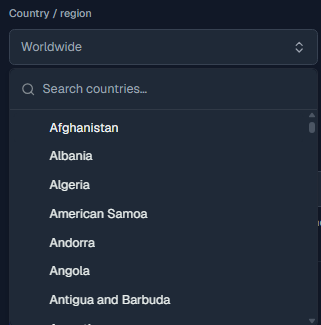
## Combined examples
Country only:
```text
http://abcxyz123def-region-de:PASSWORD@geo.proxio.cc:16666
```
Country and state:
```text
http://abcxyz123def-region-us-st-tx:PASSWORD@geo.proxio.cc:16666
```
Country and city, with no state:
```text
http://abcxyz123def-region-us-city-newyork:PASSWORD@geo.proxio.cc:16666
```
Country, state and city:
```text
http://abcxyz123def-region-us-st-ny-city-newyork:PASSWORD@geo.proxio.cc:16666
```
City targeting combined with a sticky session (see
[Session Types](/docs/proxies/sessions) for the session segments):
```text
http://abcxyz123def-region-us-st-ca-city-losangeles-sessid-myapp_9k2p7qz1m4vb1-sesstime-15:PASSWORD@geo.proxio.cc:16666
```
```bash
curl -x "http://abcxyz123def-region-us-st-ca-city-losangeles:PASSWORD@geo.proxio.cc:16666" https://ipinfo.io
```
```python
import requests
proxy = "http://abcxyz123def-region-us-st-ca-city-losangeles:PASSWORD@geo.proxio.cc:16666"
r = requests.get("https://ipinfo.io", proxies={"http": proxy, "https": proxy})
print(r.json()) # confirm the country / region / city
```
```javascript
import { ProxyAgent } from "undici";
const proxyAuth = Buffer.from(
"abcxyz123def-region-us-st-ca-city-losangeles:PASSWORD"
).toString("base64");
const dispatcher = new ProxyAgent({
uri: "http://geo.proxio.cc:16666",
token: `Basic ${proxyAuth}`,
});
const res = await fetch("https://ipinfo.io", { dispatcher });
console.log(await res.json());
```
## Common mistakes
- **Full country names.** Use the 2-letter code (`us`), never `unitedstates`.
- **The state's name instead of its code.** `-st-california` doesn't resolve;
the code is `-st-ca`. Read it from [`GET /locations`](/docs/api/locations)
or the dashboard selector, never by slugging the state's name yourself.
- **Dropping the country.** A state or city without `-region-` does not target
correctly.
- **Raw punctuation or spaces.** `-city-new york` or `-city-New-York` are wrong.
Slug first: `-city-newyork`.
- **Uppercase.** Slugs and codes are lowercase only.
- **Typos in the segment key.** The gateway silently ignores segment keys it does
not recognize: `-regoin-us` produces no error, just an untargeted exit. If the
location looks random, re-check the spelling of `region`, `st` and `city`.
If a location comes back wrong, verify the exit against `ipinfo.io` and re-check
your state code or city slug against [`GET /locations`](/docs/api/locations) or
the dashboard selector on the Setup tab.
---
# Session Types: Auto, Sticky & Smart
Source: https://docs.proxio.net/docs/proxies/sessions
> The three Proxio Residential rotation types explained, auto (fresh IP per request), sticky (hold one IP for 1 to 90 minutes) and smart (sticky plus connection retries), with the sessid/sesstime mechanics and exact retry rules.
Proxio Residential has exactly **three rotation types**, and you choose between them
purely by which username segments you append. There is no separate setting to flip:
add no session segments and you get `auto`; add a session and you get `sticky`; add a
session plus retries and you get `smart`.
| Type | IP behavior | Session segments | Retries | Best for |
|---|---|---|---|---|
| `auto` | A fresh IP on **every** request | none | no | High-volume scraping, maximum IP diversity |
| `sticky` | The **same** IP held for `sesstime` minutes | `-sessid-…-sesstime-…` | no | Logins, carts, any multi-step flow |
| `smart` | Sticky **plus** automatic connection retries | `-sessid-…-sesstime-…-retry-…` | yes (1 to 5) | Flaky targets where you want built-in resilience |
## Auto: rotate every request
The default. With no session segments, each request draws a new residential IP from
the pool. Geo-targeting still works, so you can rotate through fresh IPs that all exit
from the same country, state or city.
```text
http://abcxyz123def-region-us:PASSWORD@geo.proxio.cc:16666
```
Use auto when every request is independent and you want the widest possible IP
spread: price checks across many product pages, broad SERP sampling, general
crawling.
## Sticky: hold one IP
A sticky session pins a single exit IP so a sequence of requests all come from the
same address. You create one by adding two segments:
- **`-sessid-{sessionId}`**: an identifier you choose. It is a prefix (the dashboard
default is `session_`) followed by random characters, for example
`myapp_9k2p7qz1m4vb1`. Send the same `sessid` and you keep the same IP.
- **`-sesstime-{minutes}`** sets the session window. An integer from **1 to 90**
minutes, where 90 is the gateway's hard maximum. The dashboard default is **10**.
```text
http://abcxyz123def-region-us-sessid-myapp_9k2p7qz1m4vb1-sesstime-30:PASSWORD@geo.proxio.cc:16666
```
The `sesstime` window is **sliding**: every request on the session extends it. So a
session you keep using stays on its IP, and it expires after `sesstime` minutes of
no traffic. Once it has expired, the next request on that `sessid` gets a new IP.
Two behaviors that surprise people:
- **Changing geo does not change the session.** The session is keyed by `sessid`
alone, so reusing the same `sessid` with different `-region-`/`-st-`/`-city-`
values keeps returning the same pinned IP. To actually move, start a new
`sessid`.
- **A session can still rotate early.** Sticky pins are best-effort: if the exit
device goes offline, the session can land on a new IP before its window is up.
Design flows to tolerate a rare mid-session change.
The prefix in your `sessionId` must contain only letters, numbers and underscore.
A dash inside it will corrupt parsing, because dashes separate every segment of the
username. `myapp_` is fine; `my-app-` is not.
### Forcing a new IP
You have two ways to drop a sticky IP before its timer runs out:
1. **Change the `sessid`.** A new session identifier is a new session, so it lands on
a new IP immediately.
2. **Rotate from the dashboard.** Open your Residential service's **Sub-users** tab,
where each credential's active sticky sessions are listed. From there you can
rotate one session, rotate all of them, or drop a session entirely.
## Smart: sticky with connection retries
Smart rotation is a sticky session with an automatic retry layer, for targets that
occasionally refuse a connection. You add it on top of a session:
- **`-retry-{N}`** is the number of extra connection attempts, from **1 to 5**.
Retries are off unless you add this segment.
- **`-retryrotate-1`** gives each retry of a sticky session a fresh IP instead of
redialing the pinned one. It is off unless you add it.
`-retryrotate-1` only changes behavior on a sticky session, where retries would
otherwise redial the same pinned IP. On a sessionless request every dial already
draws a new IP, so the flag makes no difference there. When a rotated retry
succeeds, that new IP becomes the session's IP for the rest of its window.
`-retry-` does not require a session: the gateway accepts it on its own, and
sessionless attempts dial a fresh IP each time. Some [built-in
presets](/docs/proxies/rotation-presets) use exactly that combination for
scraping workloads.
```text
http://abcxyz123def-region-us-sessid-myapp_9k2p7qz1m4vb1-sesstime-15-retry-3-retryrotate-1:PASSWORD@geo.proxio.cc:16666
```
### What actually gets retried
The retry rules are deliberately narrow:
- Retries cover **only connection-level failures**: a failed TCP dial, a CONNECT
timeout, or a `502` / `503` / `504` from the upstream.
- **Content responses are never retried.** A `403` (or any other status the
destination actually returns) is passed straight back to you, unchanged.
- **Failed attempts transfer no data**, so they never count against your bandwidth
quota. You are only billed for the attempt that succeeds.
Because a 403 is a real answer from the site, smart retry will not paper over
blocks. It is for transient connection problems, not for content that refuses you.
## Which one should you use?
| Your goal | Type | Why |
|---|---|---|
| Scrape many independent pages fast | `auto` | Every request gets a fresh IP; no state to manage. |
| Log in, add to cart, check out | `sticky` | The site sees one consistent IP across the flow. |
| Long forms, surveys, sign-ups | `sticky` (up to 90 min) | Hold the IP for the whole multi-minute session. |
| Hit an unreliable endpoint | `smart` | Connection failures retry automatically without burning quota. |
Not sure where to start? The [Rotation Presets](/docs/proxies/rotation-presets) bundle
sensible combinations of type, `sesstime`, retries and protocol for common jobs.
---
# Rotation Presets
Source: https://docs.proxio.net/docs/proxies/rotation-presets
> Proxio ships six built-in rotation presets that bundle a rotation type, session length, retry policy, protocol and geo scope for common jobs, and you can save up to 50 private presets of your own.
A preset is a saved bundle of rotation settings (type, session length, retries,
protocol and geo scope) so you do not have to assemble a username by hand for a
routine job. Proxio ships six built-in presets, and you can save your own.
## Built-in presets
| Preset | Type | Sesstime (min) | Retries | Retry rotate | Protocol | Geo scope |
|---|---|---|---|---|---|---|
| E-commerce / price tracking | `smart` | 10 | 3 | Yes | HTTP | Country |
| Social media account management | `sticky` | 30 | 0 | No | SOCKS5 | Country + city |
| SEO / SERP tracking | `smart` | 0 | 3 | No | HTTP | Country |
| General web scraping | `smart` | 0 | 3 | No | HTTP | None |
| Speed-focused | `sticky` | 30 | 3 | Yes | HTTP | None |
| Long session (surveys / sign-ups) | `sticky` | 90 | 0 | No | SOCKS5 | Country + city |
## What each field means
- **Type** is the [rotation type](/docs/proxies/sessions): `auto`, `sticky` or
`smart`.
- **Sesstime**: the sticky session window, in minutes. The window slides, meaning
it expires only after that many minutes without traffic. A value of `0` asks for
the shortest possible pin (the gateway clamps it to its 1-minute minimum), so
the IP still changes about every minute while retries stay available.
- **Retries** are extra connection attempts on a failed connection, from 1 to 5. `0`
means no retries.
- **Retry rotate**: whether each retry of a sticky session gets a fresh IP instead
of redialing the pinned one. It needs retries enabled, and it changes nothing on a
sessionless request, where every dial already draws a new IP.
- **Protocol** is the default scheme the preset uses, HTTP or SOCKS5. See
[Protocols & Ports](/docs/proxies/protocols-and-ports).
- **Geo scope** sets which location levels the preset pre-fills: `None`, `Country`, or
`Country + city`. You still choose the actual country and city.
A preset fills in the mechanics. You always pick the specific location, and you can
tweak any field before you use it. The preset does not lock anything.
## Save your own
Beyond the six built-ins, you can save your current configuration as a **private
preset** from the dashboard when you build a proxy string. You can keep **up to 50**
private presets per account, so your team's standard setups are one click away
instead of a hand-typed username each time.
---
# Protocols & Ports
Source: https://docs.proxio.net/docs/proxies/protocols-and-ports
> Proxio Residential serves HTTP/HTTPS and SOCKS5 on a single endpoint, geo.proxio.cc:16666. Learn when to use socks5h:// versus socks5://, why SOCKS5 is CONNECT-only, and how the gateway handles your TLS.
The Residential gateway lives at a single endpoint and speaks two protocols on the
same host and port:
```text
geo.proxio.cc:16666
```
- **HTTP / HTTPS forward proxy**, including `CONNECT` tunneling for HTTPS
destinations.
- **SOCKS5**, using the `CONNECT` command only.
The gateway detects the protocol automatically on the first byte of your
connection, so both protocols genuinely share the same port. You pick the
protocol with the URL scheme; there is no separate port to remember.
| Protocol | Scheme | Example |
|---|---|---|
| HTTP / HTTPS | `http://` | `http://USERNAME:PASSWORD@geo.proxio.cc:16666` |
| SOCKS5 | `socks5h://` | `socks5h://USERNAME:PASSWORD@geo.proxio.cc:16666` |
## socks5h:// versus socks5://
Both schemes speak SOCKS5. The difference is **where DNS resolution happens**:
- **`socks5h://`** resolves the destination hostname **through the proxy**. This is
what you want, because it avoids leaking your DNS lookups locally and lets the exit node
resolve names.
- **`socks5://`** resolves the hostname **on your side** before connecting.
Which one you write depends on your client library:
| Tool | HTTP scheme | SOCKS5 scheme |
|---|---|---|
| cURL | `http://` | `socks5h://` |
| Python (requests / httpx) | `http://` | `socks5h://` |
| Node.js | `http://` | `socks5h://` |
| PHP | `http://` | `socks5://` |
| C# | `http://` | `socks5://` |
In cURL, Python and Node.js, use `socks5h://` so DNS goes through the proxy. PHP
and C# proxy libraries handle DNS themselves, so they use `socks5://`.
```bash
curl -x "socks5h://abcxyz123def-region-us:PASSWORD@geo.proxio.cc:16666" https://ipinfo.io
```
```python
import requests
proxy = "socks5h://abcxyz123def-region-us:PASSWORD@geo.proxio.cc:16666"
r = requests.get("https://ipinfo.io", proxies={"http": proxy, "https": proxy})
print(r.json())
```
```javascript
import https from "node:https";
import { SocksProxyAgent } from "socks-proxy-agent";
const agent = new SocksProxyAgent(
"socks5h://abcxyz123def-region-us:PASSWORD@geo.proxio.cc:16666"
);
https.get("https://ipinfo.io/json", { agent }, (res) => {
let body = "";
res.on("data", (chunk) => (body += chunk));
res.on("end", () => console.log(body));
});
```
```php
## SOCKS5 is CONNECT-only
Proxio's SOCKS5 implementation supports the `CONNECT` command only. It does **not**
support `UDP ASSOCIATE` or `BIND`, so UDP-based traffic and inbound/listening
sockets are not available over the proxy. TCP flows, which is virtually all web
scraping and browsing, work as normal.
A few more SOCKS5 details worth knowing:
- **Auth methods:** username/password (RFC 1929) and no-auth. No-auth only works
when your source IP is registered for
[IP authentication](/docs/proxies/ip-authentication); otherwise the connection
is refused.
- **Address types:** IPv4, IPv6 and domain names are all accepted in the request.
- **Remote DNS really is remote.** When you send a domain name (the `socks5h://`
behavior), the gateway forwards it as-is and the name resolves at the exit, not
on the gateway and not on your machine.
## Timeouts and connection limits
| Limit | Value | What it means in practice |
|---|---|---|
| Handshake timeout | 10 seconds | Your client must complete the proxy handshake (greeting plus credentials) within 10 seconds of connecting, or the socket is dropped. |
| Idle timeout | 5 minutes | If neither side sends any bytes for 5 minutes, the tunnel is closed. Any traffic in either direction resets the timer. |
| Maximum connection duration | None | There is no absolute cap. A tunnel that stays active can live for hours. |
| Concurrent connections per credential | 2,000 | Opening more parallel connections than this on one credential returns an error (HTTP `429`). Spread very large jobs across [multiple credentials](/docs/dashboard/credentials). |
## How your TLS is handled
The gateway is a **layer-4 passthrough**: your TLS session is negotiated
end-to-end between your client and the target, and Proxio never terminates it or
inspects the content of your traffic. Connection metadata required for billing
and abuse prevention is retained for a limited period.
## Credentials on the first hop
Your username and password travel as proxy **Basic authentication** to the gateway on
the first hop of the connection. Treat them like any secret.
If you think a username or password has been exposed, reset it from your Residential
service's **Sub-users** tab. The new password takes effect immediately, but the old
one can still authenticate for up to about 30 seconds while the change propagates.
Don't assume a leaked credential is dead the instant you reset it, and update
every tool using it right away.
---
# IP Authentication (Passwordless)
Source: https://docs.proxio.net/docs/proxies/ip-authentication
> Whitelist the source IPs you control and connect to Proxio Residential with no username or password. Learn how per-binding geo and session defaults work, the 50-IP limit, the IP conflict rules, and the security tradeoff.
IP authentication lets a machine at a known, fixed IP address use your Residential
proxies **without sending a username or password**. You whitelist the source IP once;
after that, connections from it are recognized and authorized automatically. This
runs **alongside** username/password auth, so turning it on does not disable your
credentials.
## How it works
### Whitelist your source IP
In your Residential service's **Sub-users** tab, add the public IP address of the
machine that will connect. This creates a *binding* between that IP and the
credential.
### Connect with no credentials
From that IP, point any client at the gateway with the username and password left
out entirely:
```bash
curl -x http://geo.proxio.cc:16666 https://ipinfo.io
```
### Targeting comes from the binding
Because there is no username to carry `-region-` or `-sessid-` segments, each binding
stores its own defaults and applies them automatically.
## Per-binding defaults
Every binding remembers a small set of defaults that are applied to connections from
that IP:
| Default | Values |
|---|---|
| Country / state / city | Any target you would otherwise put in the username |
| Sticky | On or off |
| Session length (`sesstime`) | 1 to 90 minutes |
This means two different whitelisted IPs on the same credential can behave
differently (one pinned to Germany with a 30-minute sticky session, another rotating
freely in the US) without either one sending a username.
## Limits and rules
- **Up to 50** whitelisted source IPs per credential.
- Binding an IP that's already whitelisted on **one of your own** credentials fails
with an `IP_ALREADY_BOUND` error; the dashboard tells you which credential holds
it, so you can remove it there first if you meant to move it.
- Binding an IP that isn't available for some other reason is rejected neutrally
(an `IP_UNAVAILABLE` error), without disclosing why.
- Only **public** addresses are allowed. Private, CGNAT and reserved ranges are
rejected, because they are not globally unique and cannot identify you safely.
- Whitelist additions are rate limited to **30 per minute per account**. Adding
IPs in a tight loop past that gets a rate-limit error; wait and retry.
## The security tradeoff
IP auth trades a password for trust in an address, so the address has to be one you
truly control.
Anyone connecting from a whitelisted IP uses your quota with no password. On a
shared or NAT'd IP (office network, mobile carrier / CGNAT), everyone behind that IP
can spend your data. Only whitelist a static, dedicated IP you control.
## Password auth keeps working
Adding an IP binding never turns off username/password authentication. Both work in
parallel, so a whitelisted server and a laptop using credentials can hit the same
credential at once.
## Removing a binding
Delete the IP from the Sub-users tab and connections from it stop being authorized
**within about 30 seconds** while the change propagates; a connection opened
during that window can still succeed. The same window applies to setting a
credential inactive or deleting it.
Treat the 30-second window as real. If an IP is compromised, remove the binding
and then confirm the traffic has actually stopped rather than assuming the cut-off
landed the moment you clicked.
---
# ISP & Datacenter Proxies
Source: https://docs.proxio.net/docs/proxies/isp-datacenter
> Proxio ISP and Datacenter proxies are dedicated IPs delivered per order, each with its own host, port and credentials. They are built for flat-rate, unlimited-bandwidth workloads and do not use the Residential username-targeting grammar.
ISP and Datacenter proxies are **dedicated IPs**. You get a specific set of
addresses that are yours for the life of the order, rather than drawing from a shared
rotating pool. They are positioned for **flat-rate, unlimited bandwidth**: run them
at full throughput without metering every gigabyte, which is Proxio's differentiator
for high-volume work.
Residential proxies are a pay-per-GB rotating pool behind one gateway with full
[username targeting](/docs/proxies). ISP and Datacenter proxies are the opposite
model: fixed, dedicated IPs, each with its own connection details, and **no**
username parameters.
## How delivery works
Dedicated IPs are provisioned per order. Right after purchase a service may show
**"delivery in progress"** until its credentials appear. Once provisioning finishes,
the connection details show up on the service and the proxies are ready to use.
## Connection format
Each proxy is a standalone endpoint with its own host, port, username and password.
There is no shared gateway hostname and no `-region-` or `-sessid-` segments. A
dedicated proxy looks like this:
```text
HOST:PORT:USERNAME:PASSWORD
```
Written as a proxy URL for most clients:
```text
http://USERNAME:PASSWORD@HOST:PORT
```
Copy the exact host, port, username and password from the dashboard. The values
below are placeholders:
```bash
curl -x "http://USERNAME:PASSWORD@HOST:PORT" https://ipinfo.io
```
```python
import requests
proxy = "http://USERNAME:PASSWORD@HOST:PORT"
r = requests.get("https://ipinfo.io", proxies={"http": proxy, "https": proxy})
print(r.json())
```
```javascript
import { ProxyAgent } from "undici";
const proxyAuth = Buffer.from("USERNAME:PASSWORD").toString("base64");
const dispatcher = new ProxyAgent({
uri: "http://HOST:PORT",
token: `Basic ${proxyAuth}`,
});
const res = await fetch("https://ipinfo.io", { dispatcher });
console.log(await res.json());
```
Geo-targeting, sticky sessions and smart retry are **Residential-only** features
built into the gateway username. On a dedicated ISP or Datacenter IP, the location
is fixed by the IP itself. Appending `-region-` or `-sessid-` will not work. See
the [Residential targeting reference](/docs/proxies) for what the username grammar
covers.
## Where to find your connection details
Open the ISP or Datacenter service in the dashboard. Its detail view lists the
**connection details** for each delivered proxy along with ready-to-copy **code
examples**, so you can paste a working snippet straight into your tooling.
## Pricing and bandwidth
ISP and Datacenter proxies are sold on **flat-rate, unlimited-bandwidth** terms, with
per-day duration options and discounts for longer durations. For current numbers, see
the [Proxio pricing page](https://proxio.net/pricing).
---
# Troubleshooting: Start Here
Source: https://docs.proxio.net/docs/troubleshooting
> A symptom index for Proxio. Find your problem, run the numbered checks, and jump straight to the fix for connection failures, 407s, wrong locations, slow speeds, blocks, and billing.
Find your symptom below. Run the numbered checks in order, then follow the link for the full fix. Most connection problems are solved by the two-minute self-test in the callout. Run it first.
Route one request through the gateway with verbose output. Replace `USERNAME` and `PASSWORD` with your credentials:
```bash
curl -x http://USERNAME:PASSWORD@geo.proxio.cc:16666 https://ipinfo.io -v
```
How to read the output:
- **A JSON body with an `ip`, `city`, and `country` that is not your own** means success. Your traffic is exiting through Proxio.
- **`< HTTP/1.1 200 Connection established`** means the gateway accepted your credentials and opened the tunnel.
- **`< HTTP/1.1 407 Proxy Authentication Required`** means a credentials or IP-authentication problem. Jump to [Connection & Authentication](/docs/troubleshooting/connection-auth).
- **`Connection refused` or `Connection timed out` to `geo.proxio.cc:16666`** means your network or firewall is blocking outbound port 16666. See [Connection & Authentication](/docs/troubleshooting/connection-auth).
## Proxy won't connect at all
1. Run the self-test above. If you see `Connection refused` or a timeout to `geo.proxio.cc:16666`, your network or firewall is blocking outbound port 16666. Retest from another network (or mobile hotspot) to confirm.
2. Confirm the endpoint is exactly `geo.proxio.cc:16666` and the scheme is `http://`. Use `http://` even when your target site is HTTPS.
3. Still stuck? Work the full checklist in [Connection & Authentication](/docs/troubleshooting/connection-auth).
## Authentication keeps failing (Error 407)
1. Re-copy your username and password from the service's Sub-users tab. No leading or trailing spaces, and keep the whole 12-character base plus any targeting segments intact.
2. Using IP authentication (passwordless)? Confirm your current public IP is still whitelisted on that credential. Dynamic IPs and CGNAT change it. Check yours with `curl https://ipinfo.io/ip`.
3. Confirm the credential still exists and was not rotated or reset in the dashboard.
4. Full walkthrough: [Connection & Authentication](/docs/troubleshooting/connection-auth) and the [Error 407 reference](/docs/troubleshooting/error-codes).
## IP shows the wrong location
1. Check your city slug and state code. City is lowercase with everything except letters and numbers stripped (`newyork`, not `new-york`). State is a code, not a slug of its name (`ca`, not `california`).
2. Make sure `-region-` is present. A `-st-` or `-city-` segment needs a country; the state is optional. See [Geo-Targeting](/docs/proxies/geo-targeting).
3. Geolocation databases disagree; verify the exit IP against more than one source before assuming targeting failed.
4. Full fix: [Geo-Targeting Not Working](/docs/troubleshooting/geo-issues).
## Same IP won't stick, or the IP changes mid-session
1. `auto` rotation gives a fresh IP on every request by design. For a stable IP you need a `sticky` or `smart` session with `-sessid-` and `-sesstime-` segments.
2. Your session prefix must be letters, numbers, or underscores only. A dash corrupts parsing and silently breaks stickiness.
3. `sesstime` is capped at 90 minutes; after it expires the IP is released.
4. How sessions work: [Session Types](/docs/proxies/sessions).
## Speeds are slower than expected
1. Try another country. The distance between the exit IP and the target server adds latency you can not always avoid.
2. A tighter geo scope raises latency: pinning a specific city draws from a smaller IP pool than a whole country. Widen the scope if you do not need the precision.
3. Rule out your own network by running the self-test and comparing timing against a request sent without the proxy.
## Target site blocks me or shows CAPTCHAs
1. Rotate more aggressively: switch the credential to `auto` (fresh IP per request), or start a new `sessid`.
2. Narrow your geo targeting to the region the site expects its visitors to come from.
3. Respect the target's rate limits. Spreading requests out beats getting the whole IP banned.
4. Try SOCKS5 (`socks5h://`) if the site fingerprints HTTP proxies.
403s, 429s, and CAPTCHAs come from the target site, not from Proxio. See how to tell them apart in the [Error & Response Code Reference](/docs/troubleshooting/error-codes).
## Payment made but no balance
1. Card top-ups (Stripe) are instant. Crypto top-ups (NOWPayments) clear only after enough network confirmations. Check the transaction in your Wallet history.
2. If an order is stuck on `PENDING`, re-pay it from the Orders page.
3. Full billing fixes: [Billing & Wallet FAQ](/docs/troubleshooting/billing-faq).
## Quota ran out unexpectedly
1. Check today's usage and your exact remaining quota (KB-precision) in [Usage Statistics](/docs/dashboard/usage-stats).
2. If one credential stopped working while others keep running, it may have hit its own per-credential quota cap. Check that cap in the Sub-users tab.
3. Using IP authentication? Anyone connecting from a whitelisted IP spends your data with no password. On a shared or NAT'd IP, everyone behind it can drain your quota, so review your bindings.
## Go deeper
Open a support ticket, email support@proxio.net, or reach the team on Telegram. See [Contact Support](/docs/resources/support).
---
# Error & Response Code Reference
Source: https://docs.proxio.net/docs/troubleshooting/error-codes
> What every error means and how to fix it, covering Error 407 Proxy Authentication Required, 502/503/504 gateway failures, connection timeouts, plus target-site 403, 429 and CAPTCHA responses.
The first question with any proxy error is which side it came from. Errors from the **Proxio gateway** are about your connection to Proxio. Everything else you see (403, 429, CAPTCHAs) is the **destination site's** response, delivered back to you through the tunnel. Use the two tables below to tell them apart and act.
## Errors from the Proxio gateway
These are the codes the gateway itself emits (over HTTP; for SOCKS5 see the note
below the table). Gateway error responses carry a `Proxy-Agent` header, which is
a quick way to confirm the answer came from Proxio and not the target.
| Code | What it means | How to fix |
|---|---|---|
| **407 Proxy Authentication Required** | The gateway rejected or never received your credentials: wrong username/password, an unparseable username, or a passwordless connection from an IP that has no [IP-auth binding](/docs/proxies/ip-authentication). | Re-copy your username and password (no whitespace). Using IP authentication? Confirm your current public IP is still whitelisted on that credential. Confirm the credential was not deleted or rotated. See [Connection & Authentication](/docs/troubleshooting/connection-auth). |
| **402 Quota Exceeded / Package Expired** | Your package's data quota is used up, or the package itself has expired. | Check remaining quota in [Usage Statistics](/docs/dashboard/usage-stats), then top up and buy more GB, renew the package, or raise the credential's own quota cap if you set one. |
| **403 Source IP Not Allowed** | This credential is locked to a source-IP allowlist that Proxio set on it, and you connected from an IP outside that list. This is not the same thing as [IP authentication](/docs/proxies/ip-authentication), which you manage yourself. | Connect from an allowed IP. To change the list, [open a ticket](/docs/resources/support): it is set by Proxio, not from the dashboard. |
| **403 Destination Not Allowed / Forbidden** | The destination is blocked: by a [blocked-destinations](/docs/dashboard/blocked-destinations) rule on your own credential (these responses carry an `X-Proxio-Blocked: customer-rule` header), or by platform-level restrictions. | If it is your own rule, edit the credential's Blocked tab. Otherwise the target is restricted; see [Acceptable Use](/docs/resources/acceptable-use). |
| **429 Too Many Connections** | You hit the per-credential concurrency cap (2,000 parallel connections). | Lower your client's concurrency, or spread the job across [multiple credentials](/docs/dashboard/credentials): each one gets its own 2,000-connection budget. |
| **502 Upstream Connect Failed / Upstream Unavailable** | The gateway could not establish the outbound connection for this request. | Connection-level failure. On `smart` rotation these retry automatically; otherwise just resend, since a different exit usually succeeds. See the note below. |
| **503 Service Unavailable** | The gateway could not verify your credentials at that moment. | Temporary. Wait a few seconds and retry; if it persists for minutes, [open a ticket](/docs/resources/support). |
| **Connection refused / timed out to `geo.proxio.cc:16666`** | Your client never reached the gateway. | Your network or firewall is blocking outbound port 16666 (common on corporate and campus networks). Retest on another network with the verbose self-test on the [Start Here](/docs/troubleshooting) page. If it fails everywhere, [open a ticket](/docs/resources/support). Also note the gateway drops clients that take longer than 10 seconds to complete the proxy handshake. |
The gateway's `407` does not include a `Proxy-Authenticate` challenge header, so
always send credentials proactively in the proxy URL instead of waiting to be
challenged (every example in these docs already does this). And over **SOCKS5**,
most of the failures above collapse into a single generic reply (connection
refused, code `0x05`): if you need to tell quota from auth from blocking apart,
test the same request over HTTP first.
On `smart` rotation, Proxio automatically retries connection-level failures (TCP dial errors, CONNECT timeouts, and 502/503/504) up to 5 extra attempts. Retries are off unless the username carries `-retry-{N}`. Adding `-retryrotate-1` gives each retry of a sticky session a fresh IP instead of redialing the pinned one; it too is off unless you set it. Retried attempts transfer no data and never count against your quota. Content errors like 403 are never retried. Without a retry segment, resend the request yourself.
## Errors from the target website (NOT the proxy)
Proxio is an L4 passthrough that never terminates or inspects your TLS traffic. Any status code that comes back through the tunnel is the destination's response. Treat these as the site's anti-bot behavior and rotate.
| Code | What it means | How to fix |
|---|---|---|
| **403 Forbidden** | The destination refused this exit IP: an IP-level ban or geo-block. Not a Proxio error, and not retried by smart retry. | Rotate to a fresh IP: start a new `sessid`, or switch the credential to `auto` mode for a new IP per request. Narrow your geo to the region the site expects. |
| **429 Too Many Requests** | The target is rate-limiting you. | Slow down and add backoff. Spread requests across several sticky sessions or IPs instead of hammering one. |
| **CAPTCHA / challenge page** | The site is challenging the request (bot detection), often returned with a 200 or a 403. | Rotate the IP, narrow your geo targeting, and send browser-like headers such as `User-Agent` and `Accept-Language`. Consider SOCKS5 (`socks5h://`). |
If the status code arrived through the tunnel from the destination, it is the site's response, not Proxio's. A 5xx from the target's own CDN is a target-side error. Approach it the same way as the rows above: rotate and retry against the site, not against the gateway.
## Related pages
---
# Connection & Authentication Problems
Source: https://docs.proxio.net/docs/troubleshooting/connection-auth
> Fix Proxio connection failures and Error 407 by verifying the endpoint, copying credentials whole, URL-encoding passwords, picking the right scheme, and diagnosing IP authentication issues.
Most connection failures come down to one of four things: the wrong endpoint, mangled credentials, a blocked port, or an IP-authentication mismatch. Work through the checklist in order. Each step is a common cause of `407 Proxy Authentication Required` or a dead connection.
### Verify the endpoint is exactly `geo.proxio.cc:16666`
The host is `geo.proxio.cc` and the port is `16666`. The same host and port serve HTTP/HTTPS and SOCKS5. There are no per-pool hostnames. A typo in either the host or the port will look like a connection failure. Confirm with the self-test:
```bash
curl -x http://USERNAME:PASSWORD@geo.proxio.cc:16666 https://ipinfo.io -v
```
### Check your username was copied whole
The base username is 12 lowercase, alphanumeric characters, generated in the dashboard. If you add targeting, the entire string (base plus `-region-...`, `-city-...`, `-sessid-...` segments) is your proxy username. Copy it from the service's Sub-users tab.
A single stray space, a line break, or a truncated base username causes `407`. Paste into a plain-text field first to spot hidden whitespace, and make sure your targeting segments were not cut off.
### Check the username and password order
In URL form the pattern is `http://USERNAME:PASSWORD@geo.proxio.cc:16666`. Username first, then a colon, then the password. Swapping them produces `407`. The username and password are separate values in the dashboard; the password is not derived from the username.
### URL-encode special characters in the password
When you put credentials inside the URL, any reserved character in the password must be percent-encoded. For example, `@` becomes `%40`, `:` becomes `%3A`, and `/` becomes `%2F`. An un-encoded character breaks URL parsing and shows up as `407` or a malformed-URL error.
Avoid the problem entirely: pass credentials outside the URL with curl's `-U` flag, which needs no encoding.
```bash
curl -x http://geo.proxio.cc:16666 -U USERNAME:PASSWORD https://ipinfo.io
```
### Use the right scheme
- **HTTP proxy:** use `http://`, even when your target site is HTTPS. Your client issues a `CONNECT` tunnel and the gateway relays it without ever seeing your TLS.
- **SOCKS5 proxy:** use `socks5h://` in curl, Python, and Node so DNS resolves through the proxy. PHP and C# libraries use `socks5://`. SOCKS5 supports the `CONNECT` command only.
Using `https://` as the proxy scheme is the most common scheme mistake. The proxy endpoint is reached over `http://`, regardless of the destination.
### If you use IP authentication (passwordless)
Connections from a whitelisted IP need no username or password, so a mismatch fails instantly. Check these:
- **Your public source IP must be whitelisted on that credential.** Confirm your current IP with `curl https://ipinfo.io/ip`, then compare it against the binding.
- **Dynamic IPs and CGNAT change your public IP.** Home ISPs and mobile carriers rotate it, so a binding that worked yesterday can fail today. Re-add the new IP or switch to username/password auth.
- **Already whitelisted on one of your own credentials?** Binding it again returns `IP_ALREADY_BOUND`; the dashboard shows which credential it's on so you can move it there instead.
- **Rejected for another reason?** An IP that isn't available comes back as `IP_UNAVAILABLE`, a neutral error with no further detail. Try a different source IP.
- **Private, CGNAT, and reserved ranges are rejected** as bindings. You can only whitelist a public IP.
- **Adding IPs too fast?** Whitelist additions are rate limited to 30 per minute per account. Slow down and retry.
- Removing a binding takes effect within about 30 seconds while the change propagates, so a connection from that IP can still succeed inside that window. Password auth keeps working in parallel, so you can always fall back to username/password.
Anyone connecting from a whitelisted IP uses your quota with no password. On a shared or NAT'd IP (an office network or a mobile carrier / CGNAT), everyone behind that IP can spend your data. Only whitelist a static, dedicated IP you control.
### Confirm the credential is still active
If you rotated or reset the credential in the dashboard, the new password takes effect immediately, but the old password can keep authenticating for up to about 30 seconds while that change propagates. If you're still seeing `407` well past that window, update your client with the new values from the Sub-users tab.
### Check the credential's quota cap
Each credential can carry an optional bandwidth quota cap. If this credential hit its cap, its requests fail even though the package as a whole still has data. Raise or clear the cap in the Sub-users tab, or review remaining data in [Usage Statistics](/docs/dashboard/usage-stats).
## Testing matrix
Once you have made a change, re-test with the exact protocol you use. A successful call returns JSON from ipinfo.io showing an exit IP that is not your own.
```bash
# HTTP/HTTPS proxy. Works for both http:// and https:// targets.
curl -x http://USERNAME:PASSWORD@geo.proxio.cc:16666 https://ipinfo.io -v
# Same request, credentials kept out of the URL (no encoding needed):
curl -x http://geo.proxio.cc:16666 -U USERNAME:PASSWORD https://ipinfo.io
```
```bash
# SOCKS5: use socks5h:// so DNS resolves through the proxy.
curl -x socks5h://USERNAME:PASSWORD@geo.proxio.cc:16666 https://ipinfo.io -v
```
A full worked example with targeting (base username `abcxyz123def`, US exit, sticky 15-minute session) looks like this. Quote the URL so your shell does not choke on the special characters:
```bash
curl -x "http://abcxyz123def-region-us-sessid-session_9k2p7qz1m4vb1-sesstime-15:PASSWORD@geo.proxio.cc:16666" https://ipinfo.io
```
Cross-check the exact meaning in the [Error & Response Code Reference](/docs/troubleshooting/error-codes). If the checklist passes and the self-test still fails, [open a support ticket](/docs/resources/support) under the PROXY_ISSUE category with the verbose (`-v`) output attached.
---
# Geo-Targeting Not Working
Source: https://docs.proxio.net/docs/troubleshooting/geo-issues
> Fix wrong-country, wrong-state, and wrong-city proxy results, covering city slugging (newyork, not new-york), why state is a code and not a slug, the country segment a state or city needs, geolocation-database disagreements and stale sticky sessions.
Nearly every geo-targeting problem is one of three things: a slugging mistake, a missing country segment, or a geolocation database that disagrees with yours. Work through them in that order.
Username geo-targeting applies to **Residential** proxies. ISP and Datacenter proxies are delivered as dedicated IPs with fixed locations and no username targeting.
## Check your slugs and codes first
Two different rules apply here, and mixing them up is the single most common
cause of a wrong location.
**City is slugged:** lowercase, with everything except letters and numbers
stripped. Dashes and spaces must go.
| City | Wrong | Right |
|---|---|---|
| New York | `new-york`, `New York` | `newyork` |
| Los Angeles | `los-angeles` | `losangeles` |
| Winston-Salem | `winston-salem` | `winstonsalem` |
**Country and state are codes, not slugs.** For the country, use the
two-letter code the dashboard's location selector emits, for example `us`,
never `unitedstates` or `united-states`. For the state, use the ISO 3166-2
code exactly as [`GET /locations`](/docs/api/locations) or the dashboard
selector gives it, for example `ca` for California or `ny` for New York.
Slugging the state's full name yourself (`california`, `new-york`) produces a
value the gateway doesn't recognize. That's not an error you'll see: the
segment is silently ignored and the exit isn't targeted to that state. See
[Geo-Targeting](/docs/proxies/geo-targeting#slugging-rules) for the full rule.
## Check the country segment is there
A `-st-` or `-city-` segment needs `-region-` to set the country. Without it there is no country to resolve the place against, and you get an untargeted exit.
**Incorrect** (city with no country):
```text
abcxyz123def-city-losangeles
```
**Correct** (country plus city):
```text
abcxyz123def-region-us-city-losangeles
```
The state segment is optional. Add it when two places in the same country share a name, so `-region-us-st-or-city-portland` and `-region-us-st-me-city-portland` land in different places:
```bash
curl -x "http://abcxyz123def-region-us-st-ca-city-losangeles:PASSWORD@geo.proxio.cc:16666" https://ipinfo.io
```
The full segment reference is on [Geo-Targeting](/docs/proxies/geo-targeting).
## The IP resolves to a different location than I targeted
IP geolocation is not exact, and databases disagree. ipinfo.io, the databases behind other lookup sites, and the target website's own geolocation data can each place the same IP in a different city, or occasionally a different country.
- Before assuming targeting failed, check the exit IP against two or three independent sources.
- An IP can be correctly placed by Proxio's data and still look "wrong" to one third-party database. That is a database disagreement, not a targeting bug.
- What matters in practice is how your **target site** geolocates the IP, so test against the site itself when you can.
## The location I want isn't available
Pick locations from the dashboard's live location list rather than guessing slugs. The selector only offers what is currently servable, and availability changes over time.
- If a state or city returns no matching IP, widen to the country, or choose a nearby location the selector does offer.
- A slug you invented by hand may not correspond to any available pool, so always confirm it exists in the selector first.
## My sticky session is pinned to an old location
A sticky session holds one exit IP for the length of its `sesstime`. If you change your targeting but keep the same `sessid`, you can keep the old IP (and its old location) until the session expires.
- After changing country, state, or city, start a **new** `sessid` so a fresh IP is selected for the new target.
- Remember `sesstime` runs 1 to 90 minutes; the pin releases when it expires.
See [Session Types](/docs/proxies/sessions) for how sticky and smart sessions choose and hold IPs, and [Geo-Targeting](/docs/proxies/geo-targeting) for the full parameter table.
---
# Billing & Wallet FAQ
Source: https://docs.proxio.net/docs/troubleshooting/billing-faq
> Answers to Proxio billing questions, covering why a top-up hasn't credited, deposit bonus tiers, payment methods, how auto-renewal charges your wallet, pending orders, refunds and coupons.
Proxio is wallet-first: you top up your balance, then pay for orders from it. Direct card and crypto checkout exist too. The answers below cover the questions that come up most.
It depends on the method:
- **Card (Stripe)** top-ups are credited instantly.
- **Crypto (NOWPayments)** top-ups are credited only after the network confirms the transaction. Depending on the coin and network congestion this can take anywhere from a few minutes to longer.
Check the transaction in your Wallet history and the Orders page. If a card payment shows complete but your balance has not moved after a few minutes, open a support ticket under the BILLING category.
On the web dashboard: **card** (Stripe), **crypto** (NOWPayments, with BTC, ETH, LTC and 90+ more), and your **wallet balance**.
Through the [Telegram bot](/docs/dashboard/telegram-bot), payments go through a crypto payment link. For prices, see [proxio.net/pricing](https://proxio.net/pricing).
The wallet top-up bonus is credited in the same transaction as your top-up, scaled to the amount:
| Top-up amount | Bonus |
|---|---|
| Under $20 | 0% |
| $20 to $49.99 | +3% |
| $50 to $99.99 | +5% |
| $100 to $249.99 | +7% |
| $250 to $499.99 | +9% |
| $500 and up | +10% |
If you do not see a bonus, check that your top-up amount crossed a tier threshold. A $19.99 top-up earns 0%.
There are two kinds:
- **Order-discount coupons** take a percentage or a fixed amount off an order's price.
- **Product coupons** add bonus GB to a data product.
Enter the coupon code at checkout when placing the order. The discount or the bonus GB applies to that order.
Auto-renewal is a per-service toggle. When it is on, Proxio charges your **wallet** automatically for any service expiring within 24 hours. The charge can land at any point inside that final 24 hours rather than at an exact time.
You get a renewal reminder 24 hours before expiry and an urgent reminder roughly 2 hours before. Keep enough wallet balance to cover the renewal, and toggle auto-renewal on or off from that service's page.
An order stays `PENDING` until it is paid. Re-pay it from the Orders page. Unpaid orders eventually expire. If yours expired, place a new one. Once payment clears, the order moves to `PAID` and provisioning begins.
Refunds are reviewed case by case. To request one, open a support ticket under the BILLING category with your order details. Support will confirm what is possible for your specific order.
For anything billing-related that these answers do not cover, open a ticket under the BILLING category, email support@proxio.net, or reach the team on Telegram. See [Contact Support](/docs/resources/support).
---
# General FAQ
Source: https://docs.proxio.net/docs/troubleshooting/faq
> Quick answers about Proxio, covering supported protocols, bandwidth, credential and IP-binding limits, sticky session length, whether failed requests use quota, API availability, trials, logging and login methods.
Short answers to the questions that come up most. For connection or billing problems, start at [Troubleshooting: Start Here](/docs/troubleshooting).
A single gateway: `geo.proxio.cc:16666`. The same host and port serve HTTP/HTTPS and SOCKS5. Your scheme and username decide the rest. There are no per-pool hostnames to juggle.
HTTP and HTTPS forward proxy (including `CONNECT` tunneling) and SOCKS5. SOCKS5 supports the `CONNECT` command only. There is no UDP or BIND. In curl, Python, and Node use `socks5h://` so DNS resolves through the proxy; PHP and C# libraries use `socks5://`.
No. The smallest data package is the low-commitment way to test the network. See [proxio.net/pricing](https://proxio.net/pricing).
Yes, there's a [REST API](/docs/api) for managing your account: services, credentials, usage, orders, and more, authenticated with an API key you create in the dashboard under **Settings → API keys**. There's no official SDK; any HTTP client works, and you can generate a typed one from the [OpenAPI document](/docs/api/openapi). Sending proxy traffic itself never needs the API or a key: that's plain username/password proxy auth through the gateway.
Your monthly plan quota does not roll over. Each renewal re-grants the plan's full allowance, so a cycle starts from the plan size rather than from last cycle's leftover.
Data you bought separately as a top-up ("buy more GB") is treated differently: any of it you have not used carries into the next cycle on top of the fresh plan quota. Your package also has a validity window, and the package stops serving traffic when it expires. Both figures are on the package details in your dashboard.
No. Connection-level failures and smart-retry attempts transfer no data, so they never count against your quota. Accounting is KB-precision and only counts data that actually moved.
Up to 20 credentials per package. Create and manage them in the service's Sub-users tab; each has its own username, password, and optional quota cap.
Up to 50 public IPs per credential for passwordless IP authentication. Binding an IP already whitelisted on one of your own credentials fails with `IP_ALREADY_BOUND` (the dashboard shows which credential); an IP that isn't available for another reason is rejected neutrally with `IP_UNAVAILABLE`. Additions are rate limited to 30 per minute per account. Only whitelist a static, dedicated IP you control. Anyone connecting from a whitelisted IP spends your quota with no password.
A sticky session (`sesstime`) accepts 1 to 90 minutes, and the window slides: each request extends it, and it expires after that many minutes without traffic. 90 minutes is the hard maximum. See [Session Types](/docs/proxies/sessions).
With email and password, an email magic link, or Google, GitHub, or Discord single sign-on.
Proxio never inspects or stores the content of your traffic. The gateway is a passthrough and never terminates your TLS. Connection metadata required for billing and abuse prevention is retained for a limited period.
Open a support ticket in the dashboard (categories include TECHNICAL, BILLING, and PROXY_ISSUE), email support@proxio.net, or reach the team on Telegram. See [Contact Support](/docs/resources/support).
---
# Dashboard & Account
Source: https://docs.proxio.net/docs/dashboard
> A guided tour of dashboard.proxio.net, showing where to manage your wallet, orders, credentials, and account settings.
dashboard.proxio.net is where you run your Proxio account day to day: fund
your wallet, buy and renew services, generate credentials, and check usage.
This page maps out what lives where. The rest of this section covers each
area in depth.
## What's in the dashboard
| Section | What you'll find there |
|---|---|
| **Home** | At-a-glance cards for Bandwidth Usage, Wallet Balance, and Recent Activity. |
| **Services** | Your purchased Residential, ISP, and Datacenter services, each opening into a detail page with setup info, usage, credentials, and orders. |
| **Orders** | Full order history, filterable by status and category, with the option to re-pay a pending order. |
| **Wallet** | Your prepaid balance, top-up flow, and transaction history. |
| **[Support](/docs/resources/support)** | Ticketing for general, billing, technical, proxy, account, and other topics. |
| **Settings** | Profile, password, language, appearance, connected accounts, Telegram linking, and (under a Developer section) API keys and webhooks for the REST API. |
Buying your first service runs you through a short onboarding wizard,
including a Proxy Advisor questionnaire that asks about your use case,
rotation preference, and geo coverage, then recommends a setup. Every
purchase after that starts from Services.
## Signing in
Proxio supports several ways to sign in at
[dashboard.proxio.net](https://dashboard.proxio.net/login):
- Email and password
- Email magic link (no password needed)
- Google
- GitHub
- Discord
All of them lead to the same account, so use whichever you registered with.
## Language & appearance
Open **Settings** to change:
- **Language**: English, Russian, German, or Chinese (Simplified).
- **Appearance**: light or dark theme.
Settings is also where you manage your profile, password, connected accounts
(Google, GitHub, Discord), and Telegram account linking. A Developer card
there links to **API keys** (name, scopes, expiry, allowed IPs, a per-key
rate-limit override, and revoke) and **Webhooks** (JSON, Discord, or
Slack delivery) for the [REST API](/docs/api).
## Explore this section
---
# Wallet & Top-Up
Source: https://docs.proxio.net/docs/dashboard/wallet
> How Proxio's wallet works, covering topping up by card or crypto, bonus tiers, transaction history, and coupons.
Your Proxio wallet holds a prepaid balance you spend on orders. Top up once,
and every order after that (a new Residential package, an ISP or Datacenter
service, a renewal) draws from that balance instead of making you pay again.
You can also skip the wallet and pay for an order directly by card or crypto
if you'd rather not keep a balance.
## Topping up
### Open Wallet
From the dashboard sidebar, select **Wallet**.
### Choose an amount
Pick one of the quick-select amounts, or enter a custom amount.
### Pick a payment method
Choose **Card** or **Crypto**. See the table below for how each behaves.
### Complete payment
Finish checkout with your payment provider. Your balance updates
automatically once payment is confirmed.
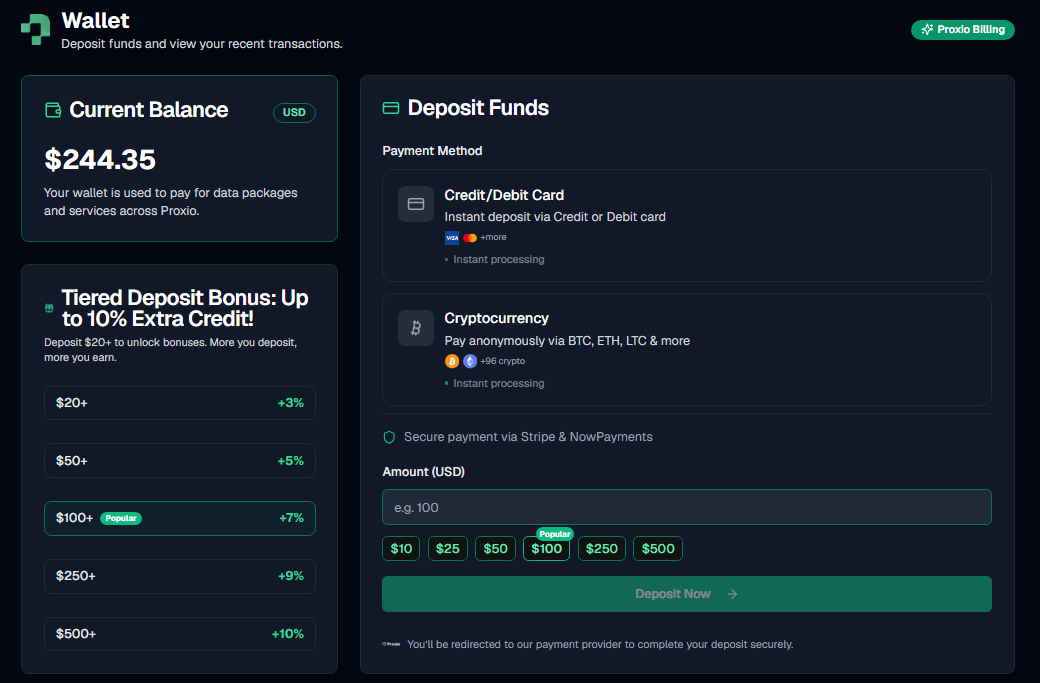
## Payment methods
| Method | Processor | Speed |
|---|---|---|
| Card | Stripe | Instant |
| Crypto | NOWPayments (BTC, ETH, LTC, and 90+ other coins) | Credited after the required network confirmations |
You can also top up through the [Telegram bot](/docs/dashboard/telegram-bot):
it generates a crypto payment link for the amount you pick.
## Top-up bonus tiers
The more you top up in one go, the bigger the bonus balance Proxio adds on
top:
| Top-up amount | Bonus |
|---|---|
| Under $20 | +0% |
| $20-$49.99 | +3% |
| $50-$99.99 | +5% |
| $100-$249.99 | +7% |
| $250-$499.99 | +9% |
| $500+ | +10% |
The bonus is credited automatically. There's nothing to redeem. For current
package pricing, see [proxio.net/pricing](https://proxio.net/pricing).
## Transaction history
The Wallet page keeps a full history of every top-up and order payment, so
you can always see where your balance went.
## Coupons
Proxio supports two kinds of coupon codes:
- **Order-discount coupons**: a percentage or fixed amount off an order's
price.
- **Product coupons**: bonus GB added to a Residential purchase instead of a
price discount.
Apply a coupon code when you place or pay for an order.
---
# Orders: Buying, Renewing & Auto-Renewal
Source: https://docs.proxio.net/docs/dashboard/orders
> How Proxio orders work, covering the order lifecycle, placing and re-paying orders, auto-renewal, and renewal reminders.
Every purchase in Proxio (a new Residential package, an ISP or Datacenter
service, or a renewal) becomes an order you can track from the Orders page
until it's fully provisioned.
## Order lifecycle
A new order starts at **Pending**. Once it's paid, it moves to **Paid** and
your service provisions. If payment never completes, the order becomes
**Canceled** or **Expired** instead. **Refunded** applies if a paid order is
later refunded.
| Status | Meaning |
|---|---|
| **Pending** | Order created, awaiting payment. |
| **Paid** | Payment received; your service is being provisioned. |
| **Canceled** | Order was canceled before payment completed. |
| **Expired** | Order was never paid and lapsed. |
| **Refunded** | A refund was issued for this order. |
Residential packages provision instantly once an order is paid. ISP and
Datacenter orders deliver dedicated static IPs, so you may see **delivery in
progress** on the order until your connection details are ready.
## Placing an order
- **First purchase**: the dashboard runs you through a short onboarding
wizard, including a Proxy Advisor questionnaire, that recommends a setup
based on your use case, rotation preference, and geo coverage.
- **Every purchase after that**: go to **Services**, choose the package or
service you want, and check out from your
[wallet balance](/docs/dashboard/wallet), card, or crypto.
## Re-paying a pending order
If an order is sitting at **Pending**, you can finish paying for it without
starting over.
### Open Orders
From the dashboard sidebar, select **Orders**.
### Find the pending order
Locate the order with **Pending** status.
### Pay it
Choose the option to pay the order, then complete checkout from your wallet
balance, card, or crypto.
## Filtering your order history
The Orders page lets you filter by status and by category (Residential, ISP,
Datacenter), so you can find a specific order instead of scrolling the full
history. Each service also has its own **Orders** tab with the same view
scoped to that service:
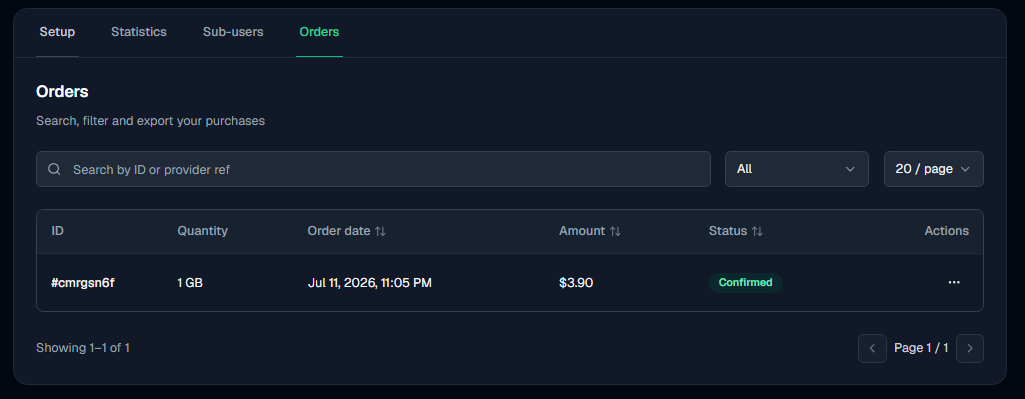
## Extending a service
Manual extension applies to **ISP and Datacenter** services only, and only on
**unlimited** packages. Service pages have an **Extend** button that moves the
expiry forward by the number of days you choose, priced per day across your
active IPs, with a price preview before you confirm. Your remaining traffic is
kept as is, only the expiry date changes. The charge is taken from your
[wallet balance](/docs/dashboard/wallet).
**Residential** services aren't manually extended. They stay current through
[auto-renewal](#auto-renewal) instead, which charges your wallet the current
price for another 30-day cycle automatically. If you need more data before
your next cycle, use **Buy More** on the service page to add data now.
## Auto-renewal
Each service has its own auto-renewal toggle, found on the service's detail
page. Turn it on, and Proxio automatically charges your wallet balance to
renew that service once it's within 24 hours of expiring, at the current
price for the plan. The charge can land at any point inside that final
24 hours rather than at an exact time.
Auto-renewal charges your wallet balance, not a card directly. Make sure
your balance can cover the renewal before it's due.
## Renewal reminders
Proxio emails you as a service approaches expiry:
- **24 hours before**: a daily reminder, sent at 09:00 UTC.
- **About 2 hours before**: an urgent warning.
These give you time to top up your wallet or double-check auto-renewal is
on.
## What happens at expiry
A service that isn't renewed in time is deactivated within about an hour of
its expiry.
---
# Usage Statistics
Source: https://docs.proxio.net/docs/dashboard/usage-stats
> What Proxio's Statistics tab shows, covering today's usage, the 7-day trend, remaining quota, and connection success rate.
Every Residential service has a Statistics tab that shows exactly how much
bandwidth you've used, how much is left, and how your connections are
performing.
## Where to find it
Go to **Services**, open your Residential service, and select the
**Statistics** tab. The service's **Setup** tab also carries quick summary
cards for the same service, so you don't have to open Statistics just to
glance at your usage.
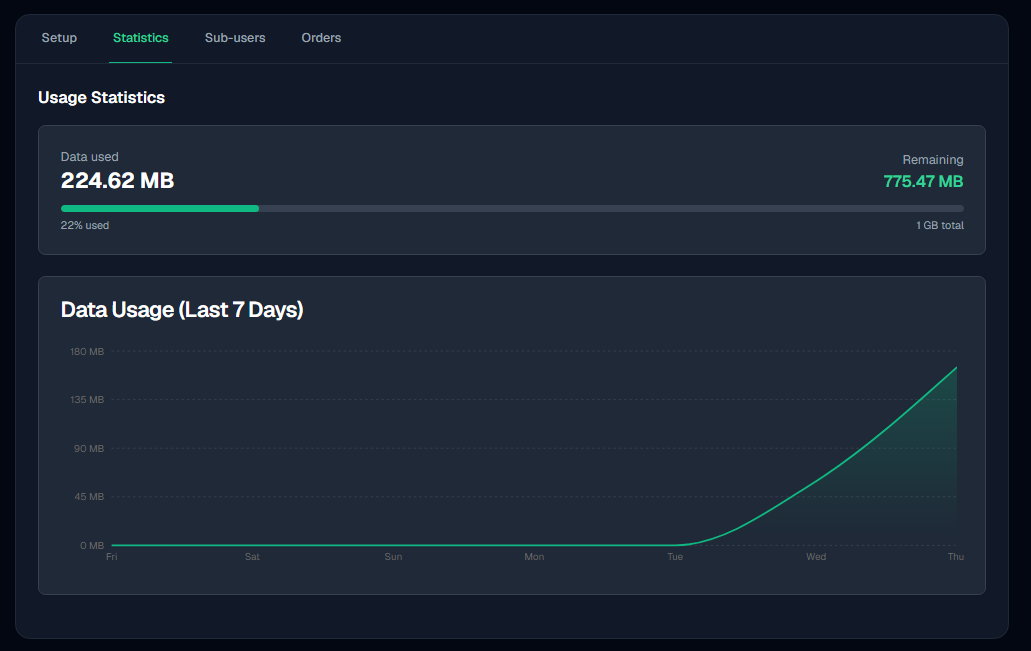
## What's on the Statistics tab
- **Today's usage** counts the current UTC day, so it rolls over at
00:00 UTC rather than at your local midnight.
- **Last 7 days** charts one point per UTC day.
- **Total used vs. limit** is cumulative for the package, not for the
7-day window above it.
- **Remaining quota** is exact to the kilobyte.
- **Connections & success rate** covers a rolling 7 days and counts
connections, not requests, so many requests tunnelled through one
connection register once. A connection counts as successful when it
closes normally.
## Failed and retried connections don't cost you data
A connection attempt that fails or gets retried transfers no data, so it
never counts against your quota. Only completed connections do. This holds
regardless of which rotation type or retry settings you're using.
## Per-credential quota caps
If a credential has its own bandwidth quota cap, that credential stops
authenticating once it hits its cap, even if the service as a whole still
has quota remaining. See [Credentials & Sub-Users](/docs/dashboard/credentials)
for how caps work.
## Which figure is authoritative
**Remaining quota** is the number to bill against and the one to trust. Today's
usage and the 7-day chart cover their own time windows, so they answer a
different question and will not add up to the total.
Cumulative **data used** is reported conservatively: the figure you see is
never lower than what you were actually charged for.
---
# Credentials & Sub-Users
Source: https://docs.proxio.net/docs/dashboard/credentials
> Create up to 20 credentials per Residential package, each with its own login, quota cap, sessions, and blocked destinations.
Each Residential package can hold up to 20 credentials (effectively
sub-users), and each one has its own username and password that
authenticates against the same package. ISP and Datacenter services skip
this: they connect with the fixed connection details shown on the service
page instead.
## Why use more than one credential
- **Per-tool or per-team isolation**: give each script, teammate, or client
its own login instead of sharing one password.
- **Per-credential quota caps**: cap an individual credential's bandwidth,
anywhere from a few megabytes up to effectively unlimited, so one tool
can't burn through the whole package's quota.
- **Separate usage attribution**: track how much bandwidth each credential
uses on its own, so you know exactly which tool or team is spending it.
## Managing a credential
Open **Services**, select your Residential service, and go to the
**Sub-users** tab. Opening a credential brings up a management dialog
with four tabs.
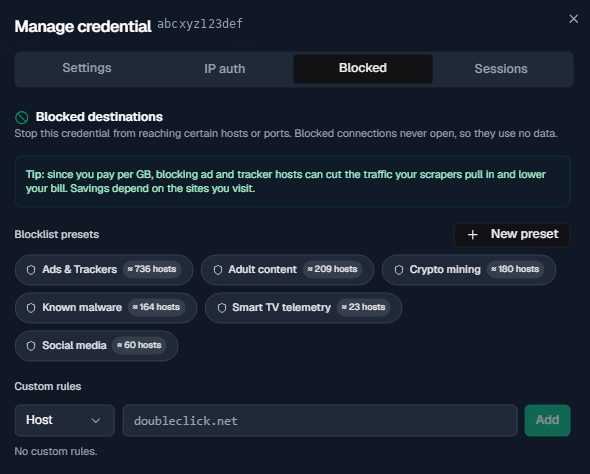
### Settings
Set a label for the credential (for your own reference) and, optionally, a
bandwidth quota cap. The quota field has a unit select (KB, MB, or GB,
defaulting to MB); whichever unit you enter, the cap is stored in whole
megabytes (values are rounded up to the next MB). Units are decimal SI, so
1 GB equals 1000 MB.
### IP auth
Configure passwordless authentication for this specific credential.
Connections from a whitelisted source IP skip the username and password
entirely. See [IP Authentication](/docs/proxies/ip-authentication) for how
bindings and their defaults work, and the security tradeoffs to weigh first.
### Sessions
Lists this credential's active [sticky sessions](/docs/proxies/sessions).
Rotate a single session for a fresh IP, rotate all of them at once, or drop
a session outright.
### Blocked destinations
Stop this credential's traffic from reaching specific hosts or ports. Choose
from built-in presets or add custom rules, useful for guaranteeing a given
tool can never hit certain domains. See
[Blocked Destinations](/docs/dashboard/blocked-destinations).
## Resetting or rotating a password
Open the credential and use the reset/rotate password action to generate a
new password on the spot.
The new password takes effect immediately, but the old one can still
authenticate for up to about 30 seconds while the change propagates. Update
every tool, script, or config that uses this credential before you rotate
it, and don't rely on the old password being rejected instantly.
The same 30-second window applies to setting a credential inactive, deleting
it, and removing an [IP-auth binding](/docs/proxies/ip-authentication).
---
# Blocked Destinations
Source: https://docs.proxio.net/docs/dashboard/blocked-destinations
> Stop a credential from reaching specific hosts or ports using blocklist presets and custom host/port rules, including what a blocked request looks like to your client.
Blocked destinations let you decide where a credential's traffic is allowed to
go. You apply ready-made **blocklist presets**, add your own **custom host and
port rules**, or both. The gateway checks the rules before it opens the outbound
connection, so a blocked request never leaves the network and uses no data.
Because you pay per GB, this is a practical way to keep ad and tracker hosts out
of a scraping job and cut what you pull down.
## Set it up
### Open the credential's Blocked tab
Go to **Services**, open your Residential service, and select the **Sub-users**
tab. Open the credential you want to restrict and switch to its **Blocked** tab.
Rules apply to that one credential, so different tools on the same package can
have different restrictions.
### Apply blocklist presets
Presets are named sets of hosts that Proxio maintains, plus any private presets
you have saved. Each one is a chip showing its name and roughly how many hosts it
covers. Click a chip to apply it, click again to remove it.
### Add custom rules
Pick **Host** or **Port**, type the value, and press Add.
- A **host** rule matches at label boundaries, so a rule for `doubleclick.net`
also blocks `ads.doubleclick.net` but leaves `notdoubleclick.net` alone. You do
not need to list subdomains separately.
- A **port** rule blocks that destination port outright, whatever the host. Use
it to keep a credential off `25` or any other port you never intend to reach.
You can keep **up to 100** custom rules on one credential. Remove a rule with the
trash icon on its chip.
## Presets
A preset saves you from re-typing the same list on every credential. Two kinds
show up in the Blocked tab:
| Kind | Who maintains it | Who sees it |
|---|---|---|
| Built-in | Proxio | Every account |
| Private | You | Only you |
To build your own, choose **New preset**, give it a name, and paste your hosts one
per line or comma-separated. The same label-boundary matching applies. You can
keep **up to 50** private presets per account, and reuse each across as many
credentials as you like. Deleting a private preset removes it from your catalog;
built-in presets stay put.
## What a blocked request looks like
The block happens before the outbound connection is dialed, so your client sees a
refusal rather than a response from the destination:
- **Over HTTP/HTTPS**: `403 Forbidden`, carrying an `X-Proxio-Blocked:
customer-rule` header. Match on that header to tell your own rule apart from a
`403` the destination sent back.
- **Over SOCKS5**: a generic connection-refused reply. SOCKS5 has no headers, so
test the same request over HTTP when you need to know exactly why it failed.
Blocked requests are never retried, and they transfer no data.
## Rules and limits
- Rules only ever **remove** access. They stack on top of the restrictions Proxio
applies network-wide, and cannot open up a destination those restrictions block.
See [Acceptable Use](/docs/resources/acceptable-use).
- Proxio's own infrastructure hosts cannot be added as rules.
- A change takes effect within about 30 seconds while it propagates to the
gateway.
- Limits: 100 custom rules per credential, 50 private presets per account.
## Related pages
---
# Telegram Bot
Source: https://docs.proxio.net/docs/dashboard/telegram-bot
> Link your Proxio account to Telegram, buy proxies, top up your wallet and check your services from a chat.
Proxio's Telegram bot lets you buy proxies, top up your wallet, and check
your services without opening the dashboard.
## Linking your web account
If you already have a dashboard.proxio.net account, link it to Telegram so
your existing balance and services carry over.
### Open Settings
In the dashboard, go to **Settings** and find the Telegram section.
### Generate a link
Generate a one-time deep link. It's tied to your account and only works
once.
### Open it in Telegram
Open the link. It starts a chat with the Proxio bot and confirms the link.
Once linked, your existing wallet balance and services merge into your
Telegram account, with nothing duplicated or lost.
## Starting fresh from Telegram
Don't have a web account yet? Message the bot and send `/start`. It creates
a new Proxio account tied to your Telegram identity directly, no dashboard
visit required.
## What the bot can do
- **Buy Proxies**: Residential priced by GB; ISP and Datacenter by
duration and IP count.
- **Top Up**: quick presets ($10, $25, $50, $100, $200) or a custom amount
between $1 and $1,000. The bot sends you a crypto payment link
(NOWPayments); if your wallet balance already covers a purchase, you can
pay straight from it.
- **My Services**: lists your active services and, for Residential, prints
the delivered credentials directly in the chat.
- **Profile**: your account details.
- **Support**: reach Proxio support without leaving Telegram.
My Services prints your Residential credentials as plain text in the
chat. Anyone with access to your Telegram account, or to that
conversation, can see them. Treat access to it like you would your
password.
## Paying through the bot
Payments in Telegram go through a crypto payment link the bot generates for
you. For cards and the full list of payment options, use the web dashboard;
see [Wallet & Top-Up](/docs/dashboard/wallet).
---
# Integrations
Source: https://docs.proxio.net/docs/integrations
> Connect Proxio to Python, Node.js, PHP, Java, C#, Go, browsers, antidetect tools, and scrapers. Every integration uses the same host, port, username, and password.
Every Proxio integration (whatever language, browser, or tool you're wiring up)
connects through the same gateway with the same four values. Fill them in once,
then jump to the guide for your stack below.
| Field | Value |
|---|---|
| Host | `geo.proxio.cc` |
| Port | `16666` |
| Username | Your credential's username, from your service's **Sub-users** tab in the dashboard |
| Password | Your credential's password, shown next to the username |
The same host and port serve **HTTP, HTTPS, and SOCKS5** (`CONNECT` only, no `UDP
ASSOCIATE` or `BIND`). You switch protocols with the URL scheme, not with a
different endpoint. See [Protocols & Ports](/docs/proxies/protocols-and-ports) for
the full reference, including when to use `socks5h://` instead of `socks5://`.
Every guide below authenticates with a plain username and password. To pin a
country, state, or city, or to hold a sticky session, append segments to the
username itself. See [Targeting & Username
Syntax](/docs/proxies) for the full grammar.
## Guides
## Verify the connection
Before wiring up any library, confirm the gateway itself works with one command.
Replace `USERNAME` and `PASSWORD` with your credential:
```bash
curl -x http://USERNAME:PASSWORD@geo.proxio.cc:16666 https://ipinfo.io
```
A working connection returns JSON describing the proxy's exit IP, not your own.
Run the command twice in a row and the IP will usually differ: with no session
segments in the username, Proxio hands out a fresh IP on every request.
For SOCKS5, swap the scheme: `socks5h://USERNAME:PASSWORD@geo.proxio.cc:16666`.
---
# Python
Source: https://docs.proxio.net/docs/integrations/python
> Route requests, httpx, and aiohttp through Proxio over HTTP or SOCKS5, hold a sticky session with the username grammar, and verify rotation with a script that prints the exit IP twice.
Sending traffic through Proxio doesn't need a Python SDK: any HTTP client that
supports a proxy URL works, because the gateway speaks plain username/password
proxy auth. (Account automation, such as services, credentials, usage, and orders, is
the separate [REST API](/docs/api).) This guide covers the three most common
clients: `requests`, `httpx`, and `aiohttp`.
Each section shows HTTP and SOCKS5, a sticky-session example built from the
[username grammar](/docs/proxies), and a script that proves rotation and sticky
sessions actually behave differently.
## requests
```bash
pip install requests
# SOCKS5 needs the PySocks extra:
pip install "requests[socks]"
```
`requests` takes the proxy as a `proxies` dict with both an `http` and `https`
key. Set both, even for an `https://` target, since that key is what `requests`
uses to pick the proxy for HTTPS URLs.
```python
import requests
HOST, PORT = "geo.proxio.cc", 16666
USERNAME, PASSWORD = "USERNAME", "PASSWORD"
proxy_url = f"http://{USERNAME}:{PASSWORD}@{HOST}:{PORT}"
proxies = {"http": proxy_url, "https": proxy_url}
response = requests.get("https://ipinfo.io/json", proxies=proxies, timeout=15)
print(response.json())
```
```python
import requests
HOST, PORT = "geo.proxio.cc", 16666
USERNAME, PASSWORD = "USERNAME", "PASSWORD"
# socks5h:// resolves the destination hostname through the proxy instead of
# locally. It only works once python-socks/PySocks is installed via requests[socks].
proxy_url = f"socks5h://{USERNAME}:{PASSWORD}@{HOST}:{PORT}"
proxies = {"http": proxy_url, "https": proxy_url}
response = requests.get("https://ipinfo.io/json", proxies=proxies, timeout=15)
print(response.json())
```
### Sticky session, and proving rotation vs. sticky
Append a `-sessid-` prefix and a `-sesstime-` value in minutes to the username
to pin one IP. This script requests twice with a plain username (auto
rotation) and twice with a sticky username, so you can see the difference
directly:
```python
import requests
HOST, PORT = "geo.proxio.cc", 16666
USERNAME, PASSWORD = "abcxyz123def", "PASSWORD"
def exit_ip(username: str) -> str:
proxy_url = f"http://{username}:{PASSWORD}@{HOST}:{PORT}"
proxies = {"http": proxy_url, "https": proxy_url}
return requests.get("https://ipinfo.io/json", proxies=proxies, timeout=15).json()["ip"]
# No session segments, so a fresh IP on every request.
print("auto #1: ", exit_ip(USERNAME))
print("auto #2: ", exit_ip(USERNAME))
# -sessid-...-sesstime-10 holds the same IP for up to 10 minutes.
sticky_user = f"{USERNAME}-sessid-myapp_9k2p7qz1m4vb1-sesstime-10"
print("sticky #1:", exit_ip(sticky_user))
print("sticky #2:", exit_ip(sticky_user))
```
**Verify:** the two `auto` lines print different IPs; the two `sticky` lines
print the same one.
## httpx
```bash
pip install httpx
# SOCKS5 needs the socksio extra:
pip install "httpx[socks]"
```
`httpx.Client` takes a single `proxy` argument that applies to both `http://`
and `https://` targets. Use `mounts` instead only when different schemes need
different proxies.
```python
import httpx
HOST, PORT = "geo.proxio.cc", 16666
USERNAME, PASSWORD = "USERNAME", "PASSWORD"
proxy_url = f"http://{USERNAME}:{PASSWORD}@{HOST}:{PORT}"
with httpx.Client(proxy=proxy_url, timeout=15) as client:
print(client.get("https://ipinfo.io/json").json())
```
```python
import httpx
HOST, PORT = "geo.proxio.cc", 16666
USERNAME, PASSWORD = "USERNAME", "PASSWORD"
# pip install "httpx[socks]"
proxy_url = f"socks5h://{USERNAME}:{PASSWORD}@{HOST}:{PORT}"
with httpx.Client(proxy=proxy_url, timeout=15) as client:
print(client.get("https://ipinfo.io/json").json())
```
To mount a proxy per scheme instead of one `proxy` for everything:
```python
import httpx
proxy_url = "http://USERNAME:PASSWORD@geo.proxio.cc:16666"
mounts = {
"http://": httpx.HTTPTransport(proxy=proxy_url),
"https://": httpx.HTTPTransport(proxy=proxy_url),
}
with httpx.Client(mounts=mounts, timeout=15) as client:
print(client.get("https://ipinfo.io/json").json())
```
### Sticky session, and proving rotation vs. sticky
```python
import httpx
HOST, PORT = "geo.proxio.cc", 16666
USERNAME, PASSWORD = "abcxyz123def", "PASSWORD"
def exit_ip(username: str) -> str:
proxy_url = f"http://{username}:{PASSWORD}@{HOST}:{PORT}"
with httpx.Client(proxy=proxy_url, timeout=15) as client:
return client.get("https://ipinfo.io/json").json()["ip"]
print("auto #1: ", exit_ip(USERNAME))
print("auto #2: ", exit_ip(USERNAME))
sticky_user = f"{USERNAME}-sessid-myapp_9k2p7qz1m4vb1-sesstime-10"
print("sticky #1:", exit_ip(sticky_user))
print("sticky #2:", exit_ip(sticky_user))
```
**Verify:** same result as above. `auto` prints two different IPs, `sticky`
prints the same IP twice.
## aiohttp
```bash
pip install aiohttp
# aiohttp has no built-in SOCKS5 support, so add:
pip install aiohttp-socks
```
`aiohttp`'s `proxy=` parameter on `session.get()` supports `http://` directly,
credentials and all. For SOCKS5, use the `aiohttp-socks` connector.
```python
import asyncio
import aiohttp
HOST, PORT = "geo.proxio.cc", 16666
USERNAME, PASSWORD = "USERNAME", "PASSWORD"
async def main():
proxy_url = f"http://{USERNAME}:{PASSWORD}@{HOST}:{PORT}"
async with aiohttp.ClientSession() as session:
async with session.get("https://ipinfo.io/json", proxy=proxy_url) as resp:
print(await resp.json())
asyncio.run(main())
```
```python
import asyncio
import aiohttp
from aiohttp_socks import ProxyConnector
HOST, PORT = "geo.proxio.cc", 16666
USERNAME, PASSWORD = "USERNAME", "PASSWORD"
async def main():
# aiohttp-socks defaults rdns=True for SOCKS5, so hostnames already resolve
# on the proxy side (the socks5h:// behavior) with no extra flag needed.
connector = ProxyConnector.from_url(f"socks5://{USERNAME}:{PASSWORD}@{HOST}:{PORT}")
async with aiohttp.ClientSession(connector=connector) as session:
async with session.get("https://ipinfo.io/json") as resp:
print(await resp.json())
asyncio.run(main())
```
### Sticky session, and proving rotation vs. sticky
```python
import asyncio
import aiohttp
HOST, PORT = "geo.proxio.cc", 16666
USERNAME, PASSWORD = "abcxyz123def", "PASSWORD"
async def exit_ip(session: aiohttp.ClientSession, username: str) -> str:
proxy_url = f"http://{username}:{PASSWORD}@{HOST}:{PORT}"
async with session.get("https://ipinfo.io/json", proxy=proxy_url) as resp:
data = await resp.json()
return data["ip"]
async def main():
async with aiohttp.ClientSession() as session:
print("auto #1: ", await exit_ip(session, USERNAME))
print("auto #2: ", await exit_ip(session, USERNAME))
sticky_user = f"{USERNAME}-sessid-myapp_9k2p7qz1m4vb1-sesstime-10"
print("sticky #1:", await exit_ip(session, sticky_user))
print("sticky #2:", await exit_ip(session, sticky_user))
asyncio.run(main())
```
**Verify:** run the script. `auto #1`/`auto #2` print different IPs, and
`sticky #1`/`sticky #2` print the same one, confirming the session held.
---
# Node.js
Source: https://docs.proxio.net/docs/integrations/nodejs
> Route native fetch, Axios, Got, and SOCKS5 clients through Proxio in Node.js, with install commands, complete scripts, and a verify step for each.
Node has no shortage of ways to make an HTTP request, and each one takes a
proxy a little differently. This guide covers native `fetch`, Axios, Got, and
a standalone SOCKS5 example you can drop into any of them.
## Native fetch (undici)
```bash
npm install undici
```
Node 18+ ships a global `fetch` built on [undici](https://undici.nodejs.org/),
but `ProxyAgent` itself isn't global, so you still import it. Native `fetch`
reads a `dispatcher` option. It does **not** understand the `agent` option
that `https-proxy-agent` or `socks-proxy-agent` provide (those target Node's
older `http(s)` module, and Axios and Got below use them for exactly that
reason).
```js
import { ProxyAgent } from 'undici'
const HOST = 'geo.proxio.cc'
const PORT = 16666
const USERNAME = 'USERNAME'
const PASSWORD = 'PASSWORD'
const proxyAuth = Buffer.from(`${USERNAME}:${PASSWORD}`).toString('base64')
const dispatcher = new ProxyAgent({
uri: `http://${HOST}:${PORT}`,
token: `Basic ${proxyAuth}`,
})
// fetch is global in Node 18+, so only ProxyAgent needs an import.
const response = await fetch('https://ipinfo.io/json', { dispatcher })
console.log(await response.json())
```
Set credentials with `token`, not by embedding `USERNAME:PASSWORD@` in the
`uri`. `ProxyAgent` accepts embedded credentials in principle, but the
`token` option is what undici's own docs recommend and is the one that
reliably sends `Proxy-Authorization` on every request.
**Verify:** run the script. The printed JSON's `ip` field is the proxy's exit
IP, not your machine's. To reuse one dispatcher for every `fetch` call instead
of passing it each time, call `setGlobalDispatcher(dispatcher)` once at startup.
## Axios
```bash
npm install axios https-proxy-agent
```
Axios's built-in `proxy` option sends a plain forwarded request instead of an
HTTP `CONNECT` tunnel for `https://` targets, so requests to HTTPS URLs
through it often fail or silently skip the proxy. Set `proxy: false` and
supply an agent from `https-proxy-agent` instead, which handles the `CONNECT`
tunnel correctly for both schemes.
```js
import axios from 'axios'
import { HttpsProxyAgent } from 'https-proxy-agent'
const proxyUrl = 'http://USERNAME:PASSWORD@geo.proxio.cc:16666'
const agent = new HttpsProxyAgent(proxyUrl)
const { data } = await axios.get('https://ipinfo.io/json', {
httpAgent: agent,
httpsAgent: agent,
proxy: false,
})
console.log(data)
```
**Verify:** run the script. `data.ip` is the proxy's exit IP.
## Got
```bash
npm install got hpagent
```
Got's `agent` option takes separate `http` and `https` agents. `hpagent` is
built for this and keeps connections alive between requests; `https-proxy-agent`
(and `http-proxy-agent`) work as a drop-in alternative with the same shape.
```js
import got from 'got'
import { HttpProxyAgent, HttpsProxyAgent } from 'hpagent'
const proxyUrl = 'http://USERNAME:PASSWORD@geo.proxio.cc:16666'
const body = await got('https://ipinfo.io/json', {
agent: {
http: new HttpProxyAgent({ proxy: proxyUrl }),
https: new HttpsProxyAgent({ proxy: proxyUrl }),
},
}).json()
console.log(body)
```
**Verify:** run the script. `body.ip` is the proxy's exit IP.
## SOCKS5 (any client)
```bash
npm install socks-proxy-agent
```
`socks-proxy-agent` reads the scheme directly out of the proxy URL. Use
`socks5h://` so the hostname resolves on the proxy side instead of locally,
the same reasoning as cURL and Python.
```js
import https from 'node:https'
import { SocksProxyAgent } from 'socks-proxy-agent'
const agent = new SocksProxyAgent('socks5h://USERNAME:PASSWORD@geo.proxio.cc:16666')
https.get('https://ipinfo.io/json', { agent }, (res) => {
let body = ''
res.on('data', (chunk) => (body += chunk))
res.on('end', () => console.log(body))
})
```
The same `agent` instance drops straight into Axios's `httpAgent`/`httpsAgent`
or Got's `agent.https`, exactly like the HTTP examples above.
**Verify:** run the script. The printed body is JSON with the proxy's exit
IP.
---
# Other Languages
Source: https://docs.proxio.net/docs/integrations/other-languages
> Route PHP, Java, C#, and Go through Proxio over HTTP or SOCKS5, the same four languages the dashboard's code generator covers, as complete minimal programs.
The dashboard's own code generator produces ready-to-paste examples in cURL,
PHP, Python, Node.js, Java, C#, and Go. Python and Node.js each get their own
guide; this page covers the rest: PHP, Java, C#, and Go.
## PHP
PHP's `curl` extension is bundled with almost every install and needs no extra
package.
```php
```php
PHP's `curl` extension also defines `CURLPROXY_SOCKS5_HOSTNAME`, which
resolves the destination hostname on the proxy side instead of locally (the
same idea as `socks5h://` in other languages). Swap it in if a target
hostname doesn't resolve locally.
**Verify:** run `php script.php`. It prints the JSON body from `ipinfo.io`
with the proxy's exit IP.
## Java
Two ways to route Java through Proxio: plain `java.net` with system
properties (no dependency beyond the JDK), or OkHttp if your project already
uses it.
### Plain java.net
```java
import java.io.BufferedReader;
import java.io.InputStreamReader;
import java.net.Authenticator;
import java.net.HttpURLConnection;
import java.net.PasswordAuthentication;
import java.net.URL;
public class ProxioHttp {
public static void main(String[] args) throws Exception {
System.setProperty("http.proxyHost", "geo.proxio.cc");
System.setProperty("http.proxyPort", "16666");
System.setProperty("https.proxyHost", "geo.proxio.cc");
System.setProperty("https.proxyPort", "16666");
Authenticator.setDefault(new Authenticator() {
@Override
protected PasswordAuthentication getPasswordAuthentication() {
return new PasswordAuthentication("USERNAME", "PASSWORD".toCharArray());
}
});
HttpURLConnection conn = (HttpURLConnection) new URL("https://ipinfo.io/json").openConnection();
BufferedReader reader = new BufferedReader(new InputStreamReader(conn.getInputStream()));
StringBuilder body = new StringBuilder();
String line;
while ((line = reader.readLine()) != null) {
body.append(line);
}
reader.close();
System.out.println(body);
}
}
```
```java
import java.io.BufferedReader;
import java.io.InputStreamReader;
import java.net.HttpURLConnection;
import java.net.URL;
public class ProxioSocks {
public static void main(String[] args) throws Exception {
System.setProperty("socksProxyHost", "geo.proxio.cc");
System.setProperty("socksProxyPort", "16666");
System.setProperty("java.net.socks.username", "USERNAME");
System.setProperty("java.net.socks.password", "PASSWORD");
HttpURLConnection conn = (HttpURLConnection) new URL("https://ipinfo.io/json").openConnection();
BufferedReader reader = new BufferedReader(new InputStreamReader(conn.getInputStream()));
StringBuilder body = new StringBuilder();
String line;
while ((line = reader.readLine()) != null) {
body.append(line);
}
reader.close();
System.out.println(body);
}
}
```
Once `socksProxyHost` is set, every plain `java.net.Socket`, including the
one behind `HttpURLConnection`, tunnels through SOCKS5 automatically, so the
request code above doesn't change at all.
### OkHttp
```java
import java.net.InetSocketAddress;
import java.net.Proxy;
import okhttp3.Credentials;
import okhttp3.OkHttpClient;
import okhttp3.Request;
import okhttp3.Response;
public class ProxioOkHttp {
public static void main(String[] args) throws Exception {
Proxy proxy = new Proxy(Proxy.Type.HTTP, new InetSocketAddress("geo.proxio.cc", 16666));
OkHttpClient client = new OkHttpClient.Builder()
.proxy(proxy)
.proxyAuthenticator((route, response) -> response.request().newBuilder()
.header("Proxy-Authorization", Credentials.basic("USERNAME", "PASSWORD"))
.build())
.build();
Request request = new Request.Builder().url("https://ipinfo.io/json").build();
try (Response response = client.newCall(request).execute()) {
System.out.println(response.body().string());
}
}
}
```
For SOCKS5 with OkHttp, use `new Proxy(Proxy.Type.SOCKS, ...)` and drop
`proxyAuthenticator`. OkHttp defers the SOCKS5 handshake to the JVM, so
credentials come from the `java.net.socks.username`/`java.net.socks.password`
properties shown above instead.
**Verify:** run either class. The printed body is the JSON from
`ipinfo.io`, with the proxy's exit IP.
## C#
```csharp
using System;
using System.Net;
using System.Net.Http;
var handler = new HttpClientHandler
{
Proxy = new WebProxy("http://geo.proxio.cc:16666")
{
Credentials = new NetworkCredential("USERNAME", "PASSWORD"),
},
UseProxy = true,
};
using var client = new HttpClient(handler);
var body = await client.GetStringAsync("https://ipinfo.io/json");
Console.WriteLine(body);
```
```csharp
using System;
using System.Net;
using System.Net.Http;
var handler = new HttpClientHandler
{
Proxy = new WebProxy("socks5://geo.proxio.cc:16666")
{
Credentials = new NetworkCredential("USERNAME", "PASSWORD"),
},
UseProxy = true,
};
using var client = new HttpClient(handler);
var body = await client.GetStringAsync("https://ipinfo.io/json");
Console.WriteLine(body);
```
SOCKS5 support was added to `SocketsHttpHandler` in .NET 6. .NET always
resolves the destination hostname locally before handing the connection to
the proxy (there's no `socks5h` equivalent), so `socks5://` is correct as
written above.
**Verify:** `dotnet run` prints the JSON body with the proxy's exit IP.
## Go
```go
package main
import (
"fmt"
"io"
"net/http"
"net/url"
)
func main() {
proxyURL, err := url.Parse("http://USERNAME:PASSWORD@geo.proxio.cc:16666")
if err != nil {
panic(err)
}
client := &http.Client{
Transport: &http.Transport{Proxy: http.ProxyURL(proxyURL)},
}
resp, err := client.Get("https://ipinfo.io/json")
if err != nil {
panic(err)
}
defer resp.Body.Close()
body, _ := io.ReadAll(resp.Body)
fmt.Println(string(body))
}
```
```go
package main
import (
"context"
"fmt"
"io"
"net"
"net/http"
"golang.org/x/net/proxy"
)
func main() {
auth := &proxy.Auth{User: "USERNAME", Password: "PASSWORD"}
dialer, err := proxy.SOCKS5("tcp", "geo.proxio.cc:16666", auth, proxy.Direct)
if err != nil {
panic(err)
}
transport := &http.Transport{
DialContext: func(_ context.Context, network, addr string) (net.Conn, error) {
return dialer.Dial(network, addr)
},
}
client := &http.Client{Transport: transport}
resp, err := client.Get("https://ipinfo.io/json")
if err != nil {
panic(err)
}
defer resp.Body.Close()
body, _ := io.ReadAll(resp.Body)
fmt.Println(string(body))
}
```
SOCKS5 needs one extra module: `go get golang.org/x/net/proxy`. The HTTP tab
uses only the standard library.
**Verify:** `go run main.go` prints the JSON body with the proxy's exit IP.
---
# Browsers & Proxy Managers
Source: https://docs.proxio.net/docs/integrations/browsers
> Route Windows, macOS, or Firefox through Proxio with built-in system proxy settings, or add Chrome with FoxyProxy or SwitchyOmega, with the exact fields to fill in for each.
Browsers connect through Proxio the same way any other client does (host,
port, username, and password), but where you enter them depends on the
browser. Windows, macOS, and Firefox all have a built-in proxy form; Chrome
doesn't, so it needs an extension.
## Windows
### Open proxy settings
Go to **Settings → Network & internet → Proxy**.
### Turn on manual proxy setup
Under "Manual proxy setup," toggle **Use a proxy server** on.
### Enter the gateway
Set Address to `geo.proxio.cc` and Port to `16666`, then save.
This applies to apps that use the Windows system proxy (Edge and most other
WinINet-based apps). Windows prompts for a username and password the first
time one of them connects.
## macOS
### Open network settings
Go to **System Settings → Network**, select your active connection (Wi-Fi or
Ethernet), and open its proxy details.
### Turn on the proxy types you need
In the Proxies tab, enable **Web Proxy (HTTP)**, **Secure Web Proxy (HTTPS)**,
and **SOCKS Proxy**.
### Enter the gateway and credentials
For each type you enabled, set Server to `geo.proxio.cc` and Port to `16666`,
then check "Proxy server requires password" and enter your username and
password. Click OK, then Apply.
## Firefox
### Open network settings
Go to **Settings → General**, scroll to Network Settings, and click
**Settings…**.
### Choose manual proxy configuration
Select "Manual proxy configuration." Set HTTP Proxy to `geo.proxio.cc`, Port
to `16666`, and check "Also use this proxy for HTTPS."
### Add SOCKS5
Set SOCKS Host to `geo.proxio.cc`, Port to `16666`, and select SOCKS v5. Check
**"Proxy DNS when using SOCKS v5"** so hostnames resolve on the proxy side,
the same reasoning as `socks5h://` elsewhere in these docs.
Firefox has no field for a proxy username or password. It opens a login
prompt the first time a page loads through the proxy.
## Chrome
Chrome has no built-in form for an authenticated proxy; on both Windows and
macOS its proxy setting just opens the OS panels above. For a proxy scoped to
one browser profile, use an extension instead. Both of the following build a
proxy from the same five fields:
| Field | Value |
|---|---|
| Type | HTTP or SOCKS5 |
| Hostname | `geo.proxio.cc` |
| Port | `16666` |
| Username | Your credential's username |
| Password | Your credential's password |
### FoxyProxy
Add a new proxy in FoxyProxy's options using the five fields above, then
select it from the toolbar icon.
### SwitchyOmega
Create a new profile using the same five fields (SwitchyOmega labels them
Proxy Protocol, Server, Port, Username, and Password), then switch to that
profile from the toolbar icon.
Whichever browser or extension you use, the proxy prompts for a username
and password on its first connection unless the extension already stored
them for you (FoxyProxy and SwitchyOmega both do). To skip the prompt
entirely, allowlist your public IP instead. See [IP
Authentication](/docs/proxies/ip-authentication).
## Verify
Visit `https://ipinfo.io` in the configured browser. It should report the
proxy's exit IP and location, not the ones your connection normally shows.
---
# Antidetect Browsers
Source: https://docs.proxio.net/docs/integrations/antidetect-browsers
> Add Proxio to Multilogin, GoLogin, AdsPower, Dolphin Anty, or Octo Browser, where every profile's proxy form takes the same five fields, checked with the tool's own connection test.
Multilogin, GoLogin, AdsPower, Dolphin Anty, and Octo Browser each build a
proxy into every browser profile through their own UI, but the form underneath
is the same five fields in every one of them:
| Field | Value |
|---|---|
| Proxy type | HTTP or SOCKS5 |
| Host | `geo.proxio.cc` |
| Port | `16666` |
| Username | Your credential's username, optionally with targeting segments |
| Password | Your credential's password |
Open the profile's proxy settings, fill in the five fields, then run the
tool's own proxy check (Multilogin's connection check, GoLogin's proxy test,
AdsPower's check/test proxy action, Dolphin Anty's connection check, Octo
Browser's check proxy action) before you launch the profile. A passing check
confirms Proxio is reachable with those credentials.
Give each profile its own sticky session so it keeps a stable IP across the
whole time you use it: append a unique `-sessid-` segment per profile and a
`-sesstime-` of up to 90 minutes (see [Session
Types](/docs/proxies/sessions)). If you're running many profiles at once,
consider a dedicated credential per profile too (up to 20 per package, see
[Credentials & Sub-Users](/docs/dashboard/credentials)) so profiles don't
share one login or bandwidth cap.
---
# Scrapers & Automation
Source: https://docs.proxio.net/docs/integrations/scrapers
> Wire Proxio into Scrapy, Selenium, Puppeteer, and Playwright with minimal complete examples, each with proxy authentication and a verify step.
Scraping and browser-automation tools each take a proxy differently: some as
a per-request setting, some as a launch flag paired with a separate
authentication call. This guide covers Scrapy, Selenium, Puppeteer, and
Playwright.
For per-request geo or session control in any of these tools, encode it
directly in the username. See [Targeting & Username
Syntax](/docs/proxies) for the full grammar. You don't need extra rotation
logic either: a plain username with no session segments already gets a new
IP on every request.
## Scrapy
```python
import scrapy
class IpInfoSpider(scrapy.Spider):
name = "ipinfo"
start_urls = ["https://ipinfo.io/json"]
def start_requests(self):
proxy = "http://USERNAME:PASSWORD@geo.proxio.cc:16666"
for url in self.start_urls:
yield scrapy.Request(url, meta={"proxy": proxy}, callback=self.parse)
def parse(self, response):
print(response.text)
```
Scrapy's built-in `HttpProxyMiddleware` is enabled by default and reads
`request.meta["proxy"]` on every request, splitting the embedded
`USERNAME:PASSWORD` into a `Proxy-Authorization` header for you, with nothing
else to configure.
To set one proxy for an entire crawl without touching the spider, use the
standard environment variables instead. `HttpProxyMiddleware` falls back to
them whenever a request has no `meta["proxy"]`:
```bash
export HTTPS_PROXY="http://USERNAME:PASSWORD@geo.proxio.cc:16666"
export HTTP_PROXY="http://USERNAME:PASSWORD@geo.proxio.cc:16666"
scrapy crawl ipinfo
```
**Verify:** `scrapy crawl ipinfo`. The printed body is the JSON from
`ipinfo.io` with the proxy's exit IP.
## Selenium
Chrome's own `--proxy-server` launch flag has no field for a username or
password. The browser just opens a login popup that Selenium can't fill in.
`selenium-wire` injects the credentials for you:
```python
from seleniumwire import webdriver
proxy_url = "http://USERNAME:PASSWORD@geo.proxio.cc:16666"
options = {
"proxy": {
"http": proxy_url,
"https": proxy_url,
"no_proxy": "localhost,127.0.0.1",
}
}
driver = webdriver.Chrome(seleniumwire_options=options)
driver.get("https://ipinfo.io/json")
print(driver.page_source)
driver.quit()
```
If the machine running Selenium has a static IP, allowlist it instead (see
[IP Authentication](/docs/proxies/ip-authentication)) and drop back to a
plain `--proxy-server` flag with no credentials at all.
```python
from selenium import webdriver
from selenium.webdriver.chrome.options import Options
options = Options()
options.add_argument("--proxy-server=geo.proxio.cc:16666")
driver = webdriver.Chrome(options=options)
driver.get("https://ipinfo.io/json")
print(driver.page_source)
driver.quit()
```
**Verify:** either script. The printed page source is the `ipinfo.io` JSON
body with the proxy's exit IP.
## Puppeteer
```js
import puppeteer from 'puppeteer'
const browser = await puppeteer.launch({
args: ['--proxy-server=geo.proxio.cc:16666'],
})
const page = await browser.newPage()
await page.authenticate({ username: 'USERNAME', password: 'PASSWORD' })
await page.goto('https://ipinfo.io/json')
console.log(await page.evaluate(() => document.body.innerText))
await browser.close()
```
`page.authenticate()` supplies the credentials that `--proxy-server` alone
can't carry, and it must be called before `page.goto()`.
**Verify:** run the script. The logged text is the `ipinfo.io` JSON body.
## Playwright
```js
import { chromium } from 'playwright'
const browser = await chromium.launch({
proxy: {
server: 'http://geo.proxio.cc:16666',
username: 'USERNAME',
password: 'PASSWORD',
},
})
const page = await browser.newPage()
await page.goto('https://ipinfo.io/json')
console.log(await page.textContent('body'))
await browser.close()
```
Playwright takes the proxy and its credentials together in `launch()`, with no
separate authentication call needed, and the same shape works for Chromium,
Firefox, and WebKit.
**Verify:** run the script. The logged text is the `ipinfo.io` JSON body.
---
# Resources
Source: https://docs.proxio.net/docs/resources
> Policies, the affiliate program, and support channels for Proxio.
This section covers the practical side of running an account with Proxio:
what you can and can't do with the proxies, how the affiliate program works,
and how to reach support when something breaks.
This section explains policies in plain language for day-to-day use. For the
binding legal agreement, see the
[Terms of Service](https://proxio.net/terms).
---
# Acceptable Use
Source: https://docs.proxio.net/docs/resources/acceptable-use
> What Proxio's proxy network is built for, what's prohibited, and how destination blocklists help keep the network clean.
Proxio's proxy network exists for legitimate data collection and access use
cases. This page is a practical, plain-language summary of what that means.
For the binding legal agreement, see the official [Terms of
Service](https://proxio.net/terms).
## What the network is for
Proxio proxies are built for tasks like:
- Scraping publicly available web data
- SEO and SERP rank monitoring
- Price tracking and e-commerce intelligence
- Ad verification
- Brand and IP protection monitoring
- Market research
- Managing your own social media accounts, within each platform's own terms
If your use case looks like one of these, you're in the right place.
## What's prohibited
Regardless of use case, the following are never allowed on Proxio's network:
- Illegal activity of any kind
- Fraud, including payment fraud, account takeover, or ad fraud
- Attacks on other systems or unauthorized access attempts: credential
stuffing, vulnerability scanning, DDoS, and similar
- Harassment or abuse directed at individuals
Activity that violates these principles can lead to suspension of the
credential, service, or account involved.
## Destination blocklists
Proxio gives you control over where traffic from each credential is allowed
to go. From a service's Sub-users tab, you can apply a blocklist preset or add
your own host and port rules to a credential, to keep specific destinations
off-limits for it. See
[Blocked Destinations](/docs/dashboard/blocked-destinations) for the full
setup. On top of whatever you configure, Proxio applies a baseline of global
restrictions across the network to keep the platform compliant and free of
abuse.
## Questions or exceptions
Not sure whether a use case is allowed, or need an exception to a blocklist?
Don't guess. Open a [support ticket](/docs/resources/support) and describe
what you're trying to do.
---
# Affiliate Program
Source: https://docs.proxio.net/docs/resources/affiliate
> Earn commission for referring customers to Proxio, including the commission range and how to join by email.
Proxio pays a commission on customers you refer. The program runs by email: you
agree your terms with the Proxio team directly, and referrals and payouts are
coordinated the same way. Attribution comes from that arrangement rather than
from a dashboard tracking link.
## Commission
Commission runs from **5% to 10%**, and where you land depends on the volume and
quality of the traffic you send. The team sets your rate and payout schedule with
you when you join, and revisits it as your referrals grow.
## How to join
### Email support with your details
Send an email to [support@proxio.net](mailto:support@proxio.net) describing
your channel or audience: a website, YouTube channel, community, ad network,
or whatever you use to refer customers.
### Discuss terms
The Proxio team reviews your details and agrees your commission rate and
payout schedule with you directly.
### Start referring
Once terms are set, you're ready to start sending customers to Proxio under
your agreed arrangement.
---
# Contact Support
Source: https://docs.proxio.net/docs/resources/support
> How to reach Proxio support by opening a dashboard ticket, picking the right category and priority, and including the details needed for the fastest resolution.
The fastest way to reach Proxio is a support ticket from the dashboard.
Before you open one, check [Troubleshooting](/docs/troubleshooting). Most
connection, authentication, and geo-targeting problems already have a
documented fix.
## Open a ticket
### Go to Support
Sign in to the [dashboard](https://dashboard.proxio.net) and open **Support**
in the sidebar.
### Start a new ticket
Select **New ticket** and choose the category that best matches your issue:
- `GENERAL`: anything that doesn't fit the categories below
- `BILLING`: wallet, top-ups, orders, and payments
- `TECHNICAL`: dashboard behavior and integration questions
- `PROXY_ISSUE`: connection, authentication, or targeting problems with the
proxy gateway itself
- `ACCOUNT`: login, profile, and account-level requests
- `OTHER`: anything else
### Set a priority
Pick the priority that matches the impact: `LOW`, `NORMAL`, `HIGH`, or
`URGENT`. Save `URGENT` for something that's actively broken in production.
### Describe the issue and submit
Add the details from the next section, then submit. A complete ticket takes
fewer replies to resolve.
## What to include
A ticket with these five things gets resolved faster, with less
back-and-forth:
- **Service ID**: from the service's page in the dashboard
- **Credential username**: without the password
- **Exact error output**: the full error text or response, not a paraphrase
- **Timestamp and timezone**: when the problem happened
- **`curl -v` output**: a verbose test request through the same credential,
so support can see exactly what your client sent and what came back
Never share your proxy password or your account password in a ticket,
email, or chat. Support can look up and reset credentials without needing
either one.
## Ticket statuses
A new ticket moves through these statuses: `OPEN` → `AWAITING_STAFF`/
`AWAITING_USER` → `RESOLVED`/`CLOSED`.
| Status | Meaning |
|---|---|
| `OPEN` | Submitted, waiting for triage |
| `AWAITING_STAFF` | With the Proxio team, no action needed from you |
| `AWAITING_USER` | Waiting on a reply from you |
| `RESOLVED` | The team considers the issue fixed |
| `CLOSED` | Finished and archived |
While a ticket is `AWAITING_USER`, replying to it sends it back to the team.
You don't need to open a new ticket.
## Other ways to reach us
- **Email**: [support@proxio.net](mailto:support@proxio.net)
- **Telegram**: the Proxio Telegram bot also takes support requests. Link
your account first from **Settings** in the dashboard.
Dashboard tickets are still the fastest option since they carry your account
context automatically. Email and Telegram are good fallbacks if you can't
sign in.